12 Best AI Prospecting Tools in 2026
Complete guide for sales teams & agencies. We looked at 12 of the most relevant AI prospecting tools for 2026 and compared them by primary use case, data coverage, workflow, pricing model, and the type of sales team they're built for.
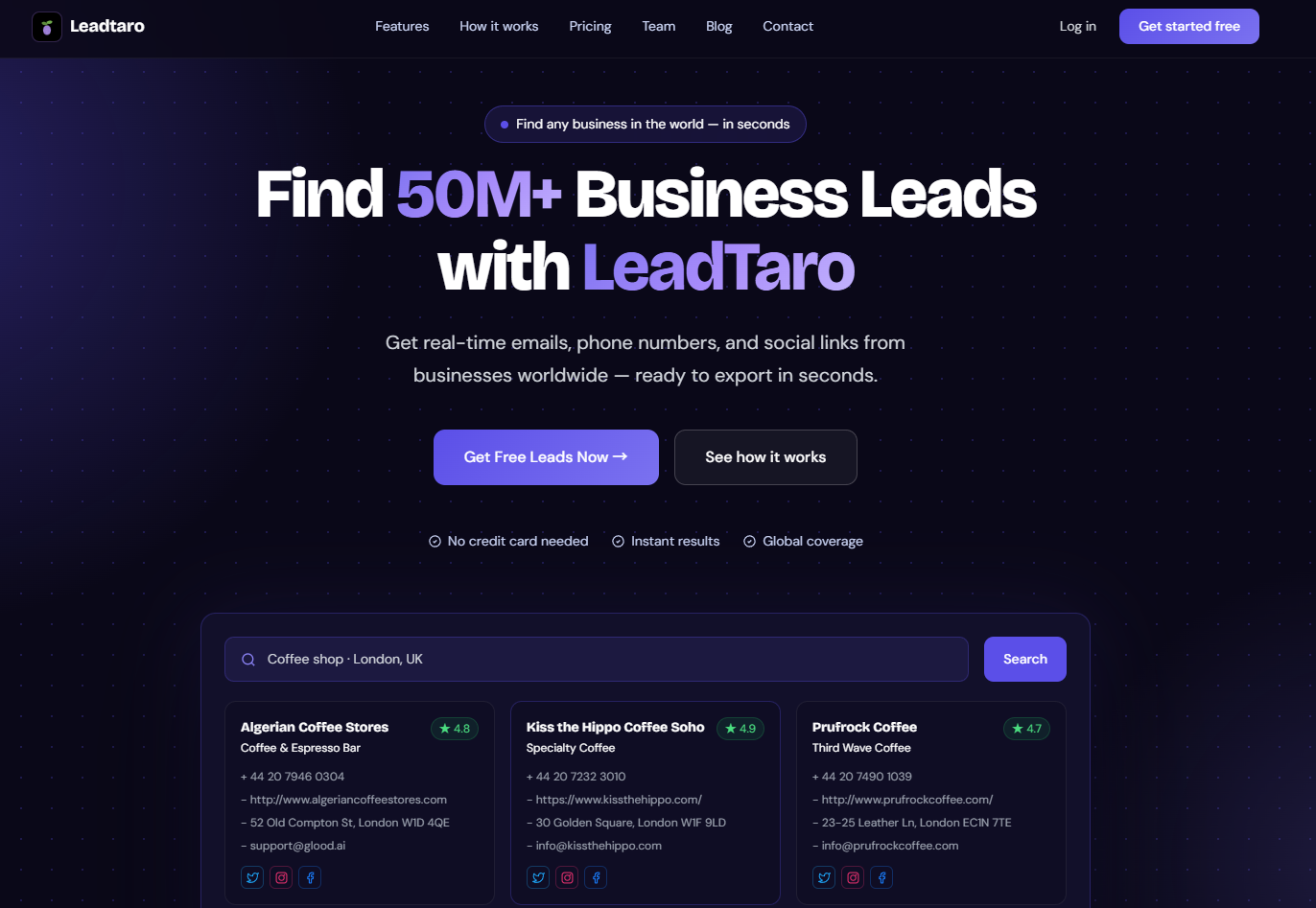
A wide hero screenshot of a prospecting workflow (search → CRM → outreach) fits well here
Finding prospects used to mean spending hours searching business directories, LinkedIn, websites, spreadsheets, and email tools just to build one usable list. That workflow is changing quickly — but with hundreds of tools now calling themselves an "AI sales assistant," picking the right one takes a closer look.
The 12 AI Prospecting Tools at a Glance
| Tool | Best for | Primary use |
|---|---|---|
| Apollo.io | B2B sales teams | Database + outreach |
| Clay | Data enrichment | Multi-provider workflows |
| ZoomInfo | Enterprise sales | B2B intelligence |
| Wiza | LinkedIn prospecting | Contact extraction |
| AiSDR | Autonomous prospecting | AI sales agents |
| Lavender | Email optimization | Cold email coaching |
| Amplemarket | Sales teams | Prospecting + outreach |
| HubSpot Prospecting Agent | HubSpot users | CRM-native prospecting |
| Salesloft | Sales engagement | Sequences + analytics |
| Nooks | Cold calling | AI-powered calling |
| Seamless.AI | Contact discovery | B2B contact search |
| LeadTaro | Lead generation + outreach | Business search + CRM + cold email |
What Is an AI Prospecting Tool?
An AI prospecting tool is software designed to automate some of the repetitive work involved in finding and contacting potential customers. Most tools focus on one or more of four jobs:
- Finding prospects: Search for companies or contacts based on industry, location, company size, job title, or other criteria.
- Enriching prospects: Add information such as websites, phone numbers, email addresses, social profiles, ratings, reviews, or company details.
- Qualifying prospects: Filter and prioritize leads based on the characteristics that matter to your sales process.
- Personalizing outreach: Use prospect data to create more relevant cold emails and sales messages instead of one generic message for everyone.
AI does not replace the underlying data — it can write a convincing email, but it cannot turn an incorrect prospect list into a good one. That's why data quality, search coverage, and workflow integration matter just as much as the AI itself.
The 2026 AI Prospecting Landscape
Traditional prospecting platforms focused heavily on professional databases and contact information. Newer tools are adding AI agents, automated research, enrichment, personalization, and outbound automation — and the result is often a fragmented workflow:
Find companies → find contacts → enrich data → export CSV → import into CRM → write emails → send campaigns → track replies
Every additional tool creates another login, another integration, and another place where data can become outdated — which is why all-in-one prospecting platforms are becoming increasingly useful. Instead of treating lead generation, CRM management, and outreach as separate tasks, the workflow can happen in one system. That's the approach behind LeadTaro.
The 12 Best AI Prospecting Tools in 2026
A closer look at each platform, its best-fit use case, its main strength, and where it tends to fall short.
Find, Organize and Contact Business Leads
LeadTaro takes a broader approach to prospecting. Instead of separating lead discovery, lead management, and outreach into different tools, LeadTaro brings those steps together in one workflow. You can search businesses by industry and location, discover available contact information, organize prospects in a CRM pipeline, and use the leads in personalized cold email campaigns.
LeadTaro currently provides access to 3 million+ business leads, with ongoing data generation and enrichment.
Search for businesses
Search by things such as industry, location, rating, reviews, website availability, email availability, phone availability, and social profiles. For example: "Find dentists in Manchester with websites and email addresses."

A screenshot of a location-based search (e.g. "dentists in Manchester") fits well here
Enrich your prospects
Depending on the available data, LeadTaro can provide company name, business category, location, address, website, phone, email, social profiles, ratings, and review counts — used to qualify and personalize your outreach.
Manage leads inside a CRM
LeadTaro includes a CRM workflow where prospects move through stages such as New Lead → Contacted → Interested → Meeting → Closed, so you don't need to export every lead to a separate CRM.

A screenshot of the CRM pipeline/kanban board fits well here
Launch personalized cold email campaigns
LeadTaro connects prospecting with outreach using lead-specific variables such as [companyname], [reviews], [rating], [location], [category], [address], and [website] — so the prospecting data becomes part of the message itself.

A screenshot of the cold email composer with lead variables fits well here
Who is LeadTaro for?
- Freelancers
- Web design agencies
- Marketing agencies
- Lead generation agencies
- Sales teams
- Founders
- Local-business service providers
- Businesses running cold email campaigns
If your workflow looks like search → filter → save → personalize → email → follow up, LeadTaro is designed to keep those steps together.
How to Choose the Right AI Prospecting Tool
There is no universal prospecting tool that works equally well for every sales team — the right choice depends heavily on your target customer and workflow.
1. Who are you selling to?
If you sell software to enterprise companies, professional B2B databases may be the most relevant source. If you sell websites, marketing, SEO, advertising, payment processing, or other services to local businesses, your prospecting requirements can be very different — you may care more about location, industry, website, reviews, phone, and email than the prospect's job title. Your ICP should determine the data source.
2. Do you need contacts or businesses?
A professional contact database answers "which person works at this company?" A business prospecting platform answers "which businesses match the criteria I am looking for?" Both are useful — they simply solve different prospecting problems.
3. How much of the workflow do you want in one place?
Some platforms are primarily databases, others focus on enrichment, email, CRM, or calling. If your team already has a CRM and outreach system, a specialized database may make sense. If you're a freelancer or small team trying to go from finding a lead to contacting it quickly, an integrated platform can reduce the setup required.
Why Local Businesses Are Still Hard to Prospect
Consider a local dentist, a plumbing company, a restaurant, a beauty salon, or an independent construction company. These businesses can have a website, a phone number, an email address, hundreds of reviews, and multiple locations — without having an active LinkedIn presence.
Those are completely different prospecting workflows — which is where business-focused prospecting platforms can complement traditional B2B databases.
The Complete AI Prospecting Workflow
The most useful AI prospecting workflow is not simply "AI → 10,000 leads." It's a process:
- Define your ICPDecide exactly who you want — e.g. Industry: Dentists · Location: Manchester · Website: Yes · Email: Available · Reviews: 100+.
- SearchUse your criteria to identify matching businesses.
- FilterRemove prospects that do not match your requirements.
- EnrichAdd available contact information and business details.
- QualifyDecide which prospects are worth contacting first.
- PersonalizeUse the information you've collected to make the outreach relevant.
- ContactSend the campaign through your preferred outreach channel.
- TrackMove prospects through your sales pipeline based on their responses.
This is the important shift from traditional lead generation — you're not simply building a spreadsheet, you're building a repeatable prospecting system.
AI Prospecting and Cold Email
AI has made writing cold emails considerably easier, but that doesn't mean every AI-generated email will perform well. The biggest difference is often the information available before the email is written.
The data behind the personalization matters — that's why lead generation and email personalization increasingly belong in the same workflow. LeadTaro allows lead information to be used directly in personalized outreach, helping businesses move from finding prospects to contacting prospects without rebuilding their data in another system.
Staying Compliant With GDPR and CCPA
AI does not remove your legal responsibilities when conducting outbound marketing. Businesses should understand the rules that apply to their target market and the type of information they are processing. For UK and EU outreach, GDPR and ePrivacy rules can apply depending on the recipient, the type of communication, and the legal basis being relied upon; for California, CCPA/CPRA requirements may also apply.
Good prospecting practices include:
- Use data obtained from appropriate sources
- Understand the legal basis for your outreach
- Identify yourself clearly
- Provide an appropriate opt-out mechanism
- Respect unsubscribe requests
- Avoid misleading subject lines
- Keep your contact data reasonably accurate
- Follow applicable marketing and privacy laws
Publicly available business information does not automatically mean every form of outreach is legally permitted. If you operate campaigns internationally, review the requirements that apply to your specific audience and jurisdiction.
Conclusion
The AI prospecting market is no longer about simply finding the tool with the biggest database — different platforms solve different problems. Apollo focuses on B2B databases and sales engagement, Clay on data orchestration, ZoomInfo on enterprise intelligence, Wiza on LinkedIn prospecting, Lavender on email optimization, Salesloft on sales engagement, Nooks on calling — and LeadTaro on connecting the entire workflow around business lead generation.
The important question is therefore not "which prospecting tool has the most leads?" but "which tool gives me the right prospects and lets me actually do something with them?" For agencies, freelancers, founders, and sales teams targeting businesses by industry and location, LeadTaro provides a workflow that goes from search → filter → save → organize → personalize → contact, in one platform.
Frequently Asked Questions
Start Finding Your Next Prospects With LeadTaro
With millions of business leads available and new data continuously generated, spend less time building spreadsheets and more time talking to potential customers.
Leads Generator
Target businesses you won't find on LinkedInExtract leads from Google Maps, Apple Maps and Bing Maps
Restaurant in your area