LeadBoba vs Pipedrive
Which Platform Is Better for B2B Lead Generation and Sales Pipeline Management in 2026?
A successful sales process requires more than managing existing customers. LeadBoba and Pipedrive both help businesses improve their sales process, but they focus on different stages — a traditional CRM vs. an end-to-end lead generation workflow. Here's an unbiased, stage-by-stage breakdown to help you decide.
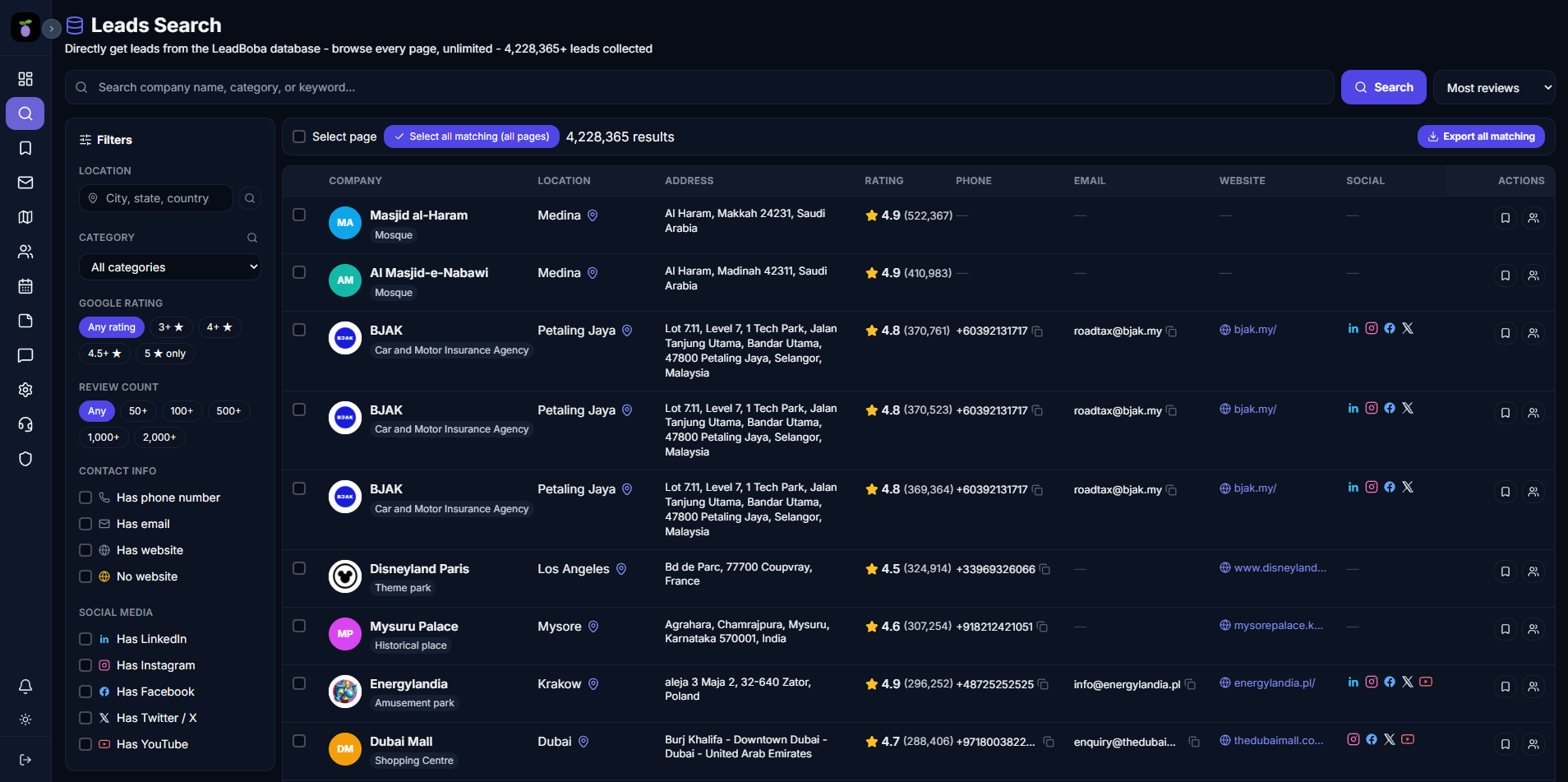
LeadBoba's all-in-one workspace compared with a Pipedrive deal pipeline
A successful sales process requires more than managing existing customers.
Businesses need to:
- 1. Find potential customers
- 2. Collect accurate information
- 3. Organize prospects
- 4. Communicate effectively
- 5. Track sales opportunities
- 6. Convert leads into customers
LeadBoba and Pipedrive both help businesses improve their sales process, but they focus on different stages.
Pipedrive is a customer relationship management (CRM) platform designed to help sales teams organize deals, manage pipelines, and track customer relationships.
LeadBoba focuses on the complete lead generation workflow by helping businesses discover new prospects through Google Maps and websites, collect business information, manage leads through CRM tools, generate AI-powered emails, and support outreach.
The key difference:
Pipedrive helps businesses manage existing sales opportunities.
LeadBoba helps businesses discover new opportunities and manage them through the entire sales journey.
What Is Pipedrive?
Pipedrive is a sales CRM platform designed to help businesses manage their sales pipelines. Its main features include:
- Deal management
- Sales pipelines
- Contact management
- Activity tracking
- Email synchronization
- Sales reporting
- Workflow automation
Pipedrive is commonly used by:
- Sales teams
- Small businesses
- Startups
- Account managers
that need a structured system for managing customer relationships.
What Is LeadBoba?
LeadBoba is a B2B lead generation and sales workflow platform designed to help businesses discover, organize, and contact potential customers. LeadBoba allows users to:
- Search businesses through Google Maps
- Discover companies by industry and location
- Crawl business websites
- Extract emails and phone numbers
- Collect social media profiles
- Save leads
- Manage CRM pipelines
- Add notes to prospects
- Generate AI-powered cold emails
- Improve grammar and writing quality using AI
- Send emails through Gmail integration
- Track outreach activity
- Analyze lead performance
LeadBoba combines prospect discovery, CRM management, and AI-assisted outreach in one platform.
CRM Management vs. Lead Generation
The biggest difference between LeadBoba and Pipedrive is where they begin.
Pipedrive starts after a lead already exists. Typical workflow:
- 1. Add contacts
- 2. Create deals
- 3. Move opportunities through pipeline stages
- 4. Track sales progress
LeadBoba starts before the CRM stage. Typical workflow:
- 1. Discover businesses
- 2. Collect lead information
- 3. Save prospects
- 4. Organize leads
- 5. Generate emails
- 6. Contact businesses
- 7. Manage relationships
Finding New Leads
Pipedrive is primarily designed to manage leads that businesses already have. Users usually import contacts from:
- Website forms
- Marketing campaigns
- Sales activities
- External lead tools
LeadBoba provides built-in lead discovery. Users can search businesses by:
- Industry
- Location
- Business category
Examples:
- Plumbers in London
- Restaurants in Manchester
- Dentists in Birmingham
- Marketing agencies worldwide
Google Maps Business Discovery
One of LeadBoba's strongest differences is Google Maps-based business discovery. LeadBoba helps users find real businesses based on location. Users can collect:
- Business names
- Addresses
- Phone numbers
- Websites
- Emails
- Google ratings
- Reviews
- Social media links
This is useful for:
- Marketing agencies finding clients
- Freelancers searching for businesses
- Local service providers
- B2B companies targeting specific regions
Pipedrive does not provide built-in Google Maps lead discovery.
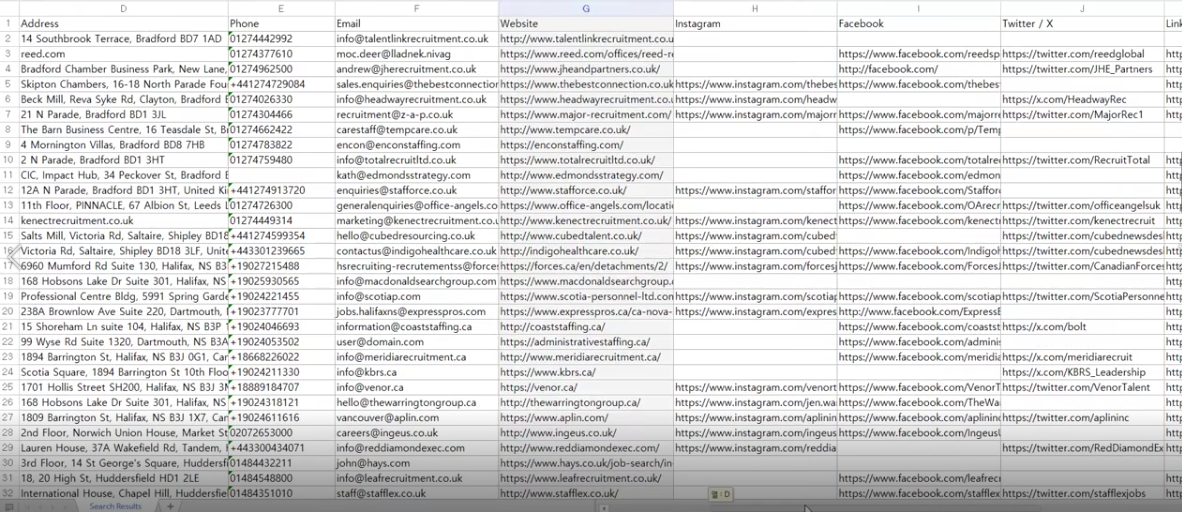
A screenshot of a location-based search (e.g. "plumbers in London") fits well here
Business Information and Lead Qualification
LeadBoba provides business intelligence before outreach. Users can understand:
- Company website
- Online presence
- Customer reviews
- Social media activity
- Business location
Example:
- A web agency can identify companies that may need website improvements.
- A marketing company can find businesses with weak online visibility.
Pipedrive focuses on organizing sales information after prospects enter the CRM.
CRM Pipeline Comparison
Pipedrive is a specialized CRM platform. Its strengths include:
- Visual sales pipelines
- Deal tracking
- Sales forecasting
- Activity management
- Team collaboration
LeadBoba also provides CRM-style lead management. Users can:
- Save leads
- Create pipelines
- Add notes
- Track lead status
- Manage prospect information
The difference:
Pipedrive is built primarily for sales management.
LeadBoba connects sales management with lead discovery.
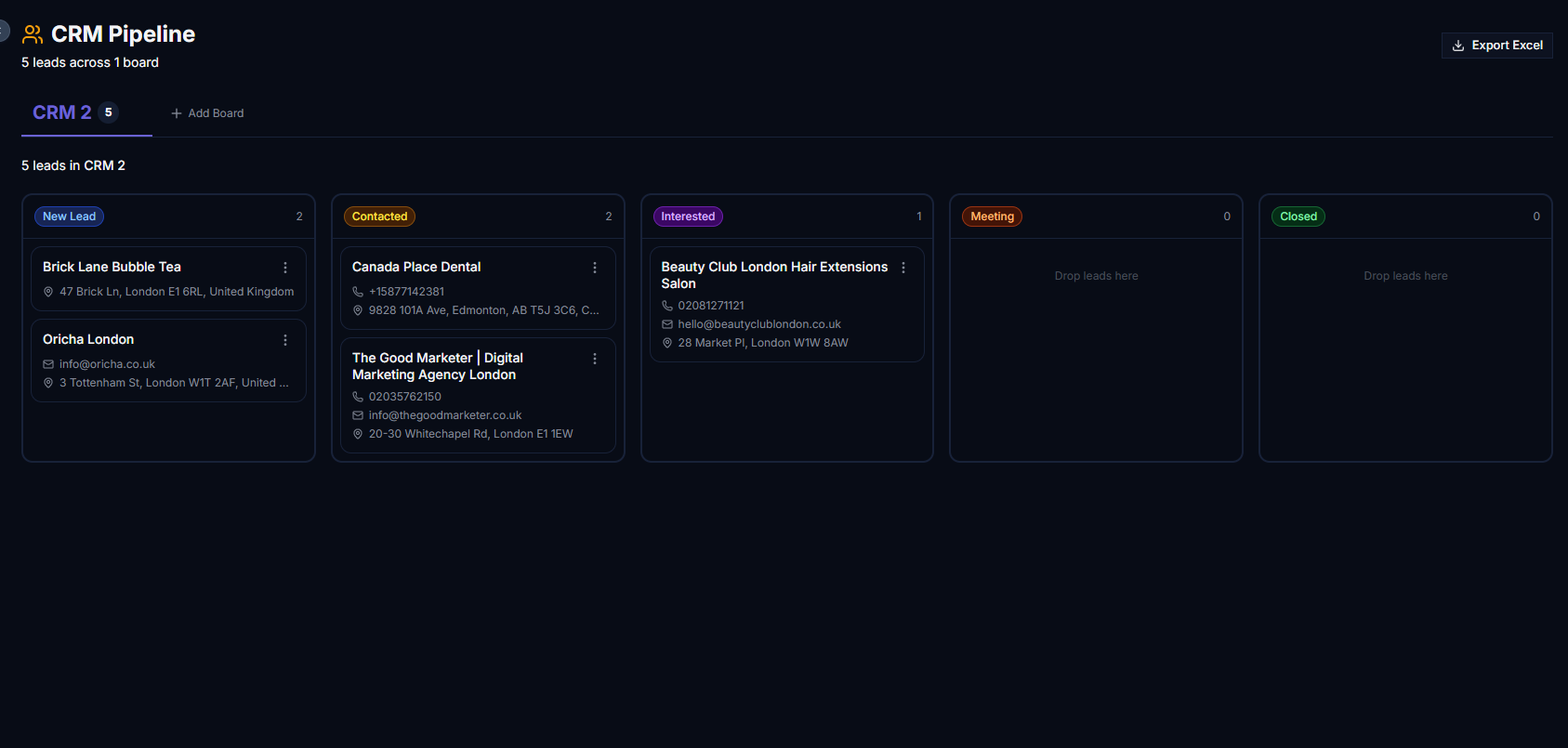
A screenshot of the CRM pipeline/kanban board fits well here
AI-Powered Sales Assistance
LeadBoba includes AI-powered writing features. Users can:
- Generate cold emails
- Personalize messages
- Fix grammar
- Improve sentence quality
- Adjust tone
This helps users quickly create professional outreach.
Pipedrive provides sales automation features but focuses less on AI-generated cold outreach content.

A screenshot of the AI writing assistant fits well here
Gmail Integration and Outreach Workflow
LeadBoba integrates Gmail directly into the prospect workflow. Users can:
- Connect Gmail accounts
- Send emails from LeadBoba
- Attach files
- Keep conversations linked to leads
This creates a direct connection between finding prospects and contacting them.
Pipedrive supports email management but is primarily focused on CRM organization.
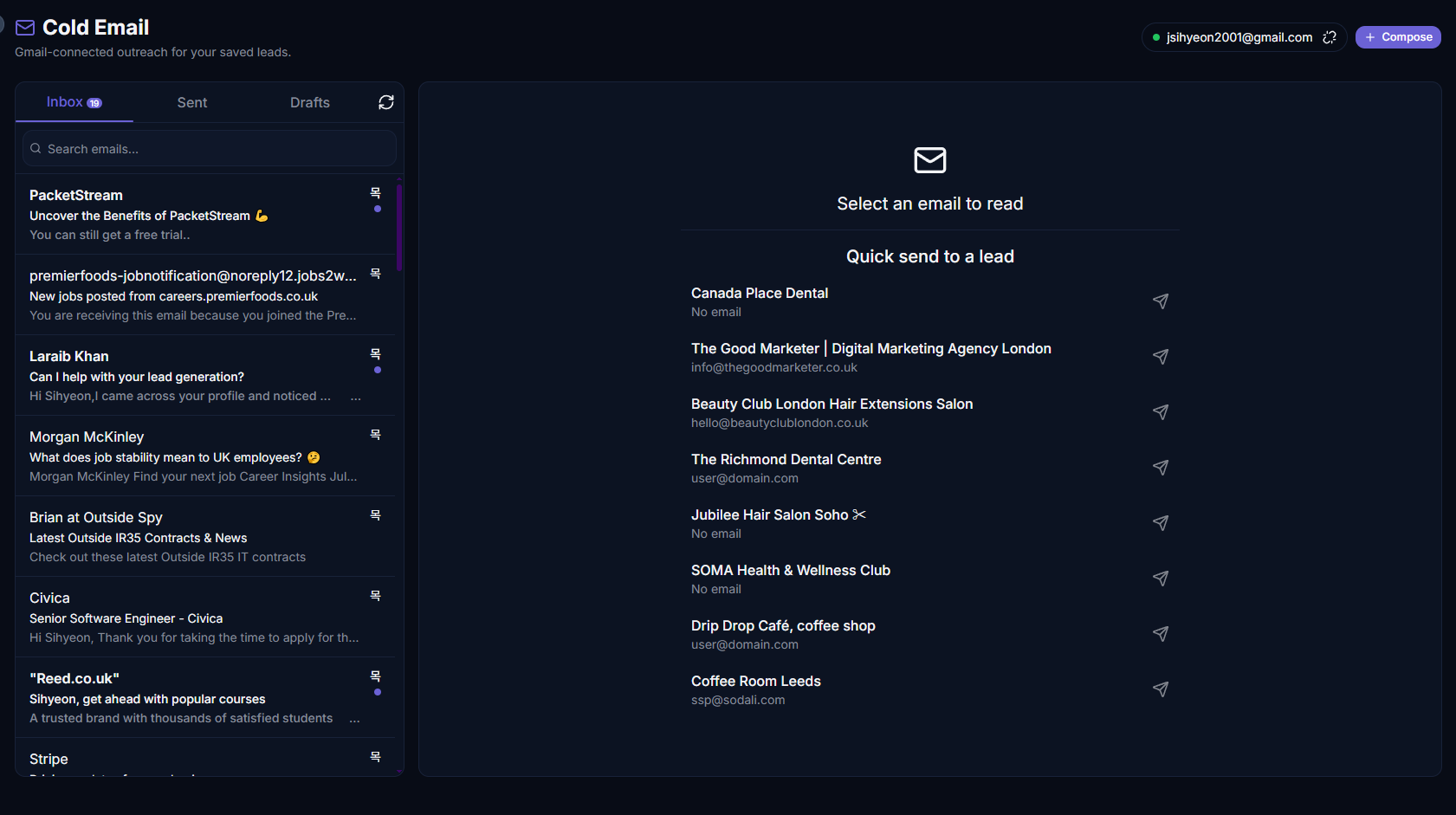
A screenshot of the Gmail composer / cold email tool fits well here
Analytics and Dashboard
LeadBoba provides analytics focused on lead generation activity. Users can monitor:
- Search activity
- Saved leads
- Lead scores
- Outreach performance
- Sales activity
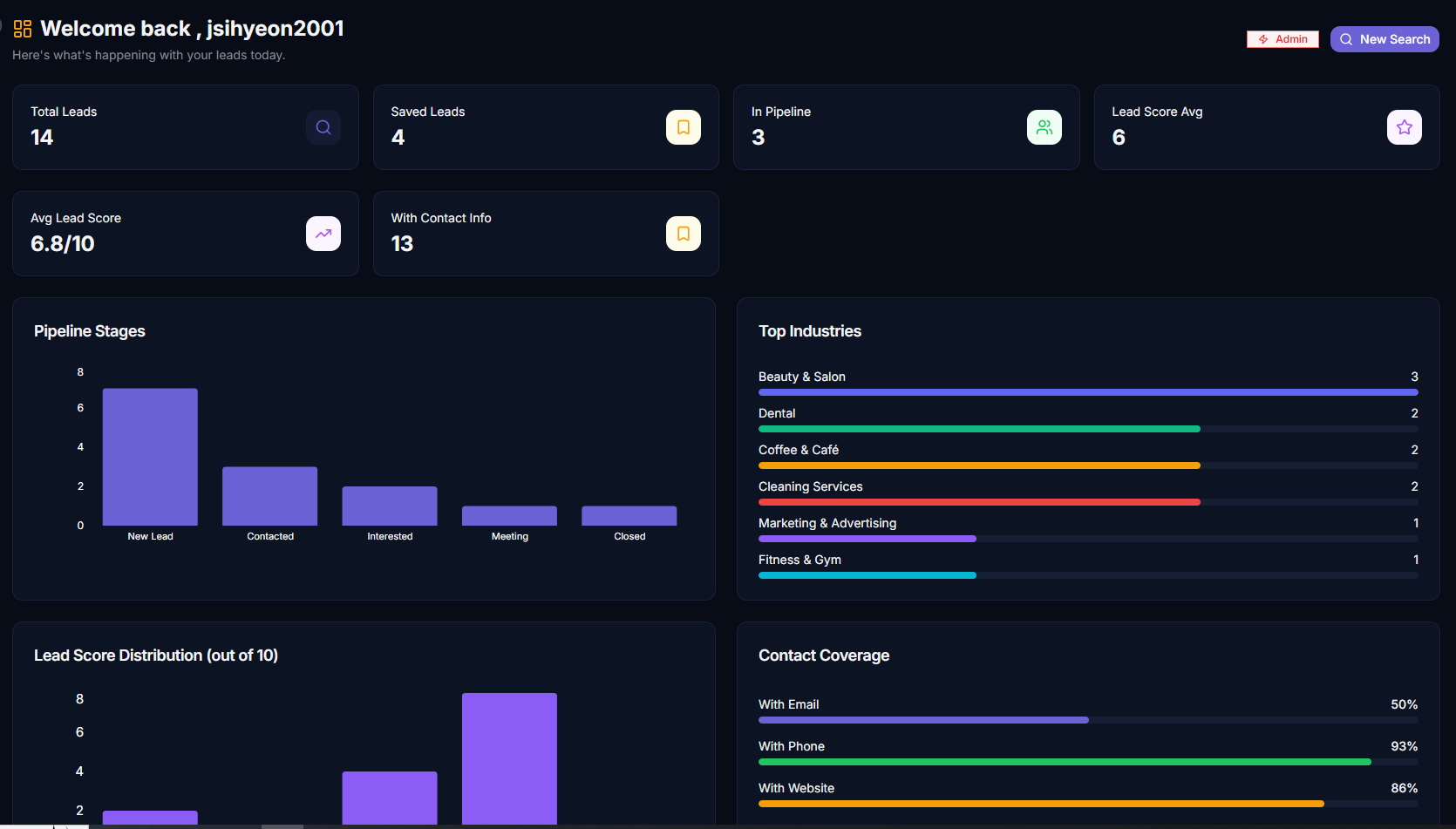
A screenshot of the analytics dashboard fits well here
LeadBoba also includes a global map visualization showing saved leads by location. This helps businesses identify:
- Target markets
- Geographic opportunities
- Expansion areas
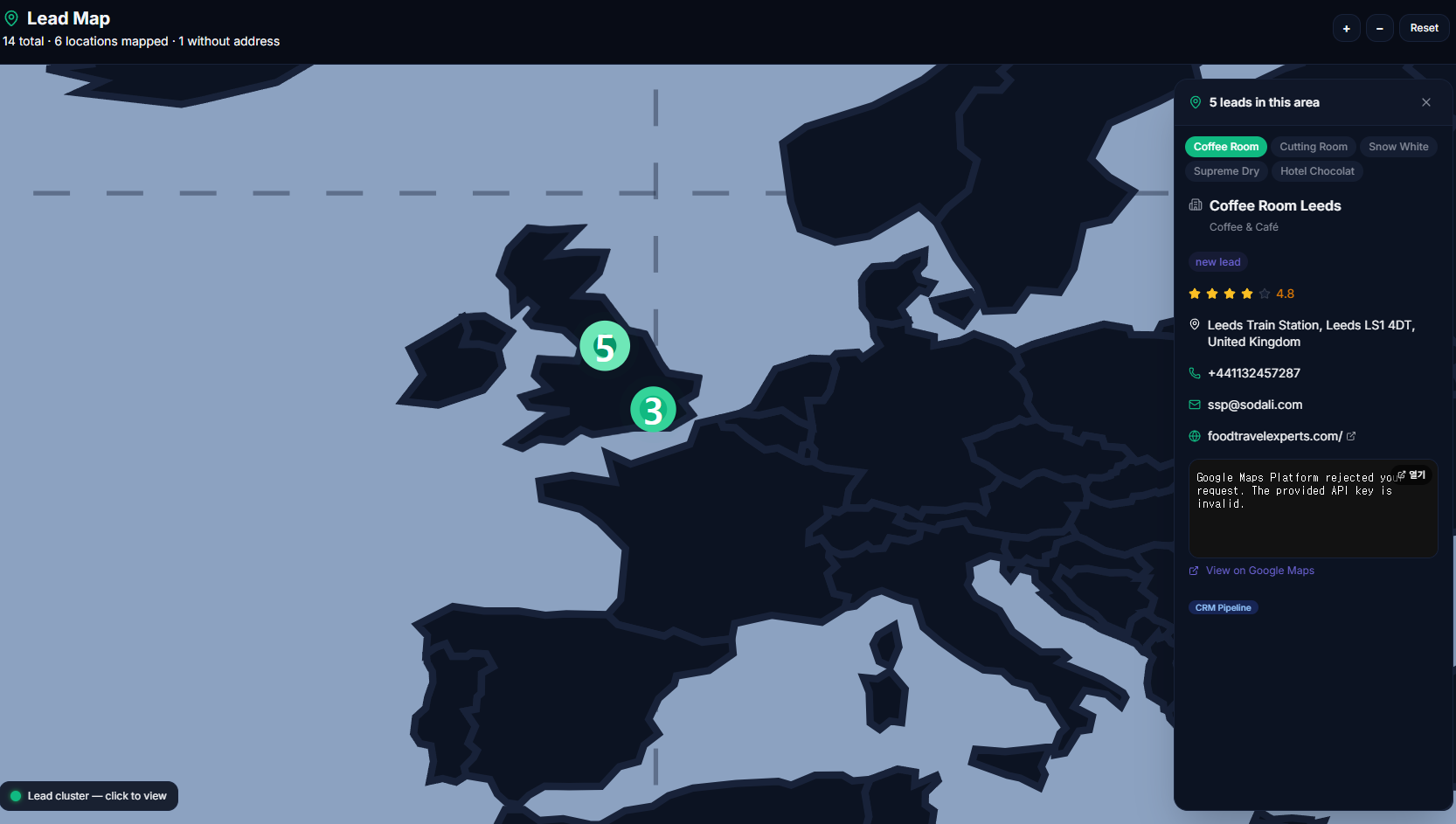
A screenshot of the leads map page fits well here
Pipedrive focuses more on sales pipeline reporting and deal performance.
Ideal Users
Pipedrive may be suitable for:
- Sales teams
- Account managers
- Companies with established lead sources
- Businesses needing structured CRM management
Especially users who already have:
- Customer lists
- Sales processes
- Incoming leads
LeadBoba may be suitable for:
- Startups
- Agencies
- Freelancers
- Consultants
- Local businesses
- SMB sales teams
Especially users who need:
- Lead discovery
- CRM
- AI email generation
- Outreach management
inside one platform.
LeadBoba vs Pipedrive: Feature Comparison Table
A side-by-side summary of the core features covered above.
| Feature | LeadBoba | Pipedrive |
|---|---|---|
| Lead discovery | ||
| Google Maps search | ||
| Business data extraction | ||
| Email extraction | ||
| Phone extraction | ||
| Website crawling | ||
| CRM pipeline | ||
| Deal management | limited | |
| Lead notes | ||
| Contact management | ||
| AI email generation | limited | |
| AI writing improvement | limited | |
| Gmail integration | ||
| Sales analytics | ||
| Lead map visualization | ||
| Sales forecasting | limited |
Frequently Asked Questions
So, Which One Should You Choose?
LeadBoba and Pipedrive solve different parts of the sales process.
Pipedrive is a powerful CRM platform focused on organizing deals, managing pipelines, and improving sales operations.
LeadBoba provides a complete lead generation workflow:
- Discover businesses
- Collect company information
- Organize prospects
- Generate AI-powered emails
- Contact customers
- Manage relationships
- Analyze sales activity
For businesses that already have leads and need advanced CRM management, Pipedrive is a strong solution.
For businesses that need to find new prospects and manage the complete journey from lead discovery to outreach, LeadBoba provides a broader platform.
Try LeadBoba's all-in-one workflow for yourself
Discover, save, and reach out to your next customers before they ever hit your pipeline.
Leads Generator
Target businesses you won't find on LinkedInExtract leads from Google Maps, Apple Maps and Bing Maps
Restaurant in London