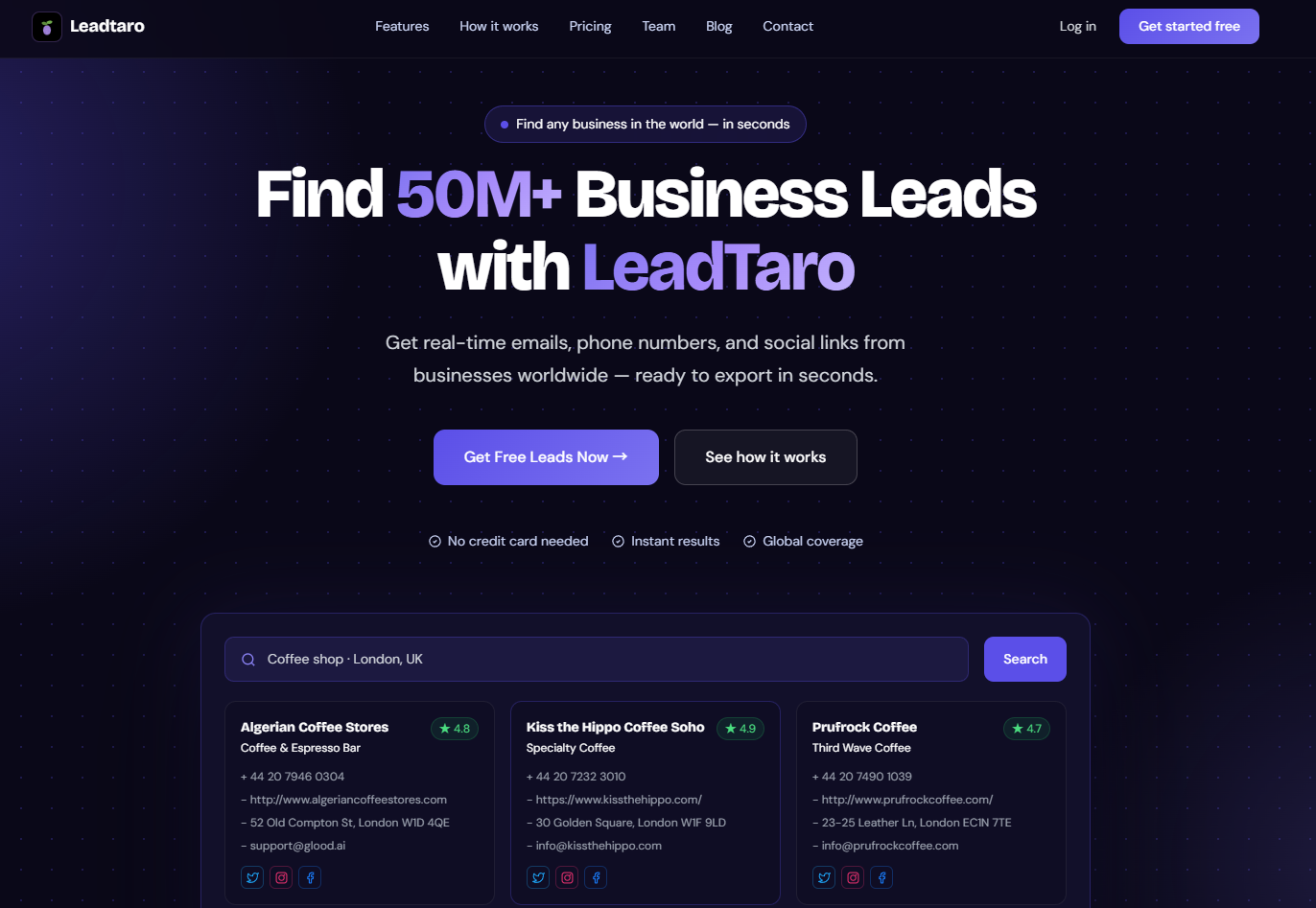
Choosing the right B2B lead generation platform can make a significant difference to how efficiently your sales team finds and contacts potential customers.
Some platforms specialize in business databases and contact discovery. Others focus on professional networking, decision-maker research, or managing customer relationships. The best option depends on your target market, budget, sales process, and the type of information you need.
For businesses targeting local companies and small to medium-sized businesses, searchable business databases can provide a practical starting point. For teams selling to specific executives at larger organizations, LinkedIn can help identify relevant decision-makers and build professional relationships.
This guide compares the main approaches to B2B lead generation in 2026, explains when each makes sense, and shows how to combine business data, contact research, and sales pipeline management into a more efficient prospecting workflow.
We'll also explore how LeadBoba helps sales teams discover business leads, access available contact information, and organize prospects for outreach.
Table of Contents
- The B2B Lead Generation Landscape in 2026
- Business Data Platforms vs LinkedIn: At a Glance
- Business Databases for B2B Lead Generation
- LinkedIn for B2B Prospecting
- Business Data Platforms vs LinkedIn: Which Should You Choose?
- How Businesses Use B2B Lead Generation Tools
- How to Find and Manage Leads with LeadBoba
- Building a Multichannel Lead Generation Strategy
- Lead Generation Compliance and Data Privacy
- Frequently Asked Questions
- Build a More Efficient B2B Lead Generation Workflow
The B2B Lead Generation Landscape in 2026
Finding potential customers is only one part of the sales process. Businesses also need accurate contact information, effective targeting, relevant messaging, and a reliable way to manage follow-ups.
A large prospect list is not necessarily a valuable one. If the companies do not match your ideal customer profile, or the contact information is outdated, your team can spend considerable time pursuing opportunities that are unlikely to convert.
A structured lead generation process begins with three questions:
- Who do you want to reach? Define your target industries, company types, locations, and relevant business characteristics.
- Where can you find them? Choose a suitable business database, professional network, industry directory, or other data source.
- How will you convert prospects into opportunities? Establish a process for researching contacts, initiating conversations, qualifying leads, and tracking follow-ups.
Different B2B lead generation platforms solve different parts of this process. Understanding those differences helps you select tools based on your actual sales requirements rather than simply choosing the platform with the largest advertised database.
Business Data Platforms vs LinkedIn: At a Glance
Business databases and LinkedIn can complement each other, but they serve different primary purposes.
CriteriaBusiness Data PlatformsLinkedInPrimary purposeDiscover and organize potential business leadsResearch professionals and build business relationshipsMain search approachCompany, industry, location, and available contact fieldsProfessional profiles, job titles, companies, and networksContact informationVaries by platform and recordDepends on profile visibility and available contact detailsLocal business prospectingUseful for discovering businesses by category and locationCan help research owners and employeesDecision-maker researchDepends on available contact and company dataParticularly useful for professional roles and career historyBulk prospect researchDepends on database size, search limits, and export featuresSubject to LinkedIn's available tools and usage restrictionsSales pipeline managementAvailable in some platformsOften requires a separate CRMBest suited forBuilding and qualifying business prospect listsIdentifying professionals and developing relationshipsThere is no universal winner. A local marketing agency, an enterprise software vendor, and a recruitment company can have very different prospecting requirements.
The most effective approach is the one that helps your team identify suitable prospects, contact them appropriately, and generate qualified opportunities at a sustainable cost.
Business Databases for B2B Lead Generation
Why Business Data Matters
Business data platforms help sales teams identify companies that fit specific targeting criteria without researching every business manually.
Depending on the platform, users can search by industry, company name, business category, location, and other available attributes.
For example, a web design agency might want to find independent restaurants in a particular city. A commercial cleaning company might target offices and retail businesses across several regions. A software provider might look for businesses in an industry that commonly uses its product.
Instead of building a list from scratch, a searchable database can help narrow the market to relevant companies.
What Business Information Can You Find?
Available fields vary between platforms and individual records, but business lead databases may include:
- Company or business name.
- Industry or business category.
- Business address and location.
- Website URL.
- Business telephone number.
- Available email addresses.
- Publicly listed social media profiles.
- Additional company information and business attributes.
Some platforms also provide employee information, professional contacts, company size, technology data, or other enrichment fields.
It is important to distinguish between company-level information and verified decision-maker information. A business telephone number does not necessarily reach the person responsible for purchasing, and an available email address is not automatically verified or suitable for marketing.
Before committing to a platform, evaluate the fields that matter most to your target audience and test the results against a sample of real businesses.
The Advantages of Business Data Platforms
Efficient prospect discovery
Search filters can reduce the time spent identifying companies that match your ideal customer profile.
Structured lead lists
Consistent company fields make it easier to organize records, remove duplicates, and prepare prospects for outreach.
Scalable research
A searchable database can help teams investigate larger target markets without relying entirely on manual searches.
Integration with sales workflows
CSV exports and CRM functionality, where available, can help move prospects from discovery into qualification and follow-up.
What to Consider Before Choosing a Database
Not all business databases have the same coverage or data quality.
Before choosing a tool, consider:
- How many businesses are relevant to your market?
- Which countries and industries are covered?
- Are phone numbers and email addresses available for your target businesses?
- How recently was the information collected or updated?
- Can you filter records before exporting them?
- What are the export limits and credit requirements?
- Does the platform provide a way to manage prospects after discovery?
A database that looks impressive in a marketing comparison might not be the best choice for a business targeting a narrow industry or region.
The practical test is whether it consistently helps you find relevant, usable prospects.
LinkedIn for B2B Prospecting
LinkedIn's Strengths
LinkedIn is a professional networking platform that helps users research people, companies, job titles, career histories, and professional relationships.
It can be particularly useful when your ideal customer is defined by a specific role rather than simply by the type or location of a business.
For example, a software company selling enterprise solutions might need to identify a Head of Operations, Chief Technology Officer, or VP of Sales at a particular organization.
LinkedIn can help researchers understand who works at a company, what their professional responsibilities might be, and how to approach relevant contacts in a professional context.
It can also support relationship-based prospecting through useful content, mutual connections, and relevant conversations.
The Limitations of LinkedIn Prospecting
LinkedIn is not a replacement for every part of a sales database or CRM.
Finding a relevant professional does not automatically provide a verified business email address or direct telephone number. Some contact details may not be publicly available, and the time required to research and qualify prospects can vary significantly.
Sales teams should also consider subscription costs, account limits, available search functionality, and LinkedIn's terms governing automated activity and data collection.
For high-value enterprise sales, the time invested in professional research can be worthwhile. For campaigns targeting thousands of local businesses, a business-focused database may provide a more direct starting point.
When LinkedIn Makes the Most Sense
LinkedIn is particularly useful when:
- You need to identify professionals with specific job titles.
- Your sales process involves several decision-makers.
- You sell high-value products or services to larger organizations.
- Professional relationships play a major role in purchasing decisions.
- You want to research a contact before reaching out.
For many B2B companies, LinkedIn works best alongside a business database and a CRM rather than as the only tool in the sales process.
Business Data Platforms vs LinkedIn: Which Should You Choose?
The right approach depends on what you sell and whom you need to reach.
Choose a Business Data Platform When...
Your target audience consists primarily of businesses that can be identified by industry, business type, location, or other company-level attributes.
Examples include:
- Marketing agencies targeting local companies.
- Web design businesses looking for companies with outdated websites.
- Commercial service providers targeting offices and retail locations.
- SaaS companies targeting businesses within a specific industry.
- Sales teams building prospect lists across multiple geographic regions.
A business database can help you establish a target list, review available contact information, and organize prospects for outreach.
Choose LinkedIn When...
Your target audience is defined primarily by an individual's professional role or relationship with an organization.
Examples include:
- Enterprise software vendors targeting senior executives.
- Consulting firms researching department leaders.
- Recruitment companies identifying professionals with specific experience.
- Sales representatives building relationships with named decision-makers.
LinkedIn is particularly useful for understanding the professional context surrounding a potential buyer.
Combine Both for a More Complete Workflow
In many situations, these tools solve complementary problems.
Imagine a web design agency targeting independent restaurants in Manchester.
First, the agency builds a list of restaurants that match its geographic and business criteria. It reviews available websites and contact information, then identifies companies that might benefit from a new website.
Next, the agency researches the relevant owners or managers using professional profiles and other appropriate sources.
Finally, it prepares a personalized outreach message based on the business's actual circumstances.
This process combines company-level discovery with individual research. It also avoids treating every company as an equally valuable prospect.
Which Approach Fits Your Industry?
Target marketUseful starting pointWhyRestaurants and hospitalityBusiness data platformIdentify companies by business type and locationDentists and healthcare practicesBusiness data platformBuild lists of relevant practices in selected areasHome services and contractorsBusiness data platformDiscover businesses within specific service territoriesEnterprise software buyersLinkedIn plus company dataIdentify relevant companies and decision-makersConsulting and marketing agenciesBothDiscover potential clients and research their leadershipRecruitment and talent servicesLinkedInResearch professional backgrounds and relevant rolesRetail businessesBusiness data platformOrganize prospects by category and geographyThese are starting points rather than strict rules. The right combination depends on your ideal customer profile and how your buyers make purchasing decisions.
How Businesses Use B2B Lead Generation Tools
Lead generation platforms can support a variety of practical sales and marketing workflows.
Use Case 1: A Web Design Agency Finding New Clients
A web design agency wants to find independent businesses that could benefit from a better online presence.
The agency defines its target industries and geographic area, builds a list of relevant companies, and reviews their websites.
It then prioritizes businesses where the agency can identify a specific opportunity, such as an outdated website, poor mobile usability, or missing online booking functionality.
The resulting prospect list gives the agency a more focused starting point for personalized outreach.
Use Case 2: A B2B SaaS Company Expanding into a New Market
A SaaS company is preparing to enter a new country.
Instead of contacting businesses indiscriminately, the sales team identifies relevant industries and company types, then builds a list of potential customers within the target region.
The team reviews the available business information, identifies promising accounts, and researches the appropriate decision-makers before initiating contact.
This creates a repeatable process for exploring new markets and comparing results across different customer segments.
Use Case 3: A Sales Team Improving Lead Management
A sales team already has access to business leads but struggles to track conversations and follow-ups.
Some prospects have been contacted several times, while others have received no follow-up at all. The team also has difficulty distinguishing new leads from qualified opportunities.
A structured CRM pipeline can help resolve these problems by recording lead stages, contact history, and the next action required.
The objective is not simply to generate more leads. It is to ensure that promising prospects receive appropriate attention throughout the sales process.
These examples illustrate common workflows rather than guaranteed results. Actual outcomes depend on the quality of the target list, the offer, the sales process, and the execution of each campaign.
How to Find and Manage Leads with LeadBoba
LeadBoba combines business lead discovery with tools for organizing and managing prospects. It is designed for users who want to find potential business customers and move relevant records into a structured sales workflow.
Step 1: Define Your Ideal Customer Profile
Before searching, establish the characteristics of your target customers.
Consider:
- Industry or business category.
- Country, region, or city.
- Company type and relevant attributes.
- Required contact information.
- The problem your product or service solves.
For example, a marketing agency might focus on independent restaurants in selected UK cities, while a software company might target businesses within a specific industry across several countries.
Clear targeting criteria help reduce irrelevant results and make it easier to evaluate campaign performance.
Step 2: Choose a Lead Discovery Method
LeadBoba provides two lead discovery approaches.
Bulk Search
Bulk Search uses LeadBoba's existing business lead database to help users find records matching their search criteria.
It is useful when you want to explore available records and build a prospect list from the existing database.
Fresh Search
Fresh Search uses a live search and crawling workflow to discover business information.
It can help users investigate additional prospects beyond the existing database, depending on the search criteria and information available.
These approaches serve different purposes. The best choice depends on whether the records you need are already available or whether you want to discover additional business information.
Step 3: Review and Qualify Your Leads
Once you have search results, evaluate whether the businesses match your target audience.
Depending on the record, available fields may include company name, category, address, website, phone number, email address, and social links.
For phone-based prospecting, prioritize businesses with usable telephone information. For email campaigns, review the availability and quality of the relevant email fields.
Do not assume every lead includes every field or that all contact information is current. Verify important details before launching a campaign.
Step 4: Export Eligible Leads
When you have identified suitable prospects, export eligible records to CSV where supported by your plan and available credits.
A structured export makes it easier to review your leads, organize campaign lists, remove duplicates, and transfer relevant information into other sales tools.
Before exporting large lists, test a smaller sample to confirm that the fields match your workflow and that the results meet your requirements.
Step 5: Manage Prospects in Your Sales Pipeline
Finding business leads is only the beginning.
LeadBoba includes a CRM pipeline that helps users organize leads through stages such as New Lead, Contacted, Interested, Meeting, and Closed.
This gives you a way to track progress rather than treating every discovered business as an active sales opportunity.
A simple process might look like this:
- Add relevant businesses to your lead list.
- Review and qualify each prospect.
- Record outreach activity.
- Move interested prospects to the appropriate stage.
- Schedule and manage follow-ups.
- Track meetings and closed opportunities.
Combining lead discovery with pipeline management makes it easier to maintain an organized prospecting process as your sales activity grows.
Explore LeadBoba: https://www.leadboba.com/
Building a Multichannel Lead Generation Strategy
The most suitable lead generation strategy often combines several methods rather than depending on one source or communication channel.
A practical workflow can be organized into five steps.
Step 1: Discover Potential Customers
Use a business database, relevant directories, or other appropriate sources to identify companies that match your target audience.
Define your criteria before searching so that the resulting list is relevant to your product or service.
Step 2: Research Important Accounts
Review company websites, business information, and relevant professional profiles.
For higher-value prospects, spend additional time identifying the appropriate contact and understanding the company's likely needs.
Step 3: Prepare Relevant Outreach
Develop a concise message explaining why you are contacting the business and how your product or service might help.
Avoid sending identical, generic pitches to every company. Use relevant information to personalize your communication without making unsupported assumptions.
Step 4: Coordinate Follow-Ups
Depending on your audience, preferences, and applicable rules, your process might include phone calls, personalized emails, professional networking, or other appropriate contact methods.
Record interactions and respect requests not to receive further marketing.
Step 5: Measure Results
Track meaningful metrics, including:
- Number of relevant prospects identified.
- Contact information quality.
- Contact and response rates.
- Qualified meetings booked.
- Opportunities created.
- Customers acquired.
- Cost per qualified lead.
Review these figures regularly to identify where your process needs improvement.
If contact rates are low, investigate data quality and targeting. If prospects respond but do not book meetings, reconsider your messaging and offer. If meetings fail to progress, examine qualification and the fit between your solution and the customer's needs.
The goal is to improve the entire sales process, not simply increase the number of records in your database.
Lead Generation Compliance and Data Privacy
B2B lead generation involves collecting, storing, and using business contact information. Public availability does not automatically mean that every use of that information is permitted.
Requirements depend on the jurisdiction, the type of contact, the communication method, and the nature of the information.
Data Protection
When handling personal data, including information identifying individual business contacts, review the data protection laws applicable to your activities.
In the UK and European Economic Area, this may include the UK GDPR, EU GDPR, and relevant national rules.
Consider the purpose for collecting information, the legal basis for processing, data accuracy, retention, transparency, and how individuals can exercise their rights.
Email Marketing
For US commercial email, review the CAN-SPAM Act requirements, including applicable rules concerning sender information and opt-out requests.
In the UK and Europe, electronic marketing requirements can depend on the recipient, the type of communication, and the applicable national rules.
Do not assume that a business email address automatically grants permission to send any marketing message.
Telephone Outreach
Telephone marketing rules vary between jurisdictions and types of calls.
For example, businesses contacting people in the UK should review relevant PECR requirements and applicable telephone preference services. US campaigns may need to account for the TCPA, FTC rules, and applicable Do Not Call restrictions.
Automated calls, prerecorded messages, and calls to certain types of numbers may be subject to additional requirements.
Before starting a campaign, check the rules applicable to your target market, maintain appropriate suppression records, and promptly respect objections and opt-out requests.
Frequently Asked Questions
What are the best B2B lead generation platforms in 2026?
The best platform depends on your target market and sales workflow.
Business data platforms can help you discover and organize companies based on relevant attributes. LinkedIn is useful for researching professionals and developing business relationships. CRM platforms help manage leads and opportunities.
LeadBoba combines business lead discovery with sales pipeline management, making it an option for teams that want to organize business prospecting and follow-ups in one workflow.
Is LinkedIn a B2B lead generation platform?
Yes. LinkedIn supports B2B prospecting by helping users research companies, identify professionals, and establish relevant business relationships.
However, finding a professional profile does not guarantee access to a verified business email address or telephone number. Some teams combine LinkedIn research with business databases and CRM software.
Is a business database better than LinkedIn?
Neither approach is universally better.
A business database can be a practical starting point when your target customers are defined by industry, company type, or location. LinkedIn can be more useful when you need to identify specific professionals or understand their roles within an organization.
Many B2B teams use both for different stages of the prospecting process.
How much does B2B lead generation cost per lead?
The cost varies according to the data source, subscription fees, research time, outreach expenses, and the definition of a qualified lead.
A useful calculation is:
Cost per qualified lead = Total lead generation costs ÷ Number of qualified leads generated
Include the cost of software, staff time, data verification, and campaign execution when comparing different approaches.
A low cost per record does not necessarily mean a low cost per qualified opportunity.
How do I build a B2B prospect list?
Start by defining your ideal customer profile. Identify relevant companies using appropriate business databases, directories, or professional networks. Review available contact information, qualify prospects, and organize the results for outreach.
LeadBoba supports business lead discovery through Bulk Search and Fresh Search, with eligible lead exports and a CRM pipeline to help manage prospects.
Can I combine LinkedIn with a business lead database?
Yes. A business database can help identify relevant companies, while LinkedIn can help you research the professionals associated with those organizations.
This approach combines company-level targeting with individual research. Verify contact information and ensure your intended outreach complies with applicable rules.
What should I look for in a lead generation tool?
Consider database coverage, relevant industries, geographic availability, contact information quality, search filters, export options, pricing, credit requirements, and CRM capabilities.
Test a representative sample of leads before relying on a platform for a large campaign.
What is the difference between lead generation and lead management?
Lead generation is the process of identifying and attracting potential customers.
Lead management involves organizing prospects, tracking interactions, qualifying opportunities, and managing follow-ups throughout the sales process.
Both are important. Generating a large list of businesses provides limited value if your team cannot identify which prospects are worth pursuing.
Build a More Efficient B2B Lead Generation Workflow
The right B2B lead generation platform depends on who you sell to, what information you need, and how your team manages sales opportunities.
Business databases provide a structured way to discover potential customers. LinkedIn helps research professionals and build business relationships. CRM tools keep the process organized from initial discovery through qualification and follow-up.
For many sales teams, combining these capabilities provides a more practical workflow than relying on a single source.
LeadBoba helps users search business leads through Bulk Search and Fresh Search, access available business information, export eligible records, and organize prospects through a CRM pipeline.
Instead of focusing only on the size of your prospect list, build a process that prioritizes relevant businesses, usable contact information, and consistent follow-up.
Start exploring business leads with LeadBoba: https://www.leadboba.com/