Choosing a CRM is only half the battle. You can have an excellent dashboard, automated workflows, detailed reports, and dozens of custom fields, but none of that will generate revenue if your sales pipeline is empty.
The real challenge for many sales teams is bringing the right prospects into their CRM, keeping contact details up to date, and following up consistently. The software matters, but so does the data that powers it.
In this guide, we compare 10 popular CRM platforms for sales teams in 2026, explain how to choose the right solution for your business, and show how to build a repeatable process for finding prospects and filling your pipeline with relevant B2B leads.
What's Inside
What is a sales CRM in 2026?
How to choose a CRM: Six important criteria
The 10 best CRMs for sales teams in 2026
Best free CRMs for small sales teams
How to fill your CRM with qualified leads
Data quality, privacy, and outreach compliance
Frequently asked questions
Why Sales Teams Need More Than a CRM
Sales representatives spend time researching companies, updating contact records, preparing messages, and organizing follow-ups. Without an efficient process, these administrative tasks can take attention away from conversations with potential customers.
A CRM helps bring this work together. It provides a central place to track prospects, record interactions, manage opportunities, and identify the next action for each deal.
However, a CRM is not a lead generation strategy by itself. It can organize the prospects you find, but you still need a reliable way to discover relevant businesses and obtain appropriate contact information.
The goal is to build a connected sales process: find suitable prospects, organize their details, prioritize opportunities, reach out with relevant messages, and track the results.
What Is a Sales CRM in 2026?
A sales CRM, or customer relationship management system, helps a business manage its relationships with potential and existing customers.
A typical sales CRM includes:
Contact and company records
Deal stages and visual sales pipelines
Call, email, and meeting histories
Tasks, reminders, and follow-up scheduling
Reporting and sales performance dashboards
Integrations with email, calendars, and other business tools
Many platforms now offer AI-assisted features, including email drafting, lead prioritization, meeting summaries, and sales forecasting. The availability of these features depends on the product and subscription plan.
CRM vs. spreadsheet for sales
A spreadsheet can work well for a solo founder managing a small number of prospects. But as the number of contacts and team members grows, it becomes harder to maintain a consistent process.
A CRM makes it easier to assign ownership, record conversations, manage deal stages, and ensure that follow-ups happen on time.
A practical rule is simple: use the simplest system that supports your current sales process, but choose a CRM before missed follow-ups and duplicated work become recurring problems.
Sales CRM vs. all-in-one business platform
Not every CRM is designed for the same purpose.
A sales-focused CRM prioritizes contacts, opportunities, activities, and pipeline management. An all-in-one platform may also include marketing automation, customer service, and reporting. Flexible work management platforms can be configured as CRMs, although they may require more setup.
Choose the category that matches how your team works rather than paying for features you will rarely use.
How to Choose the Best CRM for Sales Teams
Before comparing products, evaluate six criteria.
1. Ease of setup
Your team should be able to add contacts, create deal stages, and schedule follow-ups without weeks of configuration. A powerful CRM that nobody uses will not improve sales performance.
2. Pipeline visibility
Look for a clear view of every opportunity, its current stage, its owner, and the next planned action. Managers should be able to identify stalled deals without searching through multiple reports.
3. Automation
Useful automation includes task reminders, lead assignment, workflow triggers, and follow-up notifications. If you send outbound emails at scale, check whether the CRM includes sequencing or requires a separate sales engagement tool.
4. Mobile access
Field sales representatives and account managers need to update records while away from their desks. Check whether the mobile application supports the activities your team performs most frequently.
5. Integrations and lead import
Your CRM should work with your existing email, calendar, communication, and reporting tools. It should also support a reliable process for importing contacts from CSV files or transferring records through an available integration or API.
Before importing a large list, check how the CRM handles duplicate contacts, custom fields, company records, and data validation.
6. Total cost of ownership
Compare more than the advertised starting price. Consider the number of paid seats, contact limits, automation restrictions, onboarding costs, and additional tools you may need.
The best CRM is not necessarily the cheapest or the most feature-rich. It is the one that supports your sales process at a sustainable cost.
The 10 Best CRMs for Sales Teams in 2026
The following platforms serve different needs, from simple pipelines for small teams to highly customizable enterprise sales operations. Pricing and feature availability can change, so check each vendor's current plans before purchasing.
1. Pipedrive: Best for visual sales pipelines
Pipedrive is designed around managing deals through a visual pipeline. Sales representatives can track opportunities, update stages, and plan their next actions without navigating an overly complicated interface.
Best for: Small and midsize sales teams that want a sales-focused CRM.
Main strengths:
Visual deal management
Sales activity tracking
Workflow automation on supported plans
Reporting and integrations
Potential limitation: Teams that need extensive marketing automation or customer service functionality may need additional products.
2. HubSpot CRM: Best for getting started for free
HubSpot provides a CRM with contact management, deal tracking, and integrations with its broader marketing and customer service ecosystem. Its free tools make it an accessible starting point for small teams.
Best for: Startups and businesses that want to begin with a free CRM and potentially expand into a wider platform.
Main strengths:
Accessible entry-level CRM
Contact and deal management
Broad integration ecosystem
Options for expanding into marketing and service tools
Potential limitation: Advanced automation and sales functionality can require paid subscriptions, and total costs may rise as requirements grow.
3. Zoho CRM: Best value for growing businesses
Zoho CRM offers contact management, pipeline tracking, reporting, and automation options across different subscription tiers.
Best for: Businesses looking for a configurable CRM with a broad feature set.
Main strengths:
Sales automation
Customizable records and workflows
Reporting capabilities
Integration with other Zoho applications
Potential limitation: The number of features and settings can make the interface more complex for new users.
4. Salesforce Sales Cloud: Best for enterprise sales teams
Salesforce is a highly customizable CRM suited to businesses with complex sales processes, large teams, and extensive integration requirements.
Best for: Established organizations with sophisticated reporting, permissions, and workflow needs.
Main strengths:
Deep customization
Advanced reporting and forecasting options
Extensive integration ecosystem
Support for complex sales operations
Potential limitation: Implementation and administration can require significant time and resources. Smaller teams may not need its full capabilities.
5. monday CRM: Best for flexible workflows
monday CRM combines customer and deal management with a flexible work management environment. Teams can adapt boards and workflows to fit their own processes.
Best for: Teams that want sales tracking alongside project and operational workflows.
Main strengths:
Flexible boards and viewsCustomizable workflows
Team collaboration features
Connections with other work management tools
Potential limitation: Some teams may need to spend time configuring the system to match their preferred sales process.
6. Freshsales: Best for small teams exploring AI-assisted sales
Freshsales combines CRM functionality with communication and sales automation features. Depending on the plan, teams can also access AI-assisted capabilities for sales activities.
Best for: Small and midsize businesses seeking contact management and sales productivity features in one platform.
Main strengths:
Contact and deal tracking
Communication tools
Sales automation
AI features on supported plans
Potential limitation: Compare plan-specific limits and integrations before deciding whether it covers your team's full workflow.
7. Close: Best for phone-heavy inside sales
Close focuses on helping sales representatives manage outreach and conversations. Calling, email, and activity tracking are central to its approach.
Best for: Inside sales teams that make frequent calls and manage a high volume of outbound conversations.
Main strengths:
Communication-focused workflows
Call and email tracking
Sales activity management
Pipeline visibility
Potential limitation: Teams with complex enterprise account management or broader service requirements may need additional tools.
8. Pipeline CRM: Best for straightforward deal management
Pipeline CRM focuses on managing contacts, opportunities, and sales activities without requiring a highly complex setup.
Best for: Teams that want a dedicated CRM for tracking deals and sales progress.
Main strengths:
Deal pipeline management
Contact organization
Sales reporting
Activity tracking
Potential limitation: Compare its automation and integration options with those of larger CRM suites if your sales process is highly customized.
9. Nutshell: Best for small businesses seeking simplicity
Nutshell combines CRM and sales management features in a platform aimed at helping teams organize their customer relationships and sales activities.
Best for: Small businesses that want a practical system without extensive CRM administration.
Main strengths:
Contact and company management
Sales pipeline tracking
Reporting
Available sales and marketing capabilities
Potential limitation: Check whether the reporting, customization, and automation features available in your chosen plan match your requirements.
10. Copper: Best for Google Workspace users
Copper is designed to work closely with Google Workspace, making it worth considering for teams that manage much of their communication through Gmail and Google Calendar.
Best for: Businesses that want their CRM to fit naturally into a Google Workspace-based workflow.
Main strengths:
Google Workspace integration
Contact and relationship management
Deal tracking
Sales activity organization
Potential limitation: Its appeal may be lower for teams that do not rely heavily on Google's productivity tools.
CRM Comparison Table
CRMBest forFree optionMain considerationPipedriveVisual pipelinesCheck current offerSales-focused feature setHubSpot CRMFree entry point and expansionYes, with plan limitsPaid upgrades can increase costsZoho CRMValue and customizationAvailable on eligible plansMore configuration optionsSalesforceEnterprise salesCheck current offerComplexity and implementationmonday CRMFlexible workflowsCheck current offerMay require configurationFreshsalesSmall teams and sales automationAvailable on eligible plansFeatures vary by tierClosePhone-heavy outboundCheck current offerFocused on sales communicationPipeline CRMStraightforward deal trackingCheck current offerCompare advanced capabilitiesNutshellSmall business salesCheck current offerCheck plan-specific limitsCopperGoogle Workspace usersCheck current offerBest fit for Google-centric teamsNo single CRM is best for every sales team. If you are choosing between two platforms, test the workflows your team will actually use: importing contacts, assigning ownership, moving deals, recording calls, and scheduling follow-ups.
Best Free CRMs for Small Sales Teams
If you are launching a sales process or operating with a limited budget, starting with a free plan can be a sensible choice.
HubSpot CRM, Zoho CRM, and Freshsales are worth evaluating for their entry-level options. Compare the number of users, contact limits, reporting, automation, and integration restrictions rather than choosing based on the word "free" alone.
A free plan can be enough when you are:
Managing a relatively small list of prospects
Tracking deals through a simple pipeline
Recording calls and meetings
Scheduling follow-ups manually
Testing whether your sales process works
Consider upgrading when your team needs more sophisticated automation, reporting, permissions, or integrations.
For a solo founder, the most useful CRM is often the one that is simple enough to maintain every day. A smaller, accurate database with consistent follow-up is more valuable than a complicated system full of neglected records.
The Missing Step: How to Fill Your CRM With Qualified Leads
Even the best CRM cannot manage opportunities that you have not found.
For businesses selling to other businesses, lead generation needs to happen before or alongside CRM management. Your process should help you identify relevant companies, gather appropriate business contact details, evaluate fit, and organize the results for follow-up.
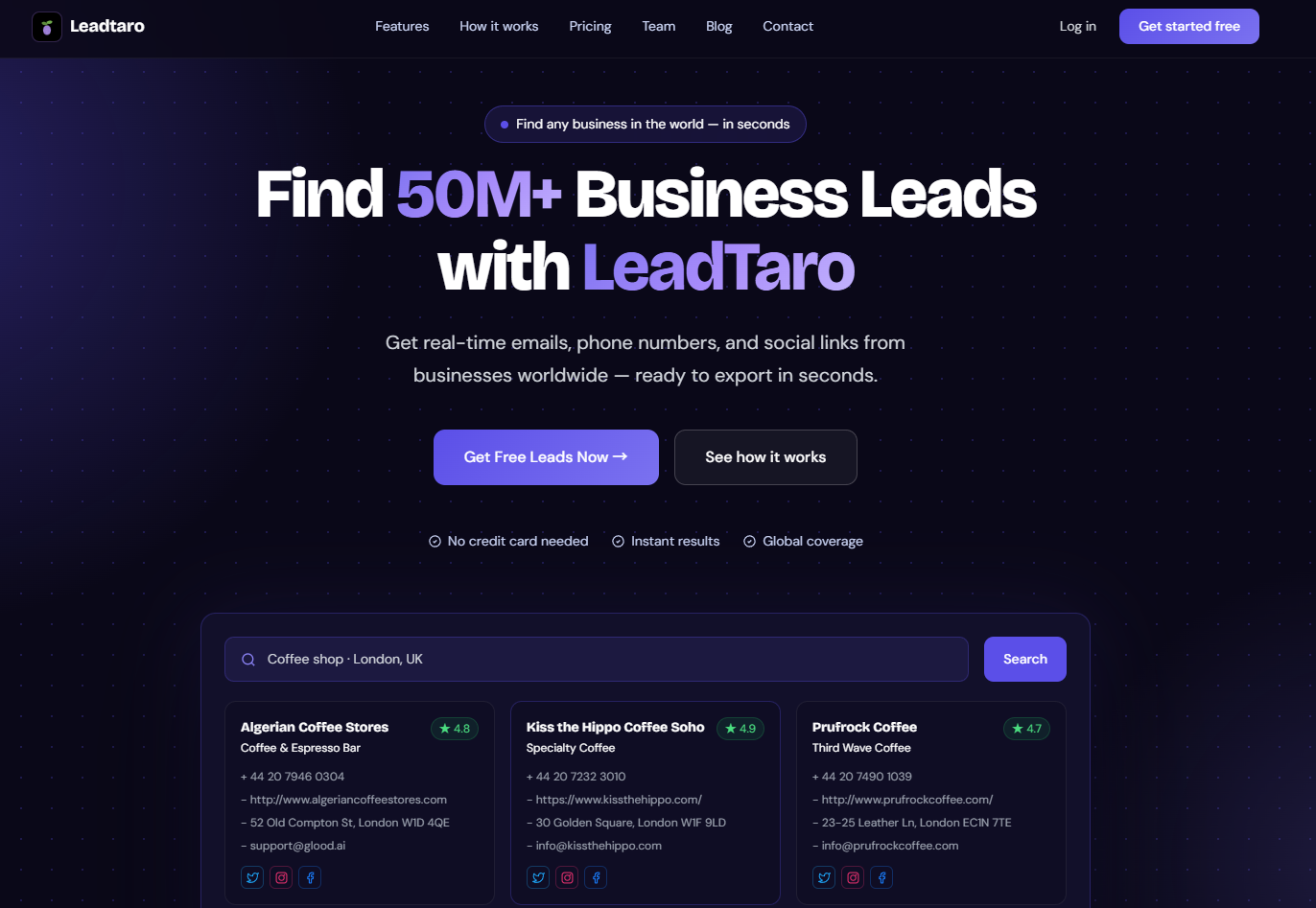
LeadTaro helps businesses discover B2B prospects by business category and location. Its business lead database and available contact information can support prospect research, while its CRM pipeline helps users organize leads and track sales progress.
Here is a practical workflow.
Step 1: Define your ideal customer profile
Start by deciding which businesses are most likely to need your product or service.
Consider:
Industry or business category
Country, region, or city
Business size, where information is available
Relevant services or products
The problem your product solves
The role or type of decision-maker you need to reach
For example, a web design agency may focus on independent restaurants, trades businesses, or professional service providers in a particular region.
The more specific your target market, the easier it becomes to build relevant lists and write useful outreach messages.
Step 2: Find businesses that match your criteria
Use a business lead generation platform such as LeadTaro to discover companies by category and location.
Review the available business information and prioritize companies that appear relevant to your offer. Do not assume that every business in a category is a qualified prospect; a matching industry is only the first screening step.
For example, a marketing agency looking for website redesign projects might prioritize businesses whose websites appear outdated or whose online presence suggests a potential need for its services. These observations should be checked individually rather than treated as proof that a business is ready to buy.
Step 3: Review contact information and qualify prospects
Review the available business details, which may include company names, websites, phone numbers, email addresses, and social links.
Before contacting a prospect, assess whether:
The business fits your target market
Your product or service is relevant to its likely needs
The contact details are suitable for the intended communication
You have a specific reason to start a conversation
Where personal business contact information is involved, ensure that its collection and use are appropriate under the applicable privacy and marketing rules.
Step 4: Organize your leads
Export lead data when your plan supports it, then import the relevant records into your CRM using its available import tools.
Before importing, standardize fields such as company name, website, email, phone number, and location. Check for duplicates and test the import with a small sample before uploading a large file.
Create useful segments rather than treating every company identically. For example, you could separate businesses by industry, location, potential need, or outreach status.
Step 5: Manage the pipeline
Once prospects are in your CRM, assign them a clear status. A simple pipeline might include:
New lead
Researching
Contacted
Interested
Meeting booked
Proposal sent
Won or lost
Adapt the stages to your sales process. The purpose is to make it clear what has happened and what needs to happen next.
Step 6: Personalize outreach and follow up
Use the business information you have gathered to make each message relevant. Explain why you are contacting that company, what problem you may be able to solve, and what the next step would involve.
LeadTaro also offers AI-assisted email generation to help prepare personalized outreach. Review each message before sending it, verify that its claims are accurate, and make sure it complies with the rules that apply to your audience and channel.
Track responses and outcomes in your CRM. Over time, these results will help you understand which business categories, messages, and channels produce the most qualified conversations.
How LeadTaro Fits Into Your Sales Workflow
LeadTaro is a B2B lead generation platform that helps users find business prospects and manage their sales activity. It can complement a dedicated CRM or support a more integrated prospecting workflow, depending on how you choose to manage your pipeline.
Relevant capabilities include:
Business lead discovery by category and location
Available business contact information, including phone numbers, email addresses, and websites
CSV export for supported workflows and plans
AI-assisted email generation
CRM pipeline management
The platform offers a free plan with 60 B2B leads and does not require a credit card to get started. Check the current plan details for any limits on contact access, credits, or exports.
The key distinction is that lead generation and CRM management solve different problems. LeadTaro helps you find and work with business prospects; a dedicated CRM such as Pipedrive, HubSpot, or Salesforce may be a better fit if your organization needs specialized reporting, extensive integrations, or more complex sales operations.
Choose the setup that fits your team's workflow instead of adding tools simply because they are available.
Before You Import: Data Quality and Compliance
A large contact list is not automatically a good contact list. Data quality, relevance, and responsible outreach all matter.
Keep records clean
Before importing leads:
Remove duplicate records.
Check email addresses and phone numbers where possible.
Record where the data came from and when it was collected.
Keep only the fields your team needs.
Update or remove records that are no longer useful.
Maintain a process for recording opt-outs and suppression requests.
Even when information is publicly available, contact details can be incomplete or outdated. Validate important records before relying on them for a campaign.
Understand privacy and marketing rules
The rules governing business outreach depend on the country, communication channel, recipient, and type of contact information.
In the UK, for example, UK GDPR, the Data Protection Act 2018, and PECR may apply to direct marketing. Whether a named business contact's information is personal data, what lawful basis is appropriate, and whether an email or call is permitted depend on the circumstances.
In the United States, CAN-SPAM sets requirements for commercial email, including accurate sender information and a functioning opt-out process. Other state and sector-specific rules may also apply.
Do not assume that public information is automatically unrestricted or that every B2B email can be sent without further checks. Identify the rules relevant to your target market, respect opt-outs, and seek professional advice if your campaign raises difficult compliance questions.
Frequently Asked Questions
Which CRM software is best for sales teams?
Pipedrive is worth considering for visual pipeline management, HubSpot for its accessible entry-level CRM, Zoho CRM for configurable features, and Salesforce for complex enterprise sales operations. The best option depends on your team size, workflow, budget, and integration requirements.
What is the best free CRM for a sales team?
HubSpot CRM, Zoho CRM, and Freshsales are useful starting points to compare. Check the current limits on users, contacts, automation, reporting, and integrations before choosing a free plan.
How much does a sales CRM cost in 2026?
Some CRMs offer free entry-level plans, while paid subscriptions vary by vendor, plan, billing period, and number of users. Additional costs may include onboarding, advanced automation, integrations, and sales engagement software. Check current vendor pricing before making a decision.
How do you fill a new CRM with leads?
Define your ideal customer profile, discover relevant businesses, review their available contact information, qualify the prospects, and import suitable records into your CRM. Then assign ownership, create follow-up tasks, and track each interaction through your pipeline.
Can LeadTaro replace a dedicated CRM?
LeadTaro combines B2B lead discovery with CRM pipeline management and AI-assisted email generation. It may be sufficient for businesses with straightforward prospecting and sales workflows. Organizations requiring specialized enterprise reporting, extensive integrations, or complex permissions may prefer to use a dedicated CRM alongside their lead generation tools.
How do you improve CRM data quality?
Standardize fields, check for duplicates, validate contact details, record data sources, and review outdated records regularly. Use consistent processes for imports and updates so that poor-quality information does not spread throughout your sales system.
Do sales teams still need a CRM in 2026?
Yes, when they need a consistent way to manage contacts, opportunities, activities, and follow-ups. The benefit comes from using the system regularly and keeping the information inside it accurate. A CRM is most useful when it supports a clear sales process rather than simply storing contact records.
Conclusion: Build a CRM Around a Reliable Prospecting Process
The CRM market offers strong options for teams of every size. Pipedrive, HubSpot, Zoho CRM, Salesforce, monday CRM, Freshsales, Close, Pipeline CRM, Nutshell, and Copper each serve different needs.
Choose your platform based on usability, pipeline visibility, automation, integrations, and total cost. Then focus on the part that turns software into a working sales system: finding relevant prospects, maintaining good data, and following up consistently.
For teams targeting local businesses and other B2B prospects, LeadTaro can help discover business leads, prepare outreach, and organize sales activity. Combine that with a CRM workflow your team can maintain, and your pipeline becomes easier to manage and improve.
A good CRM keeps your sales process organized. A well-defined prospecting process gives it something valuable to organize.