A sales representative at a growing SaaS company spends hours researching potential customers, only to discover that many records are outdated, incomplete, or irrelevant. The team has a database full of contacts, but very few turn into meaningful sales conversations.
This is one of the biggest challenges in B2B prospecting. Finding companies is easy. Finding the right businesses, gathering useful information, and turning that information into a repeatable sales process is much harder.
Business database search tools help solve this problem. They let sales teams discover companies, filter prospects by relevant characteristics, and organize business information for outreach. Depending on the platform, they may also provide contact data, company intelligence, email outreach, or CRM integrations.
But not every tool serves the same purpose. Some platforms focus on large B2B contact databases. Others specialize in company-level research, AI-powered lookalike searches, or local business discovery.
This guide explains how business database search tools work, how to find companies similar to your best customers, and how to choose a platform that fits your prospecting strategy. We'll also explore how LeadTaro can help businesses discover potential customers and turn their research into an organized sales pipeline.
Table of Contents
What Are Business Database Search Tools?
From Static Contact Lists to More Relevant Prospecting
How to Find Similar Companies
Business Database Search Tools Compared
How to Choose the Right Business Database
Affordable Prospecting Tools for Small Businesses
How to Build Your First Prospect List
Google Maps Data and Local Business Prospecting
Real-World Use Cases
Data Quality, Privacy, and Compliance
The Future of Business Database Search
Frequently Asked Questions
What Are Business Database Search Tools?
A business database search tool helps users discover, filter, and research companies using criteria relevant to their sales or marketing goals.
Depending on the platform, these criteria may include:
Industry and business category
Geographic location
Company size and revenue
Website and online presence
Available business contact information
Technology usage and other company attributes
Customer profile and potential fit
The goal is to replace repetitive manual research with a more structured way to identify potential customers.
For example, a marketing agency that specializes in restaurants might want to find independent restaurants in a particular city. A software company could be looking for logistics businesses in a specific region. A local service provider might want to identify businesses that could benefit from a better website or stronger online marketing.
Each company has a different ideal customer profile, so the best search process starts with understanding whom you want to reach.
Why Business Database Search Matters in 2026
Sales teams have access to more information than ever, but having more data does not automatically lead to better results.
A large contact database can be useful when you need to reach decision-makers across many industries. However, it may be less useful when your target market is defined by a specific location, business category, or local market opportunity.
For example, a roofing company in Manchester might benefit more from identifying relevant commercial properties and nearby businesses than from searching a global database of corporate contacts.
This is where different prospecting approaches become important.
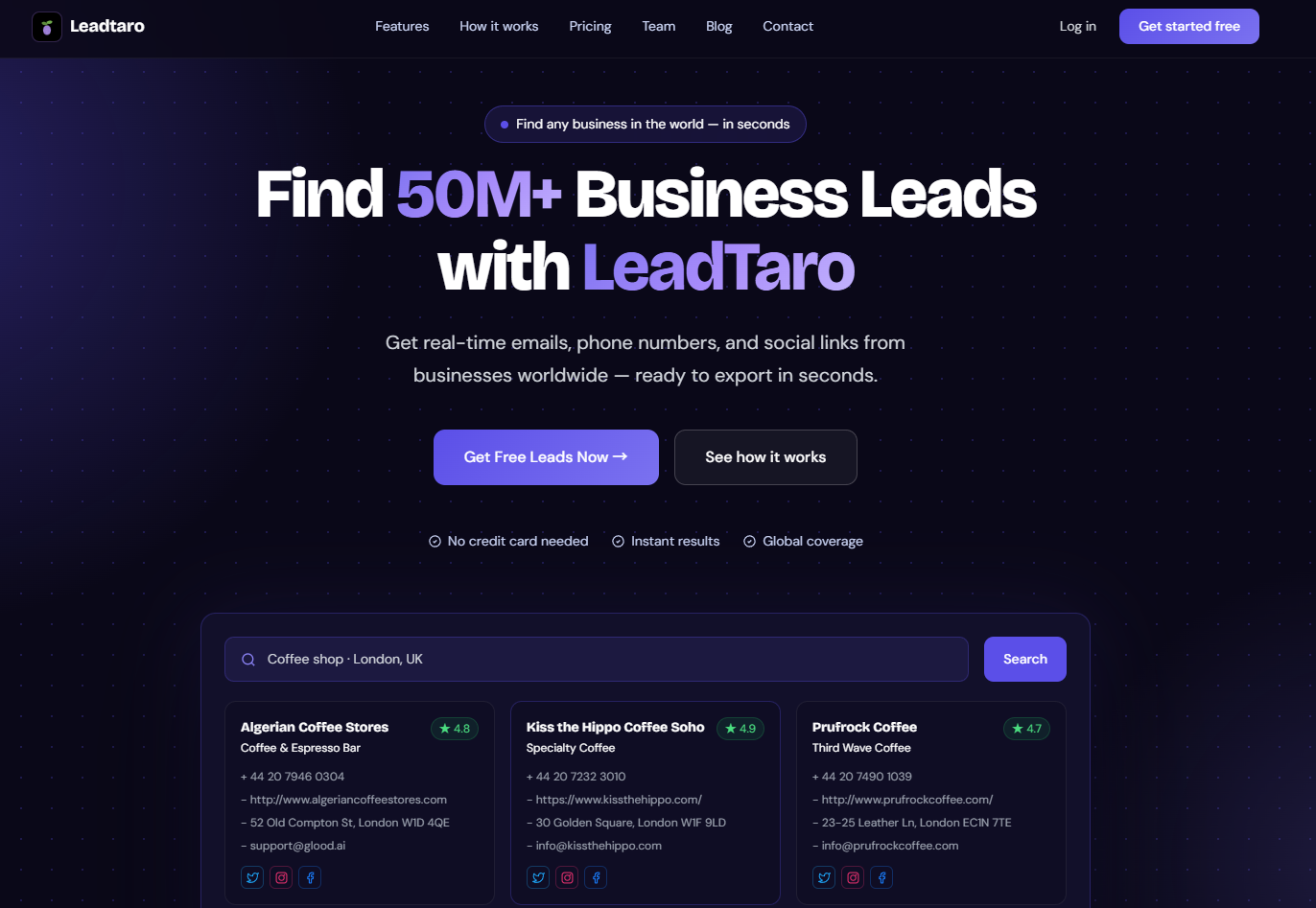
LeadTaro helps users search for businesses, explore available business information, and build prospect lists that support their outreach activities. Instead of treating prospecting as a collection of disconnected searches and spreadsheets, users can connect lead discovery with an organized sales workflow.
From Static Contact Lists to More Relevant Prospecting
Traditional prospecting often begins with a spreadsheet, a purchased contact list, or a collection of records assembled manually.
The problem is that business information changes. Companies move, close, change their websites, update their phone numbers, or expand into new markets. A record that was useful several months ago may no longer be accurate.
A database's usefulness therefore depends on more than its total number of records. Coverage, relevance, available fields, and how recently information was collected all matter.
Static Databases vs. Search-Based Business Discovery
Static databases can be useful when you need broad coverage, established company profiles, or contact information across multiple markets. However, they may not always provide the local detail required for a narrowly targeted campaign.
Search-based business discovery takes a different approach. Rather than beginning with a fixed list, users define the type of business they want and the area they want to target.
For example, a campaign might focus on:
Accountants in Leeds
Independent retailers in Birmingham
Restaurants in a particular town
Local construction companies with an online presence
Businesses in a chosen category that may need digital marketing services
LeadTaro supports this location- and category-oriented approach to lead generation. Users can search for businesses and review the available information to decide which prospects are relevant to their goals.
It is important to remember that search-based discovery does not guarantee that every record is current or that every email address will work. Business information should be reviewed and contact data verified before launching an outreach campaign.
Why the Right Data Matters More Than Database Size
Imagine two prospecting lists.
The first contains thousands of companies from unrelated industries across multiple countries. The second contains a smaller set of businesses in the exact locations and categories relevant to your service.
The larger list is not automatically better.
A focused prospect list can make it easier to personalize outreach, prioritize promising companies, and understand which market segments generate the best responses.
With LeadTaro, businesses can organize their prospecting around the markets and business categories they want to target, then use the available lead information to support their sales process.
How to Find Similar Companies: The Lookalike Approach
Your existing customers can provide valuable clues about where to find new opportunities.
Perhaps your best customers belong to the same industry. Maybe they operate in similar locations, have comparable business models, or share a particular business need.
Finding companies with similar characteristics can help you expand beyond your existing customer base.
What Is a Similar Company Finder?
A similar company finder, sometimes called a lookalike company search tool, identifies businesses that resemble a reference company or a defined customer profile.
The exact method depends on the platform. Some tools use company size, industry classifications, and geographic data. More specialized platforms may analyze website content, technology usage, hiring activity, or other signals to estimate similarity.
These systems can be useful for account-based marketing and targeted prospecting, but they are not all the same.
A tool that finds businesses by location and category is different from a platform that uses machine learning to calculate company similarity. Before choosing a product, check whether it actually offers the matching capabilities your strategy requires.
How to Build a Lookalike Prospecting Strategy
You do not necessarily need a dedicated AI lookalike tool to begin identifying similar business opportunities.
Start with the characteristics of your strongest customers.
1. Identify your best customers.
Look at the customers who are a good fit for your product or service. Consider profitability, retention, sales cycle, and the problems your product helps them solve.
2. Identify shared characteristics.
Record relevant patterns, such as industry, business category, location, company size, website quality, or the type of service they need.
3. Turn those characteristics into search criteria.
Use a business search platform to find companies that match the characteristics you can search for. For local prospecting, this may involve selecting a business category and geographic area.
4. Review each prospect's suitability.
A business that matches your search filters is not necessarily ready to buy. Review its website, services, online presence, and other available information before deciding whether to contact it.
5. Track campaign outcomes.
Record which types of prospects respond, book meetings, and become customers. Use those results to improve your ideal customer profile.
LeadTaro can support the discovery and organization stages of this process. It helps users find businesses and manage the resulting leads, while the decision about whether a company is a genuine lookalike prospect remains part of the user's research and qualification process.
Where AI-Powered Lookalike Tools Fit
Specialized platforms may use machine learning and natural language processing to compare companies based on website descriptions, industry signals, and other firmographic information.
These features can be useful for sales teams with a clearly defined ideal customer profile and a need to expand into similar accounts at scale.
However, AI-generated similarity scores should not be treated as proof that a company is a qualified lead. A highly similar company may have no current need for your product, while a less obvious match may become an excellent customer.
Use similarity signals as a starting point for research, not as a substitute for qualification.
Business Database Search Tools Compared
Business database search platforms vary considerably in their data sources, target customers, pricing, and workflow capabilities. The right choice depends on whether you need local business discovery, individual contact information, enterprise sales intelligence, or company-level research.
LeadTaro: Business Discovery and Lead Management
LeadTaro is designed to help users discover business leads and organize them for sales outreach.
Its workflow brings business search and prospect management together, helping users move from finding companies to reviewing available information and managing follow-up.
Relevant capabilities include:
Business searches based on categories and locations
Access to available business information, such as websites and contact details
Review of relevant business and online-presence information
Lead organization through a sales pipeline
CSV export where available to the user's account
AI-assisted cold email drafting
Gmail-related email workflow functionality
The availability of contact fields can vary by business. Users should review the information returned by a search rather than assume every company will have a phone number, email address, or social profile.
Best for: Freelancers, agencies, founders, and sales teams that need to discover business prospects and manage their outreach process.
Considerations: LeadTaro should not be treated as a substitute for every enterprise sales intelligence platform. If you require advanced buying-intent signals, detailed organizational charts, or dedicated AI-based lookalike scoring, confirm that the chosen tool supports those specific requirements.
ZoomInfo: Enterprise Sales Intelligence
ZoomInfo is aimed at organizations that need extensive B2B contact and company intelligence. Depending on the product and subscription, its capabilities may include contact discovery, company profiles, organizational information, and intent-related signals.
Such functionality can be valuable for enterprise sales teams targeting large organizations with complex purchasing processes.
Best for: Larger sales organizations that need extensive company and professional contact intelligence.
Considerations: Pricing and package details may vary by contract. Smaller teams should compare the cost with their actual requirements before committing to an enterprise solution.
Apollo.io: Prospecting and Outreach
Apollo combines B2B prospecting capabilities with sales engagement features. Its platform is designed to help users discover contacts, organize prospecting activities, and run outreach workflows.
This combination can be convenient for teams that prefer to manage prospecting and email sequences within one system.
Best for: Startups and sales teams that want prospect discovery and outreach functionality in one platform.
Considerations: Contact coverage and data accuracy vary by record and market. Verify email addresses and review current plan limits before relying on a list for a campaign.
Oppwiser: Similar Company Discovery
Oppwiser focuses on identifying companies similar to a target customer or account. This approach can support account-based marketing strategies that depend on finding additional organizations with characteristics resembling successful customers.
Best for: Teams with a defined ideal customer profile that want specialized company-matching capabilities.
Considerations: Check the platform's current company coverage, matching methodology, contact data, and pricing to determine whether it meets your requirements.
Ocean.io: Company-Level Lookalike Search
Ocean.io focuses on company discovery and lookalike research, helping users identify businesses that may resemble their target accounts.
This type of platform can be useful when selecting accounts for an account-based marketing campaign.
Best for: ABM teams that prioritize company identification and lookalike prospecting.
Considerations: Confirm which contact-level data and integrations are included in the current offering. Company discovery and access to usable contact information are separate requirements.
Comparables.ai: Company and Market Research
Comparables.ai serves use cases involving company comparisons and market intelligence, including research into similar organizations.
Its suitability depends on whether your goal is sales prospecting or a broader company-analysis task.
Best for: Users researching comparable businesses, markets, or competitive landscapes.
Considerations: Evaluate the available data and workflows before using it as the primary system for outbound lead generation.
Government Registries and Open Databases
Government business registries and open company databases can help users confirm that an entity exists or research certain registration details.
For example, public-company filings and national or regional company registries may provide official information about businesses.
Best for: Basic entity research, registration checks, and public-record investigation.
Considerations: These sources generally do not provide a complete prospecting workflow. You may need other tools to find contact details, assess business suitability, and manage sales follow-up.
Which Type of Tool Should You Choose?
Your main requirementTool category to considerDiscover local businesses by category and locationLeadTaro and other local business search toolsFind professional contacts across B2B marketsB2B contact databasesCombine prospecting with email sequencesSales engagement platformsIdentify companies similar to existing customersDedicated lookalike company toolsResearch official company registrationsGovernment registries and open databasesManage prospect follow-upCRM and sales pipeline toolsThese categories can overlap. Compare the actual features available in each product rather than choosing based on the size of its advertised database alone.
How to Choose the Right Business Database Tool
Choosing a business database involves more than comparing headline numbers or starting prices. Consider the following factors before committing to a platform.
1. Data Coverage and Relevance
Start by asking whether the tool covers the companies you actually want to reach.
A global B2B contact database may be suitable for a campaign targeting executives at large organizations. A local business search tool may be more practical for an agency looking for restaurants, tradespeople, retailers, or professional services within a particular region.
Test your most important searches before deciding.
2. Data Freshness
Business information changes over time. Ask how the provider collects its data, how frequently records are updated, and whether the product distinguishes between available information and independently verified contact details.
Do not assume that a platform is real-time simply because it offers a search interface. Similarly, do not assume that a business listing is accurate just because it appears in a database.
For every platform, evaluate data freshness against the requirements of your campaign.
3. Contact Information and Verification
A business name and website may be enough to begin research, but an outbound campaign may also require a suitable email address or phone number.
Check which fields are available, how they are sourced, and whether email verification is included. If it is not, you may need a separate verification service.
LeadTaro can help users discover businesses and review the information available for their prospects. However, users should verify contact details before sending large campaigns.
4. Search Filters
Useful filters make it easier to narrow a large market into a relevant prospect list.
Depending on the tool, you may want to search by business category, geographic area, company size, online presence, or other attributes.
Choose filters that reflect your ideal customer profile rather than adding criteria simply because they are available.
5. Export and Integration Options
Think about what happens after you find prospects.
Can you export the information you need? Can you move the leads into your CRM? Can your team track contact attempts and follow-up tasks without maintaining several disconnected spreadsheets?
LeadTaro combines business discovery with sales pipeline functionality, helping users keep their prospecting and follow-up process organized.
Before choosing any platform, confirm the export limits and integration options included in your current plan.
6. Total Cost
Compare the cost of the entire workflow, not just the advertised subscription.
You may need to account for:
Subscription fees
Additional users
Contact or export credits
Email verification
Outreach software
CRM subscriptions
Time spent cleaning and qualifying data
A cheaper database may require more manual work. A more expensive platform may offer features you never use. The best value is the solution that meets your needs without adding unnecessary complexity.
Business Database Search for Small Businesses
Small businesses and independent agencies often need a practical way to find prospects without adopting a complicated enterprise sales stack.
A small team may not need extensive intent data or detailed organizational charts. It may simply need to identify relevant companies, collect available information, and maintain a consistent follow-up process.
Building a Budget-Friendly Prospecting Workflow
Consider three common approaches.
Option 1: Start with a free research source.
Public registries and company websites can be useful for basic research. This approach costs little, but it requires more manual effort and may not provide the contact information needed for outreach.
Option 2: Use a dedicated business search platform.
A tool such as LeadTaro can help you search for businesses by category and location, review the available lead information, and organize prospects for follow-up.
This approach is particularly relevant when your target market consists of local businesses or companies with a discoverable online presence.
Option 3: Use a broader B2B database or sales engagement platform.
If you need professional contacts, extensive company profiles, or integrated outreach sequences, a broader B2B platform may be more appropriate.
There is no universal winner. Choose the option that matches your target audience, data requirements, and budget.
Build Your First Prospect List Step by Step
Step 1: Define your ideal customer profile.
Describe the businesses most likely to benefit from your product or service. Include their industry, location, business model, and any relevant qualification criteria.
Step 2: Choose the right search method.
For local companies, begin with a business search based on location and category. For enterprise accounts or named decision-makers, consider a B2B contact database.
Step 3: Start with a narrow search.
A search for independent plumbers in a specific city is easier to evaluate than a search for every small business in an entire country.
Step 4: Review the results.
Check the business website, services, location, and available contact information. Remove businesses that do not fit your target audience.
Step 5: Export and organize your prospects.
Use the available export options to move data into your working process. Keep useful fields such as company name, website, location, contact information, and qualification notes.
Step 6: Verify contact details.
Before launching an email campaign, validate the addresses you intend to use. A business listing does not guarantee that an associated email address is valid or appropriate for your outreach.
Step 7: Track follow-up.
Record whether each prospect is new, contacted, interested, scheduled for a meeting, or closed. Review your results regularly to identify which search criteria produce the most useful leads.
LeadTaro's search and pipeline workflow can help connect these steps, making it easier to move from prospect discovery to ongoing sales activity.
Google Maps Data and Local Business Prospecting
For businesses targeting local markets, geographic context can be just as important as company size or industry.
A digital marketing agency specializing in restaurants, for example, may need to find relevant restaurants in a particular city. A commercial cleaning company might focus on offices, retail premises, and other businesses within its service area.
Local business information can help users identify companies, understand their online presence, and prioritize opportunities for further research.
Why Location-Based Prospecting Works
Geographic targeting helps narrow a market into a list of businesses that can realistically be served.
Instead of researching companies across an entire country, you can focus on a specific town, city, or region. You can then review which businesses fit your service offering and prioritize those with the strongest potential.
For example, an agency offering website redesign services might research local businesses whose websites appear outdated or difficult to use. A company selling scheduling software might focus on business categories where appointment management is relevant.
These observations are starting points for qualification, not proof that a business needs a particular service.
Using LeadTaro for Local Lead Discovery
LeadTaro helps users search for businesses and review available information relevant to prospecting.
A practical workflow might look like this:
Select the business category you want to target.
Narrow your search to the relevant location.
Review the businesses and the information available for each one.
Prioritize prospects based on your ideal customer profile.
Export the relevant leads where the feature is available.
Add qualified prospects to your sales pipeline and plan your follow-up.
This process helps agencies, freelancers, and sales teams build a more structured prospecting workflow instead of relying entirely on manual searches.
Keep in mind that the information available for each business may vary. Always review the results and verify contact details before using them in an outreach campaign.
Real-World Use Cases: Who Benefits from Business Database Search?
SaaS Startups Exploring New Markets
Early-stage software companies often need to understand which customer segments are most promising.
A startup selling inventory software might want to compare independent retailers, wholesalers, and small distribution businesses across different regions.
A structured prospecting process helps the team build lists for each segment, run appropriate outreach campaigns, and compare the results.
Once the company identifies its strongest customer profile, it can use those insights to refine future searches.
Marketing Agencies Building Client Pipelines
Agencies need a consistent way to identify potential clients.
A digital marketing agency focused on restaurants could search for restaurants in its target area, review their websites and online presence, and prioritize businesses that appear relevant to its services.
The agency can then organize its prospects, record outreach activity, and schedule follow-ups.
LeadTaro can support the discovery and pipeline-management parts of this workflow, helping agencies keep their prospect research and sales activity connected.
Freelancers Finding New Clients
Freelancers often have limited time for business development. Manually researching every possible customer can take attention away from delivering paid work.
A focused business search can help a freelancer identify companies within a relevant niche or geographic area. They can then review each prospect, personalize their approach, and track follow-up activity.
For example, a freelance web designer might research local professional services businesses and prioritize companies whose websites appear to need improvement.
The key is to use search results to identify potential opportunities, then contact businesses with a relevant and specific reason for reaching out.
Sales Teams Expanding Into New Regions
A business entering a new market needs to understand the potential customer base before investing heavily in sales activity.
A location-based prospecting workflow can help identify relevant businesses, divide them into market segments, and build an initial list for qualification.
For more complex enterprise campaigns, this process may need to be supplemented with company-size data, decision-maker research, or specialized sales intelligence.
The best approach combines a clear ideal customer profile with a suitable data source and consistent follow-up.
Data Quality, Privacy, and Compliance
Finding business information is only one part of responsible prospecting. How that information is collected, stored, and used also matters.
Review the Quality of Your Data
Before using a prospect list, check for:
Duplicate businesses
Incomplete records
Incorrect or outdated websites
Missing or invalid contact details
Companies outside your target market
Contact information that is not appropriate for your intended outreach
A list containing thousands of records may be less useful than a smaller, well-qualified list.
Reviewing data quality before a campaign can reduce wasted effort and help you make better decisions about where to focus your sales activity.
Understand Email Marketing Rules
Email marketing requirements depend on the countries involved, the type of recipient, the purpose of the message, and the information being processed.
For example, UK GDPR and the Privacy and Electronic Communications Regulations (PECR) can apply to electronic marketing in the UK. The rules for contacting corporate subscribers may differ from those for individuals and certain types of business structures.
In the United States, CAN-SPAM establishes requirements for commercial email, including accurate sender information and an effective opt-out mechanism.
Do not assume that publicly available business information can automatically be used for every marketing purpose. Before a campaign, review the relevant rules for your recipients and intended use. Provide appropriate opt-out options, respect objections, and maintain accurate suppression lists where required.
This section is general information, not legal advice.
Protect Your Sending Reputation
Poor-quality email lists can cause high bounce rates and damage deliverability. Before sending a campaign, validate email addresses, remove invalid records, and follow the sending provider's requirements.
Avoid immediately sending large volumes of messages to an untested list. Start with a carefully qualified audience, monitor delivery and complaint signals, and adjust your approach as needed.
Data quality, relevance, and responsible sending practices should be treated as parts of the same process.
Is Business Data Scraping Legal?
There is no single legal answer that applies to every type of scraping, every source, and every intended use.
The legal position can depend on the jurisdiction, the nature of the information, the website's terms, access restrictions, intellectual property rights, privacy law, and how the collected data is processed.
The fact that information is publicly visible does not automatically mean that every method of collecting or reusing it is lawful.
Businesses should review the rules applicable to their data sources and intended activities and seek qualified legal advice when necessary. Do not rely on a general statement about scraping as a guarantee of compliance.
The Future of Business Database Search: AI, Intent Data, and Real-Time Discovery
Business prospecting continues to evolve. Several developments are shaping how teams discover and qualify potential customers.
AI-Assisted Prospecting
AI can help users summarize company information, identify patterns in customer profiles, and draft personalized outreach messages.
However, AI output depends on the quality of the information provided. Generated recommendations should be reviewed before being used to make sales decisions or contact prospects.
LeadTaro's AI-assisted cold email functionality can help users draft outreach, while the relevance and accuracy of the final message still depend on the prospect research and context supplied.
Buying-Intent Signals
Some sales intelligence platforms offer signals intended to indicate whether a company may be researching a product or service.
These signals can be useful in enterprise sales, where identifying the right account at the right time is important. However, they are different from basic business discovery and may require specialized data sources or subscriptions.
When evaluating a platform, determine whether you need intent data or whether identifying suitable businesses is enough for your current workflow.
Better Integration Between Search and Sales Workflows
Finding prospects is only the beginning. Sales teams also need to track outreach, maintain notes, organize follow-ups, and understand which activities lead to opportunities.
Platforms that bring discovery and sales management closer together can reduce the need to maintain disconnected spreadsheets and tools.
LeadTaro follows this practical approach by combining business lead discovery with a sales pipeline, helping users organize prospects beyond the initial search.
Quality Over Quantity
A growing database does not automatically produce better sales results.
The long-term advantage comes from identifying the right audience, using suitable information, qualifying prospects carefully, and maintaining a consistent outreach process.
For many small businesses and agencies, a focused prospect list and an organized follow-up workflow are more useful than collecting as many records as possible.
Frequently Asked Questions: Business Database Search Tools
What is a business database search tool?
A business database search tool helps users find and filter companies based on relevant criteria, such as industry, business category, location, or company characteristics. Depending on the platform, it may also provide contact information, company research, exports, or sales workflow features.
How do I find companies similar to my best customers?
Start by identifying the characteristics shared by your strongest customers. These may include industry, business category, location, company size, or a specific business need. Use those characteristics to define search criteria, review the results, and track which types of prospects generate the best outcomes.
Specialized lookalike tools can automate some company-matching tasks, while general business search tools can help you discover companies that match selected criteria.
Is LeadTaro suitable for local business prospecting?
LeadTaro supports business discovery based on categories and locations, along with access to available business information. It also provides tools for organizing leads and managing follow-up. The suitability of the results depends on your target market and the information available for the businesses you search.
What is the difference between a business database and a contact database?
A business database primarily organizes information about companies or business locations. A contact database focuses more directly on people associated with those organizations, such as professionals or decision-makers.
Some platforms offer both types of information, but coverage and available fields vary.
What is the best business database search tool for a small business?
The best choice depends on the type of customer you want to reach.
A small business targeting local companies may benefit from a location-based business search platform such as LeadTaro. A sales team seeking professional contacts across many industries may prefer a broader B2B contact database. A company that needs advanced intent data or organizational information may require an enterprise sales intelligence platform.
Compare features, coverage, workflow fit, and total cost before deciding.
Are free business databases useful for prospecting?
Free government registries and open databases can be useful for checking company existence and researching certain official records. However, they may not provide the contact information, filtering, exports, or follow-up tools needed for a complete prospecting workflow.
A free source can be a good starting point, but you may need additional tools to qualify and contact potential customers.
How can I improve the quality of my prospect list?
Define your ideal customer profile before searching. Use focused filters, review the resulting companies, remove duplicates, and verify contact details before outreach. Track campaign outcomes so you can refine your criteria over time.
Should I verify email addresses before sending cold emails?
Yes. Email verification can help identify invalid addresses and reduce avoidable bounces. It does not guarantee inbox placement or make an outreach campaign compliant, so you should also follow responsible sending practices and applicable marketing rules.
Does a larger business database always produce more leads?
Not necessarily. A large database may offer broad coverage, but the number of relevant prospects depends on how closely its records match your ideal customer profile. A smaller, well-targeted list can be more useful than a large collection of unrelated businesses.
Can I use a business search tool and a CRM together?
Yes, where the available export and integration options support your workflow. A business search tool can help you discover prospects, while a CRM or sales pipeline helps you manage contact history, qualification, and follow-up. LeadTaro also includes sales pipeline functionality for organizing leads within the prospecting process.
Final Thoughts
Business database search tools can make prospecting more structured, but the right platform depends on what you are trying to achieve.
Enterprise sales teams may need extensive contact data, intent signals, and organizational information. ABM teams may benefit from specialized company-matching tools. Small businesses, freelancers, and agencies targeting local companies often need a practical way to discover relevant businesses, review available information, and maintain a consistent sales process.
LeadTaro helps connect business discovery with lead organization and sales follow-up. By combining focused searches with careful qualification, relevant outreach, and consistent pipeline management, businesses can build a more repeatable approach to finding potential customers.
The goal is not simply to collect more leads. It is to find businesses that fit your target market and turn that research into meaningful sales conversations.
Explore LeadTaro to discover business prospects and organize your lead generation workflow.