Choosing the right CRM for a small business is only the first step toward building a more effective sales process. The real challenge is finding the right prospects, keeping contact information organized, and consistently turning leads into paying customers.
Many small businesses start with spreadsheets, email inboxes, and scattered contact lists. As their customer base grows, it becomes harder to remember follow-ups, track conversations, and understand which sales activities actually generate revenue.
A customer relationship management (CRM) system helps solve these problems by bringing prospect information, sales activities, and opportunities into a structured workflow.
But there is one problem that even the best CRM cannot solve on its own: an empty pipeline.
You can invest in powerful software, configure automated workflows, and build impressive dashboards. If you do not have enough relevant prospects entering your sales process, those features will not generate meaningful results.
This guide explains how to choose the best CRM for your small business, compare popular CRM platforms, build a consistent flow of business leads, and improve your sales process with better data and AI-assisted outreach.
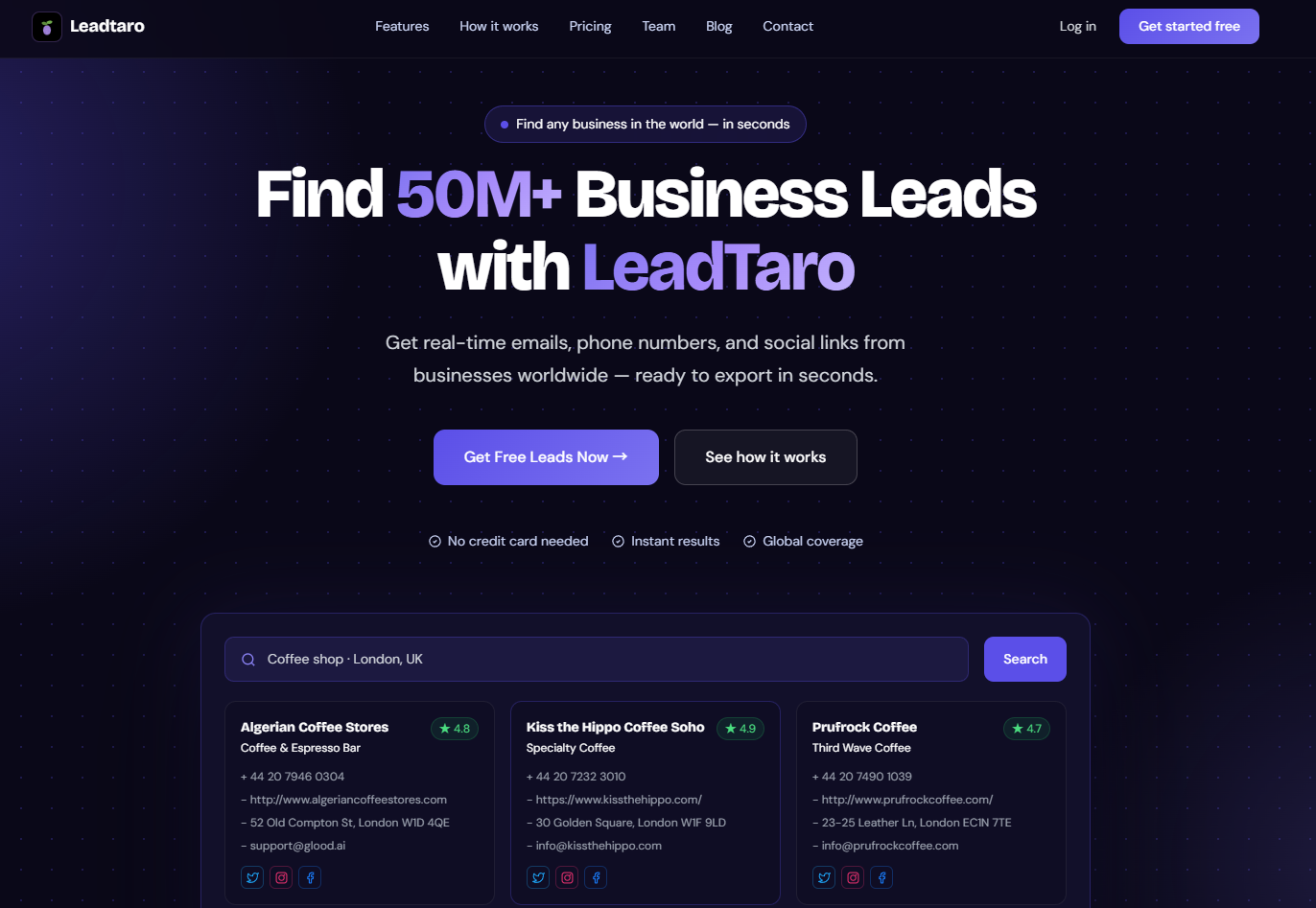
We will also explore how LeadTaro helps small businesses discover business leads, organize prospects, prepare personalized cold emails, and manage leads through a sales pipeline.
Table of Contents
What Is a CRM and Why Does Your Small Business Need One in 2026?
How to Choose the Best CRM Software for Small Business
The Biggest Problem Nobody Talks About: An Empty CRM
How Small Businesses Can Combine CRM and Lead Generation
CRM Data Quality, Privacy, and Compliance
Frequently Asked Questions
What Is a CRM and Why Does Your Small Business Need One in 2026?
A CRM, or customer relationship management system, is software that helps businesses manage their relationships with potential and existing customers.
Instead of storing prospect information across spreadsheets, email accounts, and personal notes, a CRM creates a central place to organize contacts and monitor sales activity.
A modern CRM can help small businesses:
Store and organize business contacts.
Track prospects as they move through the sales pipeline.
Record interactions and follow-up activities.
Monitor sales opportunities and potential revenue.
Automate repetitive administrative tasks.
Analyze conversion rates and sales performance.
Use AI-assisted tools to prepare outreach and prioritize work.
For a small business, these capabilities can make the difference between a reactive sales process and a repeatable system for generating revenue.
The Real Cost of Not Using a CRM
Imagine running a small web design agency with 150 potential customers in your contact list.
Some businesses have received an email but never replied. Others requested a quote several weeks ago. A few expressed interest but have not received a follow-up.
Without a consistent tracking system, it becomes difficult to know which prospects need attention and which opportunities are most likely to close.
The problem is not necessarily a lack of leads. It is a lack of organization.
A CRM helps you assign each prospect a status, record important interactions, and establish the next action. This reduces the risk of losing promising opportunities simply because nobody remembered to follow up.
Even a small team can benefit from a structured sales process. You do not need hundreds of employees or an enterprise sales department to justify using a CRM.
Key Benefits of CRM Software for Small Businesses
The most useful CRM benefits are practical rather than theoretical.
Better contact management: Keep prospect and customer information organized in one place.
More consistent follow-ups: Track which leads need a reply, another email, a call, or a proposal.
Greater sales visibility: Understand how many prospects are being contacted and how many progress into qualified opportunities.
Improved collaboration: Give team members a shared view of customer interactions and sales activity.
More informed decisions: Identify the industries, campaigns, and prospect types that generate the strongest results.
However, a CRM is only as useful as the information and processes behind it. Incorrect contact details, duplicate records, and poorly qualified leads can undermine even a well-designed system.
That is why choosing CRM software and developing a reliable lead generation process should be treated as connected tasks.
How to Choose the Best CRM Software for Small Business
The best CRM is not necessarily the one with the longest feature list. It is the one that fits your team's workflow, budget, and sales requirements.
Before comparing software, define your ideal customer profile (ICP). Identify the types of businesses you want to reach, the industries they operate in, their geographic locations, and the problems your product or service solves.
A clear ICP helps you determine which CRM features matter and what information your team needs to collect.
The Five CRM Features That Matter Most
1. Simple Contact and Lead Management
A CRM should make it easy to add prospects, update their information, assign statuses, and identify the next action.
If your team needs to navigate complicated menus to record a simple interaction, adoption may suffer.
Look for a clear interface, useful search and filtering, duplicate management, and a straightforward way to organize contacts.
2. Sales Pipeline Management
A sales pipeline provides a visual overview of prospects as they progress through your sales process.
A basic pipeline might include:
New Lead
Contacted
Interested
Meeting Scheduled
Proposal Sent
Closed Won
Closed Lost
Your stages should reflect how your business actually sells. A consultancy may need proposal and discovery stages, while a local service provider may prioritize quote requests and scheduled jobs.
LeadTaro includes a sales pipeline workflow that helps users organize prospects and track their progression through sales stages.
3. Email Integration and Outreach
Email remains an important channel for many B2B sales teams.
Depending on the CRM, email features may include message logging, templates, tracking, automated sequences, and integration with existing email accounts.
Before paying for a particular feature, check which plan includes it and whether the integration supports your workflow.
For teams conducting outbound prospecting, the ability to prepare relevant messages and maintain an organized follow-up process can be particularly valuable.
LeadTaro supports AI-assisted cold-email preparation, helping users create personalized outreach based on the businesses they research.
4. Integrations and Data Export
Your CRM should work with the other tools your business already uses.
Consider whether you need integrations with Gmail, Outlook, accounting software, marketing platforms, or external lead generation tools.
CSV import and export can also be important, particularly for small businesses building their first prospect database.
For example, you might discover businesses using LeadTaro, export supported lead data, and transfer it into a separate CRM if that is how your team manages customer relationships.
Before selecting a platform, confirm which integrations, import options, and export capabilities are available on your chosen plan.
5. Pricing That Matches Your Business
An affordable CRM is not simply one with the lowest monthly subscription.
Consider the total cost, including additional users, contact limits, automation features, integrations, onboarding, and the time your team spends maintaining the system.
A free CRM can be an excellent starting point for a small business. A paid plan may become worthwhile when it saves enough time or helps your team close additional profitable deals.
The goal is to choose software that supports your current needs without creating unnecessary complexity.
The Rise of AI-Powered CRM Workflows
AI is changing how small businesses research prospects, prepare sales messages, summarize interactions, and prioritize opportunities.
However, AI capabilities differ significantly between platforms.
Some CRM systems offer built-in AI features. Others rely on integrations or separate tools.
For small businesses, the most practical applications include:
Drafting personalized sales emails.
Summarizing prospect research.
Preparing follow-up messages.
Identifying missing information.
Helping prioritize prospects using defined qualification criteria.
AI does not eliminate the need for accurate information or sound sales judgment.
If the underlying contact details are incorrect, an AI-generated message may still reach the wrong person or make an irrelevant recommendation.
A more effective approach is to combine structured prospect research, human review, and AI-assisted preparation.
LeadTaro fits into this workflow by helping users discover business leads, organize prospects, and prepare personalized cold emails before or during their sales process.
Free vs. Paid CRM Software
Free CRM plans can provide enough functionality for freelancers, startups, and small teams to get started.
Popular options include the following platforms.
<box gap={3}> <row align=start gap={3}> <AsyncImage query="HubSpot CRM official logo" aspectRatio="1:1" maxWidth="76px"/> <box flex="1" gap={1}> <Entity value="HubSpot CRM" category="software"/>
A useful starting point for businesses that want contact management, deal tracking, and access to a broader marketing and sales ecosystem. <text color="secondary" size="sm">Best for: Startups and businesses combining sales with marketing.</text> <text size="sm"><Link url="https://www.hubspot.com/products/crm" title="Official CRM website"/></text> </box>
</row> <divider color="subtle"/> <row align=start gap={3}> <AsyncImage query="Zoho CRM official logo" aspectRatio="1:1" maxWidth="76px"/> <box flex="1" gap={1}> <Entity value="Zoho CRM" category="software"/>
Offers contact management, sales automation, reporting, and integrations across the Zoho business software ecosystem. <text color="secondary" size="sm">Best for: Small businesses seeking a configurable sales platform.</text> <text size="sm"><Link url="https://www.zoho.com/crm/" title="Official CRM website"/></text> </box>
</row> <divider color="subtle"/> <row align=start gap={3}> <AsyncImage query="Pipedrive CRM official logo" aspectRatio="1:1" maxWidth="76px"/> <box flex="1" gap={1}> <Entity value="Pipedrive" category="software"/>
A sales-focused CRM built around visual pipeline management, deal tracking, and sales activities. <text color="secondary" size="sm">Best for: Small teams that want to focus on moving deals through a pipeline.</text> <text size="sm"><Link url="https://www.pipedrive.com/" title="Official website"/></text> </box>
</row> <divider color="subtle"/> <row align=start gap={3}> <AsyncImage query="Salesforce CRM official logo" aspectRatio="1:1" maxWidth="76px"/> <box flex="1" gap={1}> <Entity value="Salesforce" category="software"/>
Provides extensive customization, reporting, and a broad ecosystem of sales and business applications. <text color="secondary" size="sm">Best for: Businesses expecting more complex sales processes as they grow.</text> <text size="sm"><Link url="https://www.salesforce.com/sales/" title="Official sales software website"/></text> </box>
</row> <divider color="subtle"/> <row align=start gap={3}> <AsyncImage query="Bigin by Zoho CRM official logo" aspectRatio="1:1" maxWidth="76px"/> <box flex="1" gap={1}> <Entity value="Bigin by Zoho" category="software"/>
A CRM focused on simplifying pipeline management for smaller businesses. <text color="secondary" size="sm">Best for: Small teams that want a straightforward sales workflow.</text> <text size="sm"><Link url="https://www.bigin.com/" title="Official website"/></text> </box>
</row> </box>
CRM Comparison for Small Businesses
CRMMain StrengthBest FitHubSpotSales and marketing ecosystemStartups and growing teamsZoho CRMConfiguration and business integrationsBudget-conscious businessesPipedriveVisual sales pipelineSales-focused teamsSalesforceCustomization and scalabilityMore complex sales operationsBigin by ZohoSimplicity and pipeline managementSmall teams and freelancersPricing and free-plan limits change over time. Check each provider's official pricing page before making a decision.
Which CRM is best for a small company? That depends on your requirements. A freelancer may prioritize simplicity, while a growing sales team may need stronger automation and reporting.
If you are a small business selling services to other businesses, there is another question worth considering: how will you consistently find the prospects who enter your CRM?
That leads to one of the most overlooked problems in customer relationship management.
The Biggest Problem Nobody Talks About: An Empty CRM
Choosing a CRM is relatively straightforward. Keeping it populated with relevant, actionable prospects is much harder.
Many small businesses spend time comparing features, designing pipelines, and configuring dashboards before developing a reliable way to generate new leads.
The result is a CRM that stores existing customers but does little to support new business development.
Why an Empty Pipeline Limits Growth
Imagine a small digital marketing agency with a well-organized CRM.
It has clear deal stages, automated reminders, and a reporting dashboard. However, the business adds only a handful of new prospects each month.
Even if the agency converts a reasonable percentage of those leads, its growth potential remains limited by the size of its prospect pool.
The solution is not simply to collect more contacts. The business needs a consistent way to discover relevant companies and prioritize those most likely to need its services.
A productive CRM workflow should answer three questions:
Where will new prospects come from?
How will the team determine which prospects are worth contacting?
How will those prospects move from initial contact to a closed deal?
When these steps work together, the CRM becomes part of an active sales process rather than a passive address book.
How to Find Relevant Business Leads for Your CRM
Traditional prospecting methods include referrals, industry events, business directories, search engines, and manual research.
These approaches can be useful, but researching every business individually may take significant time.
For companies targeting local businesses, location and industry are particularly useful starting points.
A web design agency could target restaurants without websites. A commercial cleaning company could identify offices within its service area. An IT provider could research small businesses in a particular industry or region.
LeadTaro helps users discover business leads based on relevant search criteria, review available business information, and organize prospects for further qualification.
Instead of treating every business as an equally valuable lead, build a targeted list based on your ideal customer profile.
From Business Discovery to a Working Sales Pipeline
Finding prospects is only the first stage. A complete workflow connects lead generation to outreach and sales management.
<box border radius="xl" padding={3} gap={2}> <row align=center gap={3}> <box background="surface-secondary" radius="lg" size="44px" align=center justify=center> <icon name="search" size="xl"/> </box> <box flex="1" gap={1}> 1. Discover businesses
<text color="secondary" size="sm">Identify relevant companies by industry, location, and available business information.</text> </box>
</row> <divider color="subtle"/> <row align=center gap={3}> <box background="surface-secondary" radius="lg" size="44px" align=center justify=center> <icon name="list-check" size="xl"/> </box> <box flex="1" gap={1}> 2. Qualify prospects
<text color="secondary" size="sm">Review contact availability and prioritize businesses that fit your ideal customer profile.</text> </box>
</row> <divider color="subtle"/> <row align=center gap={3}> <box background="surface-secondary" radius="lg" size="44px" align=center justify=center> <icon name="mail" size="xl"/> </box> <box flex="1" gap={1}> 3. Prepare personalized outreach
<text color="secondary" size="sm">Use relevant business information to prepare targeted cold emails and follow-ups.</text> </box>
</row> <divider color="subtle"/> <row align=center gap={3}> <box background="surface-secondary" radius="lg" size="44px" align=center justify=center> <icon name="git-branch" size="xl"/> </box> <box flex="1" gap={1}> 4. Manage the sales pipeline
<text color="secondary" size="sm">Track prospect status, record progress, and identify the next action for each opportunity.</text> </box>
</row> <divider color="subtle"/> <row align=center gap={3}> <box background="surface-secondary" radius="lg" size="44px" align=center justify=center> <icon name="chart-no-axes-combined" size="xl"/> </box> <box flex="1" gap={1}> 5. Measure results
<text color="secondary" size="sm">Review replies, qualified opportunities, conversion rates, and closed revenue to improve the process.</text> </box>
</row> </box>
LeadTaro brings important parts of this workflow together through business lead discovery, lead organization, AI-assisted cold-email preparation, and sales pipeline management.
If your business already uses a separate CRM, you can also evaluate whether exported lead data fits your existing process. Check available export options and compatibility before planning an integration.
Why Lead Quality Matters More Than Raw Lead Volume
A list of 5,000 companies is not automatically more valuable than a list of 500 relevant prospects.
A large list may contain duplicate businesses, companies outside your service area, incomplete records, and prospects with no realistic need for your offer.
To improve lead quality, define qualification criteria before starting your research.
Consider:
Industry and business category
Geographic location
Website presence
Available contact information
Potential business need
Estimated deal value
Fit with your existing products or services
For example, a local SEO agency may prioritize businesses whose websites have obvious technical or content limitations. A commercial service provider may prioritize companies within a profitable travel radius.
The best criteria are those that help predict whether a prospect is likely to become a qualified opportunity.
LeadTaro can support this research and organization process, helping you move from a broad list of businesses to a more focused prospecting workflow.
How Small Businesses Can Combine CRM and Lead Generation
A CRM and a lead generation tool serve related but different purposes.
A CRM primarily organizes customer relationships and tracks sales activity. A lead generation workflow helps identify potential customers who can enter that system.
Combining the two makes it easier to build a consistent process for new business development.
Example: A Web Design Agency Targeting Local Businesses
Suppose a web design agency wants to attract more restaurant clients in a particular region.
It could build a prospecting process like this:
Step 1: Define the target market.
Choose the relevant locations and restaurant categories. Decide whether the agency specializes in new websites, redesigns, online booking, or website maintenance.
Step 2: Discover potential clients.
Use LeadTaro to find relevant businesses and review available business information.
Step 3: Qualify the prospects.
Prioritize businesses that match the agency's service area and have a relevant potential need. Verify important information before outreach.
Step 4: Prepare personalized messages.
Use AI-assisted cold-email preparation to draft messages that explain a specific, relevant reason for contacting each business. Review each draft before sending.
Step 5: Track the results.
Organize prospects through the sales pipeline. Record replies, meetings, proposals, and outcomes.
Step 6: Improve targeting.
After the campaign, compare which locations, business types, and messages generated the most qualified opportunities.
This creates a feedback loop: prospecting generates opportunities, sales activity produces results, and those results improve the next prospecting campaign.
Five Metrics to Track
Small businesses do not need dozens of reports to get started. Begin with five metrics that connect lead generation to revenue.
MetricFormulaWhy It MattersQualified LeadsCount of leads meeting your criteriaMeasures lead quality and volumePositive Reply RatePositive replies ÷ delivered messages × 100Measures outreach relevanceOpportunity Conversion RateQualified opportunities ÷ leads contacted × 100Measures prospect progressionCustomer Acquisition CostSales and marketing costs ÷ new customersMeasures acquisition efficiencyWin RateClosed-won deals ÷ decided opportunities × 100Measures closing performanceUse consistent definitions across campaigns. For example, a positive reply should represent genuine interest rather than an automated response or an unsubscribe request.
Over time, these metrics help you understand whether you need more leads, better targeting, improved messaging, or a stronger sales process.
CRM Data Quality, Privacy, and Compliance
A successful CRM strategy requires more than collecting contact information. Businesses also need to maintain accurate records and handle personal data responsibly.
Keep Contact Information Accurate
Business information changes. Companies relocate, websites become inactive, and contact details may become outdated.
Create a routine for reviewing important records and correcting errors.
Monitor:
Duplicate contacts
Missing required fields
Invalid email addresses
Disconnected phone numbers
Outdated business websites
Incorrect prospect statuses
Do not assume that recently collected information is automatically accurate or that an available email address has been verified.
Where practical, validate contact details before using them in outreach campaigns.
Understand Your Data Protection Responsibilities
Publicly accessible business information is not automatically exempt from privacy and marketing laws.
The rules that apply depend on the type of data, the recipient, the communication channel, and the countries involved.
For businesses operating in the UK, relevant considerations may include UK GDPR, the Data Protection Act 2018, and the Privacy and Electronic Communications Regulations (PECR).
For US campaigns, the CAN-SPAM Act may apply to commercial email.
Depending on the circumstances, you may need to assess your lawful basis for processing, provide privacy information, respect objections and opt-outs, and maintain accurate suppression lists.
Business-to-business marketing is not universally exempt from these requirements. In particular, named work email addresses can still involve personal data.
Before launching a campaign, confirm the requirements applicable to your audience and outreach method. Do not rely solely on the fact that information was publicly available when it was collected.
Protect Your Email Deliverability
A poor-quality prospect list can damage your outreach performance.
Sending messages to invalid addresses can increase bounce rates, while irrelevant campaigns may generate complaints and unsubscribes.
Improve your process by:
Checking email addresses before sending where appropriate.
Avoiding duplicate messages to the same recipient.
Using accurate sender information.
Personalizing messages with relevant, truthful details.
Honouring opt-out requests promptly.
Monitoring delivery, bounce, reply, and complaint rates.
AI-assisted writing can make message preparation more efficient, but it does not remove the need to review accuracy, relevance, and compliance.
Frequently Asked Questions: CRM for Small Business
Which CRM is best for a small business?
The best CRM depends on your business model, team size, budget, and sales process.
HubSpot may suit businesses that want sales and marketing tools in one ecosystem. Zoho CRM offers a configurable platform, Pipedrive focuses on sales pipeline management, and Salesforce supports more complex sales processes.
Compare the features and pricing of the plans you will actually use, rather than selecting a platform based only on its reputation.
Is there a free CRM for small businesses?
Yes. Some providers offer free plans with varying user limits, contact capabilities, and feature restrictions.
A free plan can be sufficient for a freelancer or a small business with a straightforward sales process. As your business grows, you may need additional automation, reporting, integrations, or user access.
Check current plan limits directly with the provider because pricing and included features can change.
Does Google have a free CRM?
Google offers tools such as Gmail, Google Contacts, and Google Sheets that can be combined into a basic contact management workflow.
However, these tools do not collectively provide every feature of a dedicated CRM out of the box. Sales pipeline management, automation, and reporting may require additional software or custom configuration.
A dedicated CRM may be more convenient when you need consistent follow-ups and visibility into deal progression.
What is the simplest CRM to use?
The simplest CRM is the one that matches your workflow without requiring unnecessary setup.
For some businesses, a basic contact manager is enough. Others need a visual sales pipeline and automatic reminders.
Test the interface with real prospects before committing. If recording a conversation and scheduling a follow-up takes too many steps, your team may struggle to maintain accurate records.
How much does CRM software cost for a small business?
Costs range from free plans to paid subscriptions that vary by provider, number of users, and included features.
Additional expenses may include onboarding, integrations, contact enrichment, email services, and automation tools.
Evaluate the total cost against the time saved, opportunities generated, and additional revenue your sales process can reasonably produce.
Can I use Excel as a CRM?
Yes. A spreadsheet can work as a basic prospect list when your business has a small number of contacts and a simple sales process.
However, spreadsheets require more manual maintenance and can become difficult to manage as records and team members increase.
If you need consistent follow-ups, pipeline reporting, and shared customer histories, a dedicated CRM may be a better long-term option.
Will AI replace CRM software?
AI is more likely to change how people use CRM software than eliminate the need for it.
AI can assist with research, message drafting, summaries, and prioritization. A CRM still provides a structured place to manage contacts, relationships, opportunities, and sales stages.
The best approach is to use AI where it saves time while maintaining accurate records and human oversight.
How does LeadTaro help small businesses with CRM and lead generation?
LeadTaro helps users discover business leads, review available business information, organize prospects, prepare AI-assisted cold emails, and manage leads through a sales pipeline.
These capabilities support the prospecting and sales workflow, from identifying potential customers to tracking their progression.
Businesses that already use another CRM can evaluate LeadTaro's supported export options and determine how the resulting lead data fits their existing system.
Final Thoughts: Your CRM Is Only as Useful as Your Sales Process
The right CRM helps your small business organize relationships, maintain visibility into opportunities, and build a repeatable sales process.
But choosing software is only part of the equation. You also need a consistent source of relevant prospects, a practical way to qualify them, and a process for turning initial contact into meaningful sales conversations.
Start by defining your ideal customer profile. Choose a CRM that fits your workflow. Keep your records accurate, track your results, and review your pipeline regularly.
Then connect prospect research with outreach and sales management.
LeadTaro helps small businesses discover business leads, prepare personalized outreach, organize prospects, and manage their sales pipeline. By bringing these activities into a more structured workflow, businesses can spend less time managing scattered prospect lists and more time developing qualified sales opportunities.
A well-organized CRM is valuable. A well-organized CRM supported by consistent prospecting is far more useful.