Finding potential customers is one of the biggest challenges in B2B sales. Some businesses invest in Facebook Ads to attract prospects, while others focus on building targeted business lists using Google Maps and business lead generation tools.
Both approaches can work, but they serve different purposes.
Facebook helps businesses reach audiences through paid advertising, content, and lead forms. Google Maps helps sales teams discover local businesses and research potential customers using publicly available business information.
So, which approach is better for B2B lead generation in 2026?
The answer depends on your target audience, budget, and sales process. In this guide, we'll compare Google Maps and Facebook for B2B prospecting, explain their strengths and limitations, and explore how LeadBoba can help you find business leads and manage your sales workflow.
Table of Contents
Why Your B2B Lead Generation Strategy Matters
Google Maps for B2B Lead Generation
Facebook for B2B Lead Generation
Google Maps vs Facebook: Key Differences
How to Find B2B Leads with LeadBoba
Combining Business Prospecting with Facebook Advertising
Data Collection and Marketing Compliance
Frequently Asked Questions
Final Verdict
Why Your B2B Lead Generation Strategy Matters
B2B lead generation involves more than attracting attention. Sales teams need to identify relevant businesses, find appropriate contacts, and start conversations that can eventually lead to revenue.
The challenge is that different platforms provide different types of information.
Google Maps focuses on business discovery. It can help you identify companies by location and category, then review information such as their websites, phone numbers, addresses, and customer ratings.
Facebook focuses on social interaction and advertising. Businesses can use its advertising tools to reach selected audiences, collect leads through forms, and promote products or services.
These approaches are not interchangeable.
If you need a list of local restaurants to contact about website development, a business lead database may be a practical starting point. If you want restaurant owners to submit inquiries after seeing an advertisement, Facebook Lead Ads may be more appropriate.
Understanding this difference helps you choose a lead generation strategy based on your actual sales objective rather than platform popularity.
Google Maps for B2B Lead Generation: Finding Potential Customers
Google Maps is a useful source for discovering businesses with physical locations or a local market presence.
Examples include:
Restaurants, cafes, and hotels
Construction companies and contractors
Dental clinics and healthcare practices
Real estate agencies
Gyms, salons, and automotive businesses
Retail stores and professional service providers
These businesses may publish contact details and other useful information through their Google Business Profiles and company websites.
For a company selling marketing services, business software, website development, or commercial supplies, this information can help build a focused prospect list.
Benefits of Google Maps Lead Generation
1. Discover businesses by location
Geographic targeting allows sales teams to focus on particular cities, regions, or countries. This is especially useful for companies selling services to local businesses.
2. Find prospects by business category
Industry-based searches help you identify companies that are more likely to need your product or service.
For example, an agency offering website redesigns could focus on restaurants, salons, or contractors whose existing websites need improvement.
3. Research prospects before contacting them
Business websites, customer reviews, and publicly available company information can help you identify potential sales opportunities.
4. Build targeted business lists
Instead of manually searching for individual companies, you can use business lead generation tools to organize prospecting around your target industry and geography.
Limitations of Google Maps
Google Maps is primarily a business discovery platform, not a complete B2B sales database.
Some listings do not include email addresses or websites. Other details may be outdated, and local business information does not necessarily identify the person responsible for purchasing decisions.
Collecting and qualifying prospects manually can also become time-consuming when you need large lists.
A dedicated lead generation platform can help streamline the process by combining business discovery, available contact information, lead exports, and sales management tools.
Facebook for B2B Lead Generation: Advertising and Audience Engagement
Facebook can support B2B marketing, although its strengths differ from those of business directories and prospecting databases.
Businesses can use Facebook to promote services, publish educational content, build brand awareness, and collect inquiries through lead forms.
For example, a software company could advertise a free consultation to small business owners. Interested users can submit their contact details without having to search for the company's website.
Benefits of Facebook Lead Generation
1. Reach targeted audiences
Facebook's advertising tools allow advertisers to configure campaigns around available audience characteristics, interests, locations, and other targeting options.
The suitability of these options depends on the campaign, advertising policies, and available audience data.
2. Collect inbound inquiries
Facebook Lead Ads can allow interested users to submit forms directly within the platform. This can reduce friction compared with sending every prospect to an external landing page.
3. Retarget potential customers
Advertising campaigns can help businesses reconnect with eligible audiences who have previously interacted with their content or website.
4. Promote offers and content
Webinars, product demonstrations, free trials, and educational resources can help generate interest among potential buyers.
Limitations of Facebook for B2B Prospecting
Facebook advertising does not automatically give you a comprehensive list of companies and their contact information.
Lead quality depends on the audience, offer, targeting, form design, and qualification process. Some people may submit a form without having a genuine intention to buy.
Paid campaigns also require ongoing budget management and performance monitoring.
If your immediate objective is to identify a specific list of businesses and research their publicly available contact details, Facebook Ads may not be the most direct approach.
It is important to distinguish between generating inbound inquiries through advertising and building an outbound prospect list for sales outreach. Both can be valuable, but they solve different problems.
Google Maps vs Facebook: Key Differences for B2B
The following comparison focuses on the practical differences between business discovery and social advertising.
CriteriaGoogle MapsFacebookPrimary purposeDiscover businesses and locationsAdvertising and social engagementLead generation approachOutbound prospectingPrimarily inbound advertising and audience developmentLocal business discoveryStrongDepends on audience and campaignContact informationPublic business details may be availableDepends on business pages and information submitted through lead formsCost structureDepends on research tools and data requirementsDepends on advertising spend and campaign performanceGeographic targetingBusiness listings organized by locationLocation-based advertising optionsProspect qualificationBusiness category, website, reviews, and other available detailsForm questions, campaign targeting, and subsequent qualificationScalabilityCan be supported by business search and database toolsCan scale through advertising budgets and campaign optimizationBest use caseBuilding targeted business prospect listsGenerating inquiries and promoting offers
Neither approach guarantees qualified leads or sales. The best choice depends on whether you need to identify businesses proactively or attract prospects who respond to an offer.
How to Find B2B Leads with LeadBoba
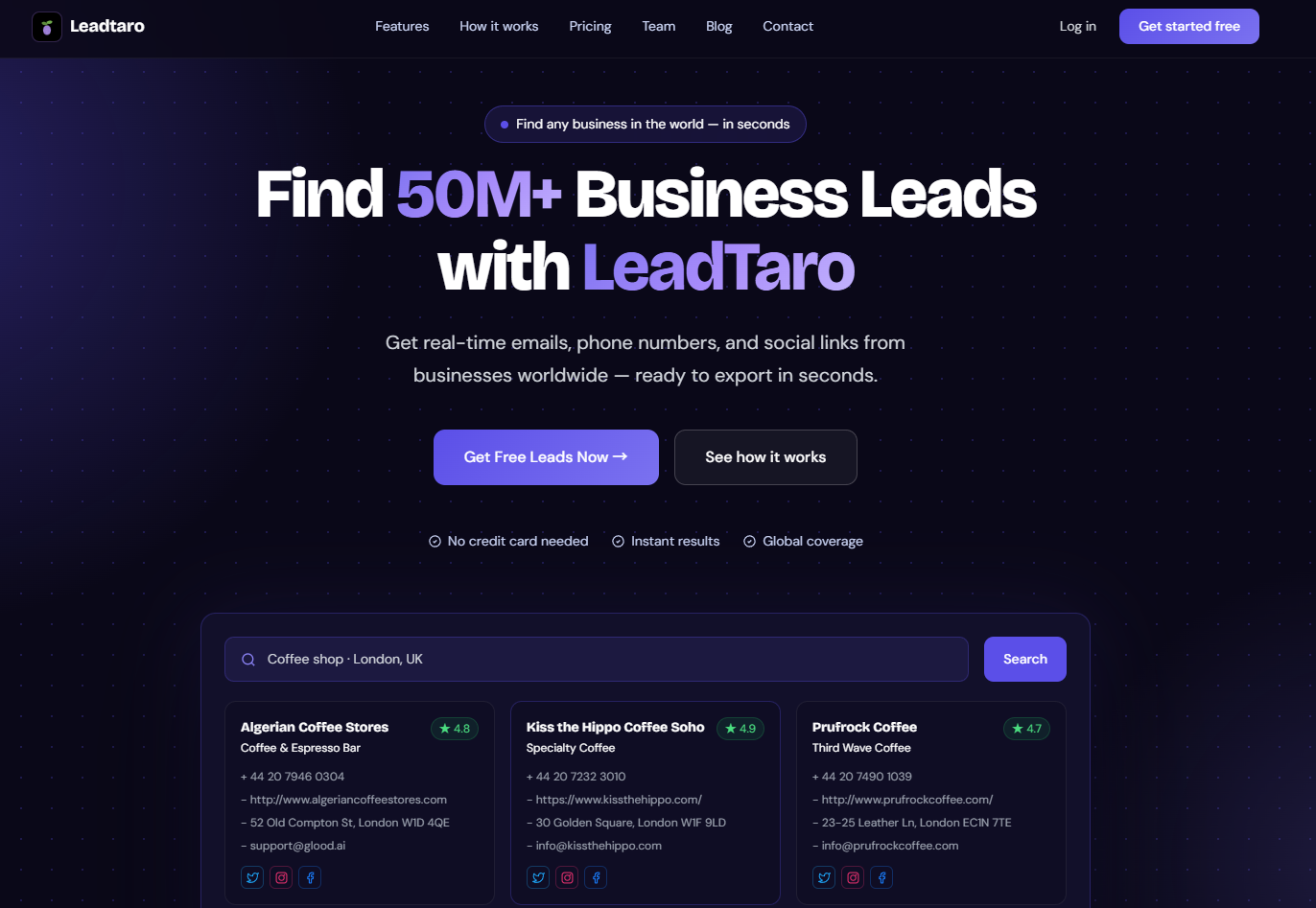
LeadBoba is a B2B lead generation platform designed to help users discover businesses, access available contact information, export prospects, and organize sales activities.
For agencies, freelancers, founders, and sales teams, it can help bring several stages of the prospecting process into one workflow.
Step 1: Define Your Ideal Customer
Start by identifying the types of businesses most likely to need your product or service.
For example:
Restaurants in the United Kingdom
Marketing agencies in the United States
Dental clinics in Australia
Construction companies in Canada
Software companies in European markets
A clear target market helps you focus on relevant prospects instead of collecting large quantities of unrelated records.
Step 2: Search for Business Leads
Use LeadBoba to search for businesses that match your target industry and location.
LeadBoba supports business lead discovery across countries and industries. The results you receive depend on your search criteria and available data.
Depending on the record, business information may include company names, categories, addresses, websites, phone numbers, email addresses, and social media links.
Not every lead contains every field, so review the available information before planning your outreach.
Step 3: Choose Between Bulk Search and Fresh Search
LeadBoba provides two search workflows for different prospecting needs.
Bulk Search
Bulk Search lets you explore LeadBoba's existing business database. It is useful when you want to search available records without performing a new live search for every query.
Fresh Search
Fresh Search is designed to discover business information through live search and website crawling. It can be useful when you need to investigate a specific market or gather additional information.
Search speed, results, and contact availability can vary depending on the query and source websites.
Using the appropriate workflow helps you balance speed, database coverage, and the need for additional research.
Step 4: Review and Export Your Prospects
Once you have found businesses that match your target market, review their available information and export eligible leads to CSV.
A structured prospect list can help you organize companies by industry, location, contact availability, and other relevant criteria.
You can then use the data in your preferred spreadsheet, CRM, or sales outreach workflow.
Step 5: Organize Your Sales Pipeline
Finding prospects is only the beginning. Sales teams also need a consistent way to manage follow-ups and track progress.
LeadBoba includes a sales pipeline with stages such as New Lead, Contacted, Interested, Meeting, and Closed.
Its AI-assisted cold email features can help prepare personalized outreach, while its Gmail integration supports the email workflow.
By connecting business discovery with lead management, you can spend less time switching between disconnected tools and more time evaluating prospects and following up with potential customers.
Explore LeadBoba to learn more about its business search, lead export, and sales pipeline features.
Combining Google Maps Prospecting with Facebook Advertising
You do not have to choose only one channel.
A practical B2B strategy can use business prospecting to identify relevant companies and Facebook advertising to support brand awareness and follow-up campaigns.
Step 1: Build a Targeted Business List
Use a business lead generation platform to discover companies that match your ideal customer profile.
Focus on relevant industries, locations, and available contact details rather than collecting as many records as possible.
Step 2: Research Your Prospects
Review company websites and other available business information to understand what each prospect does and whether your offering is relevant.
This step helps you prioritize companies that have a plausible reason to consider your product or service.
Step 3: Use Facebook to Support Your Marketing
Depending on your campaign and the audiences available to you, Facebook can help promote useful content, showcase customer success stories, and reach potential customers through paid advertising.
If you plan to upload customer or prospect information to an advertising platform, check the platform's audience requirements, data-use policies, and applicable privacy rules first.
Step 4: Personalize Your Outreach
Use relevant information about the prospect's business to write a specific, useful message.
For example, a web design agency might explain how a company's outdated website could make it harder for potential customers to understand its services.
Avoid sending identical, irrelevant messages to large lists. Targeted communication is more useful to recipients and makes it easier to evaluate whether your campaign is working.
Step 5: Track Results
Record the outcomes of your campaigns in your sales pipeline.
Useful measurements include:
Qualified leads generated
Cost per qualified lead
Email delivery and response rates
Advertising conversion rates
Meetings booked
Customers acquired
Revenue generated
Comparing these results helps you decide whether your budget should go toward prospect research, advertising, or other sales activities.
Data Collection and Marketing Compliance
Lead generation requires more than finding contact information. Businesses must also consider how data is collected, stored, and used.
Google Maps and Public Business Information
Business information that is publicly accessible is not automatically free of all restrictions. Automated collection may be subject to the source platform's terms, and personal information can remain subject to data protection laws.
Before collecting or processing business information, consider the source, the purpose of the collection, and the rules applicable to your activities.
Facebook Advertising and Lead Forms
Facebook Lead Ads can collect information submitted by people who respond to your forms. Advertisers should explain how the information will be used and follow the platform's lead generation and advertising policies.
Using personal information for additional purposes may require further consideration of consent, transparency, and other legal obligations.
Email Outreach in the UK, EU, and US
Requirements vary by jurisdiction and recipient type.
In the UK, businesses conducting electronic marketing should consider UK GDPR, the Data Protection Act 2018, and PECR. Rules can differ between corporate subscribers, sole traders, and other individual recipients.
In the US, CAN-SPAM sets requirements for commercial email, including accurate sender information, non-deceptive subject lines, and a functioning opt-out mechanism.
Always identify the applicable requirements for your audience, respect opt-out requests, and use contact information responsibly.
Frequently Asked Questions
Is Google Maps better than Facebook for B2B lead generation?
Google Maps is often more practical for discovering local businesses and building outbound prospect lists. Facebook is useful for paid advertising, collecting inbound inquiries, and promoting content. If you need a list of businesses to research and contact, business lead generation tools may be a better starting point than advertising alone.
What is the difference between Google Maps leads and Facebook Ads leads?
Google Maps prospecting generally starts with identifying existing businesses and reviewing their publicly available information. Facebook Ads lead generation typically starts by showing an advertisement and inviting interested people to submit their details. One focuses on business discovery; the other focuses on attracting responses to an offer.
Can I find business emails through Google Maps?
Some business listings include contact information, while others provide a website through which additional details may be available. You can also use lead generation tools that provide available business contact information. Email coverage and accuracy vary, so verify important contacts before outreach.
How does LeadBoba help with B2B lead generation?
LeadBoba combines business lead discovery, an existing lead database, Fresh Search, CSV export, and sales pipeline features. Its AI-assisted cold email capabilities can also help users prepare outreach. These features support the process from identifying prospects to organizing follow-ups.
What is the difference between Bulk Search and Fresh Search in LeadBoba?
Bulk Search searches LeadBoba's existing database. Fresh Search is designed to discover business information through live search and website crawling. They serve different needs, depending on whether you want to explore existing records or conduct additional research.
Can I export LeadBoba leads to CSV?
Yes. LeadBoba supports CSV export for eligible leads, subject to applicable product access and restrictions. Exported data can be organized in a spreadsheet or used in compatible sales workflows.
Should small businesses use Google Maps or Facebook Ads?
Small businesses that need to build a list of local companies to contact may benefit from Google Maps research and business lead generation tools. Businesses that want to attract inbound inquiries through offers or promotions may benefit from Facebook Ads. Some companies use both, depending on their goals and available budget.
What should I look for in a B2B lead generation tool?
Evaluate search coverage, industry and geographic relevance, available contact details, data freshness, export functionality, pricing, and sales workflow features. The most useful tool is one that helps you find suitable prospects and follow up efficiently, not simply one that produces the largest list.
Final Verdict: Google Maps vs Facebook for B2B Lead Generation
Google Maps and Facebook play different roles in B2B marketing.
Google Maps helps businesses discover local companies and research publicly available business information. Facebook helps advertisers reach audiences, promote offers, and collect inbound inquiries.
If your goal is to build a targeted list of businesses and start relevant sales conversations, a business lead generation platform can make prospect research more manageable.
LeadBoba brings business search, an existing lead database, Fresh Search, CSV export, AI-assisted cold email, and sales pipeline management into a connected workflow.
Rather than choosing a platform based on unsupported cost-per-lead claims, start with your ideal customer, compare the quality of the prospects you can reach, and measure the results of your campaigns.
Find relevant businesses, organize your prospects, and build a more repeatable B2B sales process with LeadBoba.