Salesforce is one of the most widely recognized CRM platforms in the world. Its ecosystem includes businesses, consultants, implementation partners, software vendors, and sales teams that rely on CRM technology to manage customer relationships.
For companies selling Salesforce integrations, consulting services, data tools, sales automation, or complementary software, this creates a valuable prospecting opportunity.
The challenge is identifying the right businesses and reaching relevant decision-makers without wasting time on outdated contact records or poorly targeted campaigns.
A reliable Salesforce users email list starts with a clear ideal customer profile, relevant company research, accurate contact information, and a process for verifying whether each prospect is genuinely suitable for your offer.
This guide explains how to build a targeted Salesforce prospect list in 2026, evaluate data sources, identify potential buyers, and develop a more effective B2B outreach strategy using tools such as LeadTaro.
Table of Contents
What Is a Salesforce Users Email List?
The Salesforce Market in 2026: Why This Audience Matters
How to Build a Salesforce Users Email List
How to Identify and Reach Salesforce Decision-Makers
Fresh Business Data vs. Static Email Lists
Compliance and Legal Considerations
Frequently Asked Questions
1. What Is a Salesforce Users Email List?
A Salesforce users email list is a collection of business contacts associated with companies that use Salesforce CRM.
Depending on the data available, a record may include a company name, business website, industry, location, employee range, professional contact details, and information about its technology stack.
The important distinction is between identifying a company that could be a Salesforce customer and verifying that it actually uses Salesforce.
A software company, consultancy, or marketing agency may be a promising prospect, but its industry alone does not prove which CRM it uses. Technology information, company disclosures, case studies, job advertisements, and direct qualification can help establish a stronger basis for targeting.
For sales teams, the objective is not simply to compile as many contacts as possible. It is to create a list of businesses and decision-makers with a credible reason to consider the product or service being offered.
What Makes a Quality CRM Users Email Database?
A useful CRM users email database should support research, qualification, and outreach rather than provide a collection of unverified names.
Important data fields include:
Company name: The business being evaluated.
Business website: A source for understanding the company's services and market.
Industry and location: Useful for segmentation and territory planning.
Company size: Helps align prospects with the intended customer profile.
Business email: An available contact address that should be validated before outreach.
Phone number: Useful when a legitimate business development process includes calling.
Professional profile: Where available, helps identify a person's role and responsibilities.
Technology information: Can help assess whether a company may use Salesforce or another relevant platform.
Verification status: Indicates which information has been checked and when.
No database guarantees that every email will reach the intended recipient. Contact details can change, and a valid email format does not prove deliverability or purchasing intent.
The best approach is to combine useful company information with appropriate verification and ongoing data maintenance.
Which Salesforce Users Should You Target?
The right audience depends on what you sell.
Salesforce implementation and consulting services
Potential prospects include companies planning CRM migrations, businesses hiring Salesforce administrators, and organizations seeking implementation or customization support.
Salesforce integrations and software
Relevant contacts may include IT leaders, sales operations managers, revenue operations teams, and business systems owners.
Data enrichment and sales automation
Sales leaders, sales operations professionals, marketing operations teams, and CRM administrators may be relevant, depending on the product.
Marketing and analytics solutions
Marketing operations managers, demand generation leaders, and analytics professionals may be worth researching when the offer addresses attribution, campaign management, or reporting.
Job titles should be treated as starting points, not proof of buying authority. A small company may have one person responsible for its entire technology stack, while a large organization may distribute the decision across several teams.
Segment Your Salesforce Customer List
A useful Salesforce customer list should reflect the way different businesses buy.
Consider these segments:
SegmentPotential buyerExample needSmall businessesFounder or operations managerAffordable CRM setup and automationMid-market companiesSales operations or IT managerIntegrations and workflow improvementsEnterprise organizationsIT director or CRM program ownerSecurity, scalability, and system integrationConsultanciesManaging partner or practice leadImplementation tools and delivery partnershipsSoftware companiesProduct or partnerships managerIntegrations and ecosystem partnershipsStart with one segment and test the relevance of your offer. Broad targeting may increase list size while reducing response quality.
2. The Salesforce Market in 2026: Why This Audience Matters
Salesforce serves a broad business ecosystem spanning sales, marketing, customer service, analytics, and application development.
That ecosystem creates opportunities for businesses offering complementary products and services. However, a large CRM market does not mean every Salesforce customer is a suitable prospect for every vendor.
The commercial opportunity depends on the specific problem your product solves, the company's existing technology, its budget, and whether the relevant team is actively looking for a solution.
Why Salesforce-Related Prospects Can Be Valuable
Companies that invest in CRM systems may also need services and products that improve their existing workflows.
Examples include:
CRM implementation and migration.
Custom application development.
Data cleaning and enrichment.
Sales engagement and automation.
Reporting and analytics.
Integration with accounting, marketing, and customer support systems.
Training, consulting, and ongoing administration.
These needs are not universal. Some organizations have mature internal teams and established vendors, while others may be actively searching for external support.
The purpose of prospect research is to identify which companies are most likely to have a problem your offer can solve.
Which Industries Should You Research?
Salesforce is used across many industries, but the most useful vertical depends on your product.
Professional services: Consulting firms and service businesses may need better client management, workflow automation, or integrations.
Technology and software: Software businesses may evaluate CRM integrations, data enrichment, and sales automation tools.
Financial services: Potential needs may include reporting, workflow improvements, and appropriately designed systems that meet sector-specific requirements.
Manufacturing: Sales operations and account management teams may benefit from CRM integration with other business systems.
Healthcare and life sciences: Technology requirements may involve complex operational workflows and additional privacy or regulatory considerations.
Retail and consumer businesses: Teams may need customer data integration, campaign reporting, or improvements to sales processes.
These categories are useful for building an initial prospecting strategy. Validate demand with company-level research rather than assuming that every business in a particular industry uses Salesforce.
Geographic Targeting for Salesforce-Related Businesses
Geography can help narrow a large market into a manageable prospecting campaign.
For example, a UK-based Salesforce consultancy might begin with businesses in London, Manchester, Birmingham, or Leeds before expanding to other regions.
A software vendor serving North American customers may choose specific states or metropolitan areas based on its existing customer base, sales capacity, and service coverage.
Useful geographic filters include:
Country and region.
City or metropolitan area.
Business category.
Company size.
Website availability.
Relevant technology signals.
Publicly available business contact information.
Geographic targeting is particularly useful for consultancies and service providers whose customers prefer local expertise or in-person support.
Finding Potential Prospects With LeadTaro
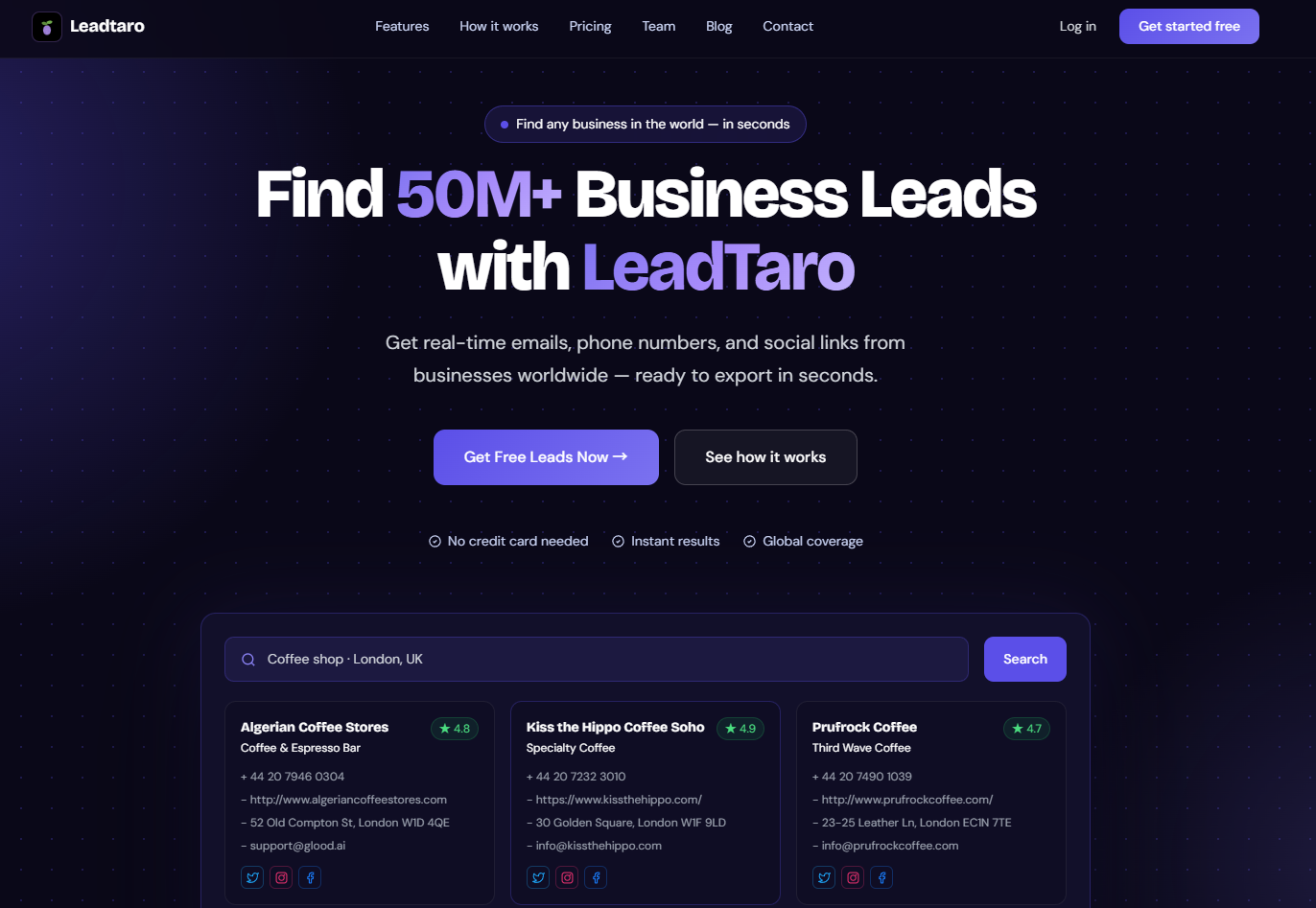
LeadTaro helps users discover businesses, review available company information, and organize prospects for B2B sales activities.
For a Salesforce-related campaign, you could begin by searching for software companies, IT consultancies, digital agencies, or businesses in a specific geographic market.
You can then review the available records and prioritize businesses that match your ideal customer profile.
One important limitation remains: finding a company in a relevant industry does not establish that it uses Salesforce. Use additional research and verification when confirmed Salesforce adoption is essential to your campaign.
The objective is to build a smaller, more relevant prospect list instead of assuming that every company in a broad category is a qualified lead.
3. How to Build a Salesforce Users Email List
Building a useful prospect list is a structured research process. The most effective approach combines market definition, business discovery, technology qualification, contact verification, and segmentation.
Step 1: Define Your Ideal Customer Profile
Before searching for contacts, specify the types of businesses most likely to need your product.
For example, a Salesforce integration provider might target:
Companies with established sales teams.
Businesses hiring CRM administrators or Salesforce specialists.
Organizations publicly discussing CRM implementation projects.
Companies with complex software integration requirements.
Businesses in industries the provider already serves successfully.
Your criteria should reflect a real commercial reason for contacting each company.
Avoid targeting Salesforce users simply because they use the platform. A relevant campaign connects a specific business need with a specific solution.
Step 2: Discover Relevant Businesses
Use a business lead discovery tool to build an initial list of companies in your chosen industry and geography.
LeadTaro can support this stage by helping you search business records and review available information such as company names, locations, websites, categories, and contact details.
Useful starting categories include:
IT consulting firms.
Software development companies.
CRM implementation providers.
Marketing agencies.
Business process consultants.
Technology service providers.
These categories can help you discover potential customers, implementation partners, or competitors. The right choice depends on your campaign objective.
Step 3: Verify Salesforce Adoption
This is the most important qualification step when you specifically need Salesforce customers.
Business category alone is insufficient. Look for evidence such as:
Public case studies mentioning Salesforce.
Company job postings requiring Salesforce experience.
Technology information from suitable research tools.
Public statements about CRM implementations.
Relevant employee profiles or professional discussions.
Direct confirmation during qualification.
Use a simple classification system:
StatusMeaningConfirmedReliable evidence supports Salesforce adoptionLikelyMultiple relevant signals suggest adoptionUnverifiedNo adequate evidence yetNot a fitThe company does not match your campaign criteriaThis prevents unverified assumptions from being treated as facts and helps your team prioritize the strongest prospects.
Step 4: Identify the Right Decision-Maker
After identifying a relevant company, determine who is most likely to understand the problem your product solves.
Possible contacts include:
IT directors.
CRM administrators.
Sales operations managers.
Revenue operations leaders.
Heads of business systems.
Sales or marketing leaders.
Managing directors at smaller businesses.
Choose contacts based on the offer rather than collecting every available employee address.
For a technical integration, a systems owner may be more relevant than a general sales manager. For a sales productivity product, revenue operations may be the better starting point.
Step 5: Find and Verify Contact Information
Once a company and relevant role have been identified, research appropriate professional contact details.
Prioritize information from sources that can be checked and updated. Where available, use email verification to identify invalid or risky addresses before sending a campaign.
Keep in mind that different checks answer different questions:
Syntax checks: Does the address follow the expected format?
Domain checks: Does the domain appear to support email?
Mailbox verification: Can a verification service assess whether the address may accept messages?
Role verification: Does the address belong to the person or function you intend to reach?
Permission and compliance checks: Is the proposed outreach lawful and appropriate?
A technically valid address does not automatically mean the recipient is interested in your offer or that sending marketing email is legally permitted.
Step 6: Segment Your Salesforce Users Email List
Do not send the same message to every contact.
Create segments based on the information most relevant to your offer:
Industry.
Company size.
Geography.
Confirmed or unverified Salesforce adoption.
Decision-maker role.
Likely business problem.
Existing customer relationship.
Outreach stage.
For example, a campaign for Salesforce implementation services could separate businesses actively recruiting Salesforce administrators from businesses that merely operate in the same industry.
The first group may have a more immediate and observable need, although hiring alone still does not guarantee buying intent.
Step 7: Export and Organize Your Prospects
Once the records are qualified, move them into a consistent sales workflow.
Depending on your plan and available functionality, LeadTaro can help you organize leads and manage their progress through a sales pipeline. Eligible export options can also support transferring records into other sales systems.
A practical workflow may include these stages:
New prospect.
Researched.
Qualified.
Contacted.
Interested.
Meeting scheduled.
Closed or disqualified.
Record the reason for qualification, the last interaction, and the next action. This makes it easier to learn which types of prospects are actually converting.
Step 8: Personalize Your Outreach
A good list is only valuable when it supports relevant communication.
A generic message such as "We help Salesforce users improve their business" offers little reason to respond.
Instead, connect your offer to an observable business problem.
For example:
Subject: Salesforce integration question
Hi {{FirstName}},
I noticed that {{CompanyName}} works in {{Industry}}. We help businesses address challenges with {{SpecificProblem}}, particularly when their existing systems need to work more effectively together.
Would improving {{RelevantWorkflow}} be a priority for your team this quarter?
Best regards,
{{YourName}}
Use personalization only when the information is accurate and relevant. Do not imply that you know a company uses Salesforce unless you have a reasonable basis for that statement.
4. How to Identify and Reach Salesforce Decision-Makers
The quality of your targeting often matters more than the size of your list.
Target by Business Problem, Not Just Job Title
A job title can suggest responsibility, but it does not reveal the person's current priorities.
Consider the difference between these two approaches:
Broad targeting: Send the same message to 5,000 IT directors.
Problem-led targeting: Identify companies showing evidence of CRM integration needs, research the relevant technical or operational owner, and tailor the message to that challenge.
The second approach requires more research, but it creates a stronger connection between the recipient's likely needs and your offer.
Use Observable Buying Signals
Potential buying signals include:
Hiring for Salesforce-related roles.
Announcing a CRM migration or implementation.
Expanding a sales or customer success team.
Publishing information about a new integration.
Requesting help with relevant systems or workflows.
Publicly discussing a problem your product addresses.
These signals are clues, not guarantees. Use them to prioritize research rather than assume that a purchase is imminent.
Measure Campaign Quality
Evaluate your Salesforce prospecting campaign using more than email open rates.
Useful metrics include:
Valid-contact rate.
Bounce rate.
Positive reply rate.
Qualified conversations.
Meetings booked.
Opportunities created.
Conversion to paying customers.
Revenue relative to acquisition costs.
Open rates can be unreliable because email clients and privacy features may automatically load tracking pixels. Replies, qualified meetings, and actual opportunities generally provide more actionable evidence of campaign performance.
5. Fresh Business Data vs. Static Email Lists
Both database-based prospecting and ongoing research can be useful. The right choice depends on your target market, required coverage, available fields, and tolerance for manual verification.
Why Contact Data Becomes Outdated
Businesses change over time. Employees move to new roles, email addresses are retired, websites change, and organizations merge or close.
A previously accurate list can therefore become less useful as time passes.
For Salesforce targeting, there is another challenge: even if the contact information is current, the underlying technology assumption may be wrong. A person can work for a company that resembles a Salesforce customer without the company actually using Salesforce.
Data freshness and qualification accuracy should be treated as separate requirements.
Comparing Prospecting Approaches
FactorStatic contact databaseBusiness lead discovery and researchSearch speedOften fast for existing recordsDepends on search coverage and workflowData freshnessDepends on update frequencyDepends on source, collection, and verificationContact availabilityVaries by provider and segmentVaries by business and available informationSalesforce verificationRequires appropriate technology evidenceRequires additional qualification where not directly establishedGeographic targetingDepends on database coverageDepends on supported search locationsPersonalizationRequires additional researchCompany details can support further researchBest use caseLarge-scale searches across known dataDiscovering and qualifying relevant businessesNeither approach guarantees perfect accuracy. A freshly collected record may still be incorrect, and a well-maintained database can remain highly useful.
How LeadTaro Can Support the Process
LeadTaro is designed to help users discover businesses and organize potential leads for outreach.
A practical Salesforce-related workflow is to:
Search for businesses that match your target industry and location.
Review available company and contact information.
Research whether Salesforce adoption can be established.
Identify the appropriate contact or buying role.
Qualify the prospect against your offer.
Organize the lead for follow-up and outreach.
This approach can help reduce manual work in business discovery while preserving the qualification steps needed for a targeted technology campaign.
The goal is not to claim that every discovered business is a Salesforce customer. It is to make the process of identifying, researching, and managing potential prospects more efficient.
6. Compliance and Legal Considerations for CRM Email Lists
Building a Salesforce contact database requires attention to privacy, marketing rules, data sources, and the intended use of the information.
The applicable requirements depend on the jurisdictions involved, the type of contact, and whether the message is a direct marketing communication.
CAN-SPAM in the United States
Businesses sending commercial email in the United States should understand the CAN-SPAM Act and its requirements.
These include accurate sender information, non-deceptive subject lines, identification of commercial messages where required, a valid physical postal address, a clear opt-out mechanism, and timely handling of opt-out requests.
Using a business email address does not remove the need to comply with applicable rules.
GDPR, UK GDPR, and Electronic Marketing Rules
For contacts in the UK and European Economic Area, data protection requirements may apply when collecting, storing, or using personal data.
In the UK, electronic marketing may also be subject to the Privacy and Electronic Communications Regulations (PECR). The rules can differ depending on whether the recipient is an individual subscriber, a corporate subscriber, or a sole trader, and other circumstances may matter.
Before launching a campaign, determine the applicable legal basis, provide required transparency, respect objections and opt-outs, and retain only the information needed for a legitimate purpose.
Public availability does not automatically make personal data unrestricted for marketing use.
Email Verification and Sender Reputation
Poor-quality lists can produce bounces, complaints, and damage to sender reputation.
Before sending, review the contact source, remove invalid records, confirm that the audience is relevant, and ensure that your campaign follows applicable marketing requirements.
Avoid sending large volumes of unsolicited messages to unverified contacts. Start with a well-researched segment and monitor actual delivery and response quality.
A Practical Compliance Checklist
Before launching a Salesforce prospecting campaign, check that:
The data source and intended use have been assessed.
Salesforce adoption is not falsely represented as confirmed.
Contacts are relevant to the offer.
Applicable marketing and data protection requirements have been reviewed.
Sender details are accurate.
Required identification and opt-out information is included.
Opt-outs and suppression lists are respected.
Contact data is stored and retained appropriately.
If your campaign spans multiple countries, review the requirements for each target market rather than assuming one set of rules applies everywhere.
7. Frequently Asked Questions
How can I build a Salesforce users email list in 2026?
Start by defining your ideal customer profile and selecting the industries, locations, and company sizes that fit your offer. Discover relevant businesses using a prospecting platform such as LeadTaro, then verify Salesforce adoption through suitable technology evidence or direct qualification. Identify the relevant decision-makers, check available contact information, segment your list, and personalize outreach.
How do I find companies that use Salesforce?
Potential sources include company case studies, job advertisements, technology research tools, professional profiles, and direct conversations with relevant employees. Business category alone does not prove Salesforce adoption. Classify prospects as confirmed, likely, or unverified based on the strength of the available evidence.
Can I use LeadTaro to find Salesforce customers?
LeadTaro can help you discover businesses, review available company information, and organize potential prospects. To build a list specifically of confirmed Salesforce customers, you should supplement business discovery with research that establishes technology adoption. The availability of individual contact fields varies by record.
What should a Salesforce users email list include?
Useful fields include company name, website, industry, location, company size, relevant decision-maker, available business email, and technology adoption evidence. Verification status and research notes are also valuable because they help distinguish confirmed facts from assumptions.
Is it legal to buy a Salesforce users email list?
It depends on the source, the data involved, the recipient's location, and the intended use. Purchasing a list does not automatically make subsequent marketing lawful. Review applicable data protection and electronic marketing rules, assess the provider's sourcing practices, and make sure your own campaign complies with relevant requirements.
How can I improve the quality of a Salesforce customer list?
Focus on qualification rather than volume. Verify technology adoption, research relevant decision-makers, remove duplicate and invalid contacts, segment by business need, and update records as circumstances change. Measure qualified replies and opportunities rather than relying exclusively on list size or email opens.
What is the best way to contact Salesforce decision-makers?
Choose contacts based on the problem you solve. An integration provider may need to reach an IT or systems owner, while a sales automation vendor may be better suited to sales operations or revenue operations. Research the company, write a relevant message, respect applicable marketing rules, and evaluate campaign outcomes.
Are fresh business records always more accurate than static databases?
No. Freshness is useful, but it does not guarantee correctness. A recently collected record can still contain a wrong phone number, an outdated email, or an unsupported technology assumption. Combine suitable data sources with verification, qualification, and ongoing maintenance.
Conclusion
Building a useful Salesforce users email list is about more than collecting thousands of addresses. The real challenge is identifying businesses with a credible need, establishing whether Salesforce is relevant to their technology environment, and reaching the right people with an appropriate message.
A reliable process combines business discovery, technology verification, contact research, segmentation, and ongoing data quality checks.
LeadTaro can support the business discovery and lead management stages, helping you find and organize potential prospects for a more structured sales workflow. With a clearly defined audience and disciplined qualification, your team can spend less time sorting through irrelevant companies and more time developing meaningful B2B opportunities.