LinkedIn is a valuable channel for B2B prospecting, but it is not the only way to reach potential customers. If you rely entirely on LinkedIn messages and connection requests, your outreach strategy is limited by your network, platform rules, and the time required to build meaningful conversations.
A more flexible approach combines LinkedIn networking with targeted business lead generation, personalized cold emails, and an organized CRM pipeline.
In this guide, we'll explain how to approach LinkedIn messaging, avoid common outreach mistakes, find prospects beyond your existing network, and use LeadTaro to organize your B2B prospecting workflow.
What's in This Article?
Can You Send Mass Messages on LinkedIn?
Method 1: Native LinkedIn Group Messages
Method 2: Sales Navigator and InMail
Method 3: LinkedIn Automation and Account Safety
LinkedIn Outreach: What to Know About Sending Limits
How to Personalize Outreach at Scale
Why Business Lead Generation Matters
LinkedIn vs. Cold Email vs. Multichannel Outreach
How LeadTaro Supports Your Prospecting Workflow
FAQ
Conclusion
Can You Send Mass Messages on LinkedIn?
Yes, LinkedIn offers messaging options for different situations, but sending one message to multiple people is not the same as starting separate conversations with every recipient.
Depending on your account, subscription, and the features available to you, you may be able to use group messages, InMail, or other messaging workflows. Each option has different limitations.
The important distinction is between broadcasting a message and building individual relationships.
A message sent to a group may expose recipients to one another and create a shared conversation. Individual outreach, on the other hand, allows you to tailor your introduction to a prospect's role, company, and potential business needs.
For B2B sales teams, the objective should not simply be to send more messages. It should be to reach relevant decision-makers with a clear, useful reason to start a conversation.
Method 1: Native LinkedIn Group Messages
LinkedIn's native messaging feature can be useful when you need to communicate with several existing connections at once.
Typical use cases include:
Coordinating with event attendees.
Sharing information with a professional group.
Following up with people who participated in the same discussion.
Communicating with a small group that already has a reason to interact.
However, group messages are not ideal for cold sales outreach. Participants may see one another's messages, and replies can turn a simple announcement into a shared conversation.
For prospecting, consider sending an individual message when the recipient has a specific reason to hear from you.
Before using any group messaging feature, check LinkedIn's current recipient limits and account-specific restrictions. Platform features and policies can change.
Method 2: Sales Navigator and InMail
Sales Navigator helps sales professionals discover and organize potential buyers using professional and company-related search criteria. InMail may provide a way to contact eligible people outside your immediate network, depending on your subscription and available credits.
A structured workflow can make this approach more effective.
1. Define Your Ideal Customer Profile
Start by identifying the types of businesses and decision-makers most likely to benefit from your product or service.
Consider criteria such as:
Industry and business category.
Company size.
Geographic market.
Job title and department.
Business challenges your offer can address.
A clearly defined target audience makes it easier to prioritize prospects and write relevant messages.
2. Segment Your Prospect List
Avoid treating every contact as an identical opportunity. Separate prospects into useful groups based on their industry, role, location, or likely business needs.
For example, an agency targeting independent retailers may need a different message from a software company targeting operations managers.
3. Personalize Your Introduction
Use a template as a starting point, not as a substitute for relevance.
A simple structure is:
Introduce yourself briefly.
Explain why you're contacting that person.
Connect your offer to a relevant business need.
Ask a straightforward question or suggest a reasonable next step.
Personalization should be accurate. Avoid claiming that you've researched a prospect or identified a particular problem unless you have evidence to support it.
Method 3: LinkedIn Automation and Account Safety
LinkedIn automation tools can help organize outreach workflows, but automated activity also creates risks.
Tools that automatically send connection requests, messages, or follow-ups may conflict with LinkedIn's terms or trigger account restrictions. There is no universal daily sending number that guarantees an account will remain safe.
Risk can depend on account history, recipient feedback, message relevance, sending patterns, and the specific activity being automated.
Before using a third-party tool, consider the following:
Review LinkedIn's current User Agreement and relevant policies.
Avoid aggressive or indiscriminate automated messaging.
Do not assume that a particular daily limit is officially approved.
Keep messages relevant to the recipient.
Stop contacting people who decline further communication.
Monitor account warnings and recipient feedback.
Automation should not replace thoughtful prospect selection. Sending a large number of irrelevant messages can damage your reputation even if your account is never restricted.
For many businesses, a more sustainable improvement is to build a better prospect list and create more relevant outreach before increasing volume.
LinkedIn Outreach: What to Know About Sending Limits
LinkedIn's available messaging features and restrictions can vary by account type and change over time. Estimates published by third-party automation vendors should not be treated as official platform limits or guarantees of safety.
Instead of building your entire sales process around a fixed daily message target, focus on the factors you can control.
FactorWhy it mattersTarget audienceRelevant prospects are more likely to understand your offer.Message qualityClear, specific introductions make it easier to respond.Account activityUnusual or aggressive automation can create restriction risks.Recipient feedbackRepeated negative responses indicate that targeting or messaging may need improvement.Follow-up processOrganized follow-ups help prevent missed opportunities and unnecessary repetition.The goal is not to push every channel to its maximum volume. It is to develop a repeatable process for identifying prospects, contacting them appropriately, and managing the responses.
How to Personalize Outreach at Scale
Personalization does not require writing every message from scratch. You can create a reusable framework while adjusting the details that matter to each recipient.
Start with basic information, such as the prospect's name, company, industry, or location. When available, add a relevant detail about the business or the problem your product can solve.
For example, compare these two approaches.
Generic message:
"Hi, I wanted to introduce our services. Are you interested in learning more?"
More relevant message:
"Hi Sarah, I noticed your agency works with independent retailers. We help sales teams identify potential business customers and organize their prospecting workflow. Would improving your lead research process be relevant to your team?"
The second message explains why the recipient might care. It also gives them a clear way to decide whether the conversation is relevant.
Use AI to Draft Cold Emails
AI-assisted writing can help you develop initial drafts, adapt messaging for different industries, and reduce repetitive writing work.
LeadTaro includes AI-assisted cold email generation to support this process. You can use it to develop an initial message and then review the content before sending it.
A practical workflow is:
Identify the target audience.
Gather accurate business information.
Create a message that addresses a relevant business need.
Review the draft for accuracy and tone.
Personalize the message before sending.
Track replies and update your follow-up approach.
AI should assist with writing, not invent facts about a company or guarantee that a message will generate a response.
Why Business Lead Generation Matters
LinkedIn is useful for professional networking, but not every business maintains an active LinkedIn presence. Many small and local businesses may be easier to reach through publicly available business contact information, email, or telephone.
Depending on your target market, these businesses may include:
Marketing agencies.
Independent retailers.
Restaurants and hospitality businesses.
Professional service providers.
Local contractors.
Business-to-business service companies.
Small and medium-sized enterprises.
If your target customers are businesses rather than individual LinkedIn members, building a relevant business lead list can be an important part of your sales strategy.
Build a More Organized B2B Prospecting Workflow With LeadTaro
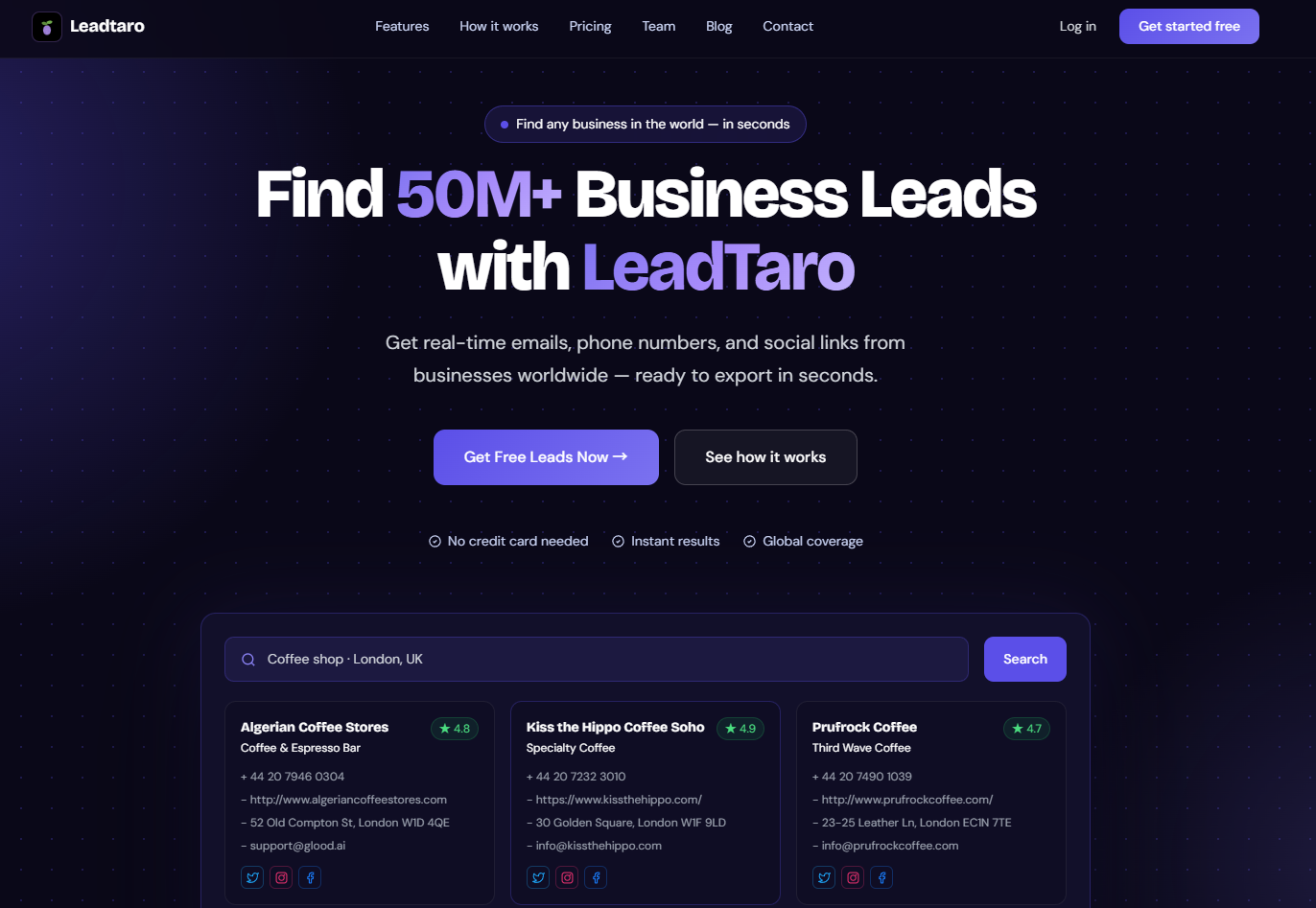
LeadTaro is a B2B lead generation platform designed to help users discover business prospects and manage their sales workflow.
Rather than relying only on the contacts available in a single social network, you can use LeadTaro to support business lead discovery and organize the information you need for prospecting.
A practical workflow includes:
Step 1: Define your target market
Decide which industries, business types, and geographic markets fit your ideal customer profile.
Step 2: Discover potential business leads
Use LeadTaro's lead search capabilities to find businesses relevant to your target audience. Available contact information can include business websites, phone numbers, email addresses, and social links, depending on the record.
Step 3: Review and prioritize prospects
Check whether each business fits your intended audience. Prioritize prospects using your own criteria, such as industry relevance, location, company information, and the potential value of the opportunity.
Step 4: Prepare personalized outreach
Use LeadTaro's AI-assisted cold email generation to help draft relevant messages. Review the drafts and verify any claims before contacting prospects.
Step 5: Manage prospects in your CRM pipeline
LeadTaro's CRM pipeline helps you organize leads as they progress through your sales process. You can track stages such as New Lead, Contacted, Interested, Meeting, and Closed.
This gives you a clearer picture of which prospects need attention, which conversations are progressing, and which opportunities have reached a conclusion.
Step 6: Improve your process over time
Review your outreach results and refine your targeting, message structure, and follow-up approach based on actual responses.
The benefit is a more organized prospecting workflow, from lead discovery through outreach and sales pipeline management.
LinkedIn vs. Cold Email vs. Multichannel Outreach
Different channels serve different purposes. LinkedIn is useful for professional networking and relationship building, while cold email can provide another way to introduce a relevant business offer. Telephone outreach may also be appropriate for certain markets and circumstances.
ApproachMain advantageMain considerationLinkedIn messagingProfessional context and networkingAccess and messaging are subject to platform rules and limitations.Cold emailDirect communication with business contactsContact data quality, relevance, deliverability, and legal compliance matter.Telephone outreachAllows direct conversation when appropriateRequires preparation and compliance with applicable calling rules.Multichannel outreachGives teams several ways to engage prospectsChannels must be coordinated to avoid repetitive or unwanted contact.A multichannel strategy does not mean contacting the same person everywhere as often as possible. It means selecting suitable channels based on the prospect, your offer, and the context of the relationship.
For example, a sales team may discover a relevant business through lead research, send a personalized email where lawful, and use LinkedIn to learn more about the professional context of a potential decision-maker.
Keep your records organized so that follow-ups reflect previous interactions rather than repeating the same introduction.
FAQ
Can you send mass messages on LinkedIn for free?
LinkedIn provides native messaging for eligible connections, including group conversations. The available options and limits depend on the current platform features and your account. A group message should not be confused with separate individual messages to every recipient.
Can you message multiple people at once on LinkedIn?
Yes, LinkedIn supports group conversations. However, a group message is different from individual outreach. For sales prospecting, consider whether a shared conversation is appropriate for the recipients.
Can you message people on LinkedIn without Premium?
You can generally message eligible first-degree connections using LinkedIn's standard messaging features. Contacting people outside your network may require an eligible feature, such as InMail, depending on their settings and your account.
How many LinkedIn messages can I send per day?
There is no single daily number that guarantees unrestricted messaging for every account. Features, restrictions, and enforcement can vary. Check LinkedIn's current policies and avoid relying on unofficial third-party estimates as guaranteed safe limits.
Will I get restricted for mass messaging?
Restrictions are possible if your activity violates LinkedIn's rules or is identified as abusive or unwanted. Aggressive automation and irrelevant messages can create additional risk. There is no method that guarantees an account will never be restricted.
What is the best alternative to LinkedIn mass messaging?
For B2B prospecting, consider combining professional networking with targeted business lead discovery and personalized cold email. The right mix depends on your audience, available contact information, and applicable platform and legal requirements.
LeadTaro can support business lead discovery, AI-assisted cold email drafting, and CRM pipeline management as part of this workflow.
How can I find business leads beyond LinkedIn?
Start with your ideal customer profile, then use relevant B2B lead generation tools to discover businesses that fit your criteria. Review the available business information and prioritize prospects before beginning outreach.
LeadTaro helps users discover business leads and manage prospects through a structured sales pipeline.
How can I manage outreach follow-ups?
Use a CRM or another structured tracking system to record the prospect, the date of contact, the current status, and the next action. LeadTaro's CRM pipeline lets you organize prospects across stages such as New Lead, Contacted, Interested, Meeting, and Closed.
Is cold email legal for B2B outreach?
The rules depend on the country, the type of recipient, the information used, and the nature of the message. In the UK, for example, businesses should consider applicable data protection and electronic marketing rules, including PECR and UK GDPR where relevant. Check the requirements that apply to your specific campaign, identify yourself accurately, and respect objections and opt-out requests.
Conclusion
Scaling B2B outreach is not simply a matter of sending more LinkedIn messages. Sustainable prospecting starts with finding the right businesses, understanding your audience, writing relevant messages, and managing follow-ups consistently.
Use LinkedIn where professional networking makes sense. Consider cold email and other appropriate channels when they better fit your target market. Avoid aggressive automation, verify your information, and follow the rules that apply to each channel.
With LeadTaro, you can support your prospecting workflow through B2B lead discovery, AI-assisted cold email generation, and CRM pipeline management.
Start with a better prospecting process: discover relevant leads, personalize your outreach, and keep every opportunity organized with LeadTaro.