Meta Title: 10 Best Market Research Tools for Local Businesses in 2026
Meta Description: Discover the best market research tools for local businesses in 2026. Learn how to analyze competitors, validate demand, research local markets, and find B2B leads.
URL Slug: market-research-tools-local-businesses
Primary Keyword: market research tools for local businesses
Secondary Keywords: local market research, market research tools for small businesses, Google Maps market research, local competitor analysis, B2B lead generation tools, business data tools
Why Local Businesses Need Market Research in 2026
Starting or growing a local business involves more than offering a good product or service. You need to understand your market, identify your competitors, estimate demand, and determine which customers are most likely to buy.
Without reliable research, business decisions often rely on assumptions. A marketing agency might target every restaurant in a city when its best customers are actually independent restaurants with an established customer base and limited digital marketing resources. A plumbing company might advertise across an entire region when most profitable jobs come from a few nearby areas.
Market research helps replace these assumptions with evidence.
For local businesses, useful research can answer questions such as:
How many businesses operate in my target area?
Which competitors already serve these customers?
What do customers like or dislike about competing businesses?
Which locations appear underserved?
What products or services are customers searching for?
Which businesses are the best prospects for my B2B offering?
How much demand might exist for a new service?
The right market research tools help you gather and analyze this information without requiring an expensive research department.
Why Market Research Matters for Small Businesses
Large companies may have dedicated analysts and research budgets. Smaller businesses can still make informed decisions by combining accessible tools, public information, customer feedback, and targeted business data.
A practical research process can help you:
Reduce wasted marketing spend. Identify the audiences and locations that are most relevant before launching a campaign.
Understand competitors. Compare services, customer feedback, positioning, and online visibility.
Find market opportunities. Look for geographic areas or customer segments that may be underserved.
Improve sales prospecting. Build lists of businesses that match your ideal customer profile instead of contacting random companies.
Validate new ideas. Investigate whether enough potential customers exist before investing heavily in a new product or service.
The objective is not to collect as much data as possible. It is to collect information that helps you make better commercial decisions.
Types of Market Research: Which Methods Matter Most?
Market research includes several methods. The best combination depends on whether you are launching a business, expanding into a new area, improving an existing offering, or generating B2B leads.
1. Primary Market Research
Primary research means collecting information directly from customers or potential customers.
Common methods include:
Customer interviews.
Online surveys.
Focus groups.
Feedback forms.
Product or service tests.
Interviews with industry professionals.
For example, a local gym considering a new class could survey existing members about preferred times, pricing, and class formats.
Primary research is particularly useful when you need to understand customer motivations or test an assumption that existing data cannot answer.
Its main limitation is that collecting responses takes time. Survey responses can also be biased if the sample is too small or unrepresentative.
2. Secondary Market Research
Secondary research uses information that already exists.
Sources include government statistics, industry reports, competitor websites, public business listings, search trends, and customer reviews.
A restaurant owner considering a second location might examine population data, competing restaurants, local amenities, and search interest before committing to a lease.
Secondary research is often a cost-effective starting point because you can evaluate an opportunity before investing in extensive interviews or surveys.
3. Quantitative Market Research
Quantitative research focuses on measurable information.
Examples include:
Number of businesses in a location.
Population and household statistics.
Competitor counts.
Average customer ratings.
Search interest over time.
Survey responses and conversion rates.
These metrics help estimate market size and compare opportunities.
For example, a commercial cleaning company could compare the number of offices and other relevant businesses across several towns to prioritize its sales territory.
4. Qualitative Market Research
Qualitative research explores reasons, opinions, experiences, and motivations.
Useful sources include customer interviews, online reviews, discussion forums, and open-ended survey responses.
Suppose customers repeatedly complain about long waiting times at several competing service businesses. That pattern might suggest an opportunity to differentiate through faster appointments or clearer scheduling.
However, individual reviews do not necessarily represent the entire market. Look for recurring themes and validate important findings with additional evidence.
Best approach: Combine quantitative data to identify patterns with qualitative research to understand what those patterns might mean.
The Best Market Research Tools for Local Businesses in 2026
There is no single tool that answers every market research question. Some platforms help you understand demand, others analyze competitors, and others help you identify specific businesses.
Here are ten useful tools and tool categories to consider.
1. Google Trends — Research Market Demand
<text>Best for: Understanding search interest and comparing topics.</text>
Google Trends helps users explore how search interest changes over time and across geographic areas where data is available.
A local fitness business could compare interest in personal training, Pilates, and strength training to identify topics worth investigating further.
Useful applications include:
Comparing interest in products or services.
Identifying seasonal patterns.
Exploring regional differences in search interest.
Discovering topics for content marketing.
Generating hypotheses for further research.
Google Trends does not provide a complete count of potential customers or prove that people searching for a service will purchase it. Use it alongside other market data.
Website: https://trends.google.com/
2. Google Keyword Planner — Estimate Search Demand
<text>Best for: Keyword research and paid search planning.</text>
Google Keyword Planner helps advertisers explore keyword ideas and estimated search volumes.
For a local electrician, it can help compare search terms such as emergency electrician, electrical installation, and electrical inspection.
This can inform advertising campaigns and provide clues about how potential customers describe their needs.
Keep in mind that keyword volume is not the same as total market demand. Some customers discover services through referrals, maps, social media, or other channels.
Website: https://ads.google.com/home/tools/keyword-planner/
3. Google Maps — Research Local Businesses and Competitors
<text>Best for: Local competitor research and geographic business discovery.</text>
Google Maps is a useful starting point for understanding the visible business landscape in a particular area.
Depending on the information available for each listing, you can investigate:
Business names and categories.
Addresses and geographic distribution.
Publicly listed phone numbers.
Website links.
Customer ratings and review counts.
Opening hours and other listing details.
A new coffee shop could use local listings to identify nearby cafés, compare their visible positioning, and examine customer feedback for recurring themes.
A B2B agency could use business listings to research companies within its target service area.
Google Maps is not a complete census of every business, and listing information can be missing or outdated. Also, access and permitted use depend on Google's terms and the method used to obtain the data.
Website: https://maps.google.com/
4. Google Business Profile — Understand Your Own Local Performance
<text>Best for: Monitoring your own business's local visibility.</text>
Google Business Profile provides eligible business owners with tools to manage their listings and review available performance information.
Depending on the available reporting features, businesses can examine interactions such as calls, website clicks, and requests for directions.
This information helps owners understand how customers discover and interact with their business through Google.
It is especially useful when combined with customer feedback, website analytics, and sales data.
Website: https://www.google.com/business/
5. Semrush — Analyze Competitors and Search Visibility
<text>Best for: SEO research and competitive keyword analysis.</text>
Semrush offers tools for investigating search visibility, keyword opportunities, and competitors' online marketing activity.
A local accounting firm could research which service-related keywords competitors appear for and identify content opportunities for its own website.
Useful applications include:
Keyword gap analysis.
Competitor website research.
Organic search performance analysis.
Backlink research.
Content planning.
Traffic estimates and third-party keyword data are approximations, not exact records of a competitor's visitors or revenue.
Website: https://www.semrush.com/
6. BrightLocal — Research Local SEO Performance
<text>Best for: Local search rankings, citations, and reputation monitoring.</text>
BrightLocal focuses on local SEO workflows, including tools related to local rankings, business listings, and reviews.
It can be useful for local businesses and agencies that need to understand how their online visibility compares with competitors.
For example, a dental practice could investigate its local search visibility and monitor whether changes to its local SEO strategy correspond with improved performance.
Website: https://www.brightlocal.com/
7. SurveyMonkey — Collect Customer Feedback
<text>Best for: Surveys and structured customer feedback.</text>
SurveyMonkey helps businesses create surveys and collect responses.
A home renovation company could ask previous customers about project satisfaction, communication, pricing, and the factors that influenced their decision to choose the company.
Survey results can help identify opportunities to improve services and test new ideas.
The reliability of the findings depends on the questions, sample size, and representativeness of the respondents.
Website: https://www.surveymonkey.com/
8. Typeform — Conduct Customer Research
<text>Best for: Interactive surveys and feedback forms.</text>
Typeform provides tools for building forms and surveys that can be used for customer interviews, feedback collection, and market validation.
A small software company might use a short survey to learn which features potential customers value most before building a new product.
Typeform is most useful when you need to collect information directly from people rather than simply analyze existing business data.
Website: https://www.typeform.com/
9. U.S. Census Bureau Data — Understand Demographics
<text>Best for: Population, household, and economic research in the United States.</text>
The U.S. Census Bureau publishes demographic and economic information that can support market sizing and location decisions.
A childcare provider could investigate population and household characteristics in different areas before evaluating where to expand.
Businesses outside the United States should use the equivalent official statistics services for their target markets.
Demographic data can help estimate potential demand, but it does not establish that a particular population will buy a specific product or service.
Website: https://www.census.gov/data.html
10. LeadTaro — Discover Potential B2B Customers
<text>Best for: B2B lead generation and researching potential business prospects.</text>
Market research is not only about understanding a market in aggregate. For companies that sell to other businesses, it also involves identifying the specific organizations that may become customers.
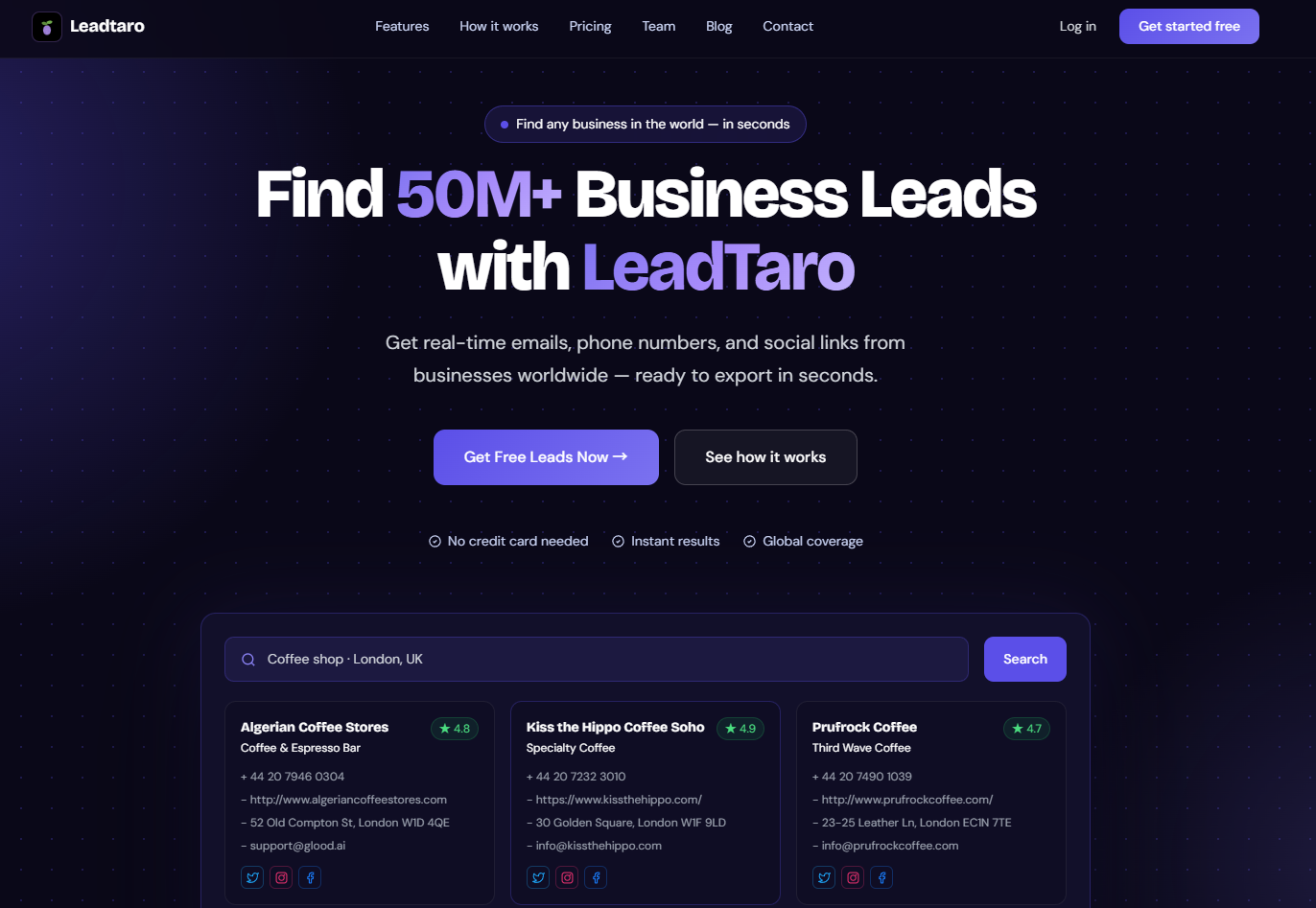
LeadTaro is a B2B lead generation platform that can support the process of discovering potential business prospects.
For example, a digital marketing agency might want to identify local businesses in selected categories and geographic areas. A business services provider might research companies within its sales territory before organizing an outreach campaign.
A practical workflow is to:
Define the target industry and location.
Identify potential businesses using the available search criteria.
Review the results and remove irrelevant records.
Verify important business and contact information.
Organize suitable prospects for sales follow-up.
Track which segments produce qualified conversations.
Lead generation data should be treated as one input into market research, not a substitute for customer interviews, competitor analysis, or demand validation.
To get started, visit LeadTaro.
Market Research Tools Compared
ToolMain PurposeLocal Business UseFree Starting OptionGoogle TrendsSearch interestExplore demand and seasonalityYesGoogle Keyword PlannerKeyword researchInvestigate service-related searchesAccess depends on account setupGoogle MapsBusiness discoveryFind and compare local businessesYes, for manual researchGoogle Business ProfileOwn listing performanceMonitor your local presenceYes, for eligible businessesSemrushSEO researchAnalyze competitor search visibilityLimited options may be availableBrightLocalLocal SEOTrack rankings and listing performanceCheck current plansSurveyMonkeySurveysCollect customer feedbackLimited free optionsTypeformForms and surveysConduct customer researchLimited free optionsU.S. Census BureauDemographicsEstimate local market characteristicsYesLeadTaroB2B lead generationIdentify potential business prospectsA free plan is availablePricing, plan limits, and feature availability can change. Check each provider's current website before choosing a paid subscription.
How to Use Google Maps for Local Market Research
Google Maps can help you understand the competitive landscape of a geographic area, particularly when you need to research businesses by category and location.
The key is to move beyond browsing individual listings and develop a consistent research method.
Step 1: Choose a Geographic Market
Define the city, town, region, or service area you want to investigate.
A residential cleaning company might compare several nearby towns. A restaurant consultant might focus on a particular commercial district.
Keep the geographic scope aligned with the way customers actually choose and use your service.
Step 2: Identify Relevant Business Categories
List the categories that directly compete with your offering or represent potential customers.
For example:
A commercial cleaning company might research offices, clinics, gyms, and retail businesses.A web design agency might research restaurants, tradespeople, and professional-service firms.
A food supplier might research cafés, restaurants, hotels, and catering companies.
Do not assume every business in a category is a suitable prospect. The goal is to identify the relevant market before narrowing it further.
Step 3: Compare Listings and Competitors
Review available information such as business location, category, website, customer reviews, and contact details.
For competitor analysis, examine:
Which areas have a high concentration of competitors?
Which services do competitors emphasize?
What do customers repeatedly praise?
What problems appear in negative reviews?
Are there geographic areas with fewer visible providers?
What could differentiate your business from existing alternatives?
These observations can generate useful hypotheses, but they should be validated before major business decisions.
Step 4: Organize the Findings
Create a spreadsheet with fields that support your research objective.
For example:
BusinessAreaCategoryWebsiteReview CountResearch NotesExample Business ACentral districtRestaurantAvailable120Strong review activityExample Business BNorth districtRestaurantNot found in listing35Verify website separatelyExample Business CSouth districtRestaurantAvailable65Investigate service positioningThese are illustrative records, not actual businesses.
Keeping the data structured makes it easier to compare locations, identify patterns, and share findings with your team.
Step 5: Validate Your Conclusions
A high competitor count does not automatically mean a market is oversaturated. It may indicate strong demand.
Similarly, a low competitor count does not automatically reveal an attractive opportunity. Demand could also be limited.
Combine business listings with search trends, demographic information, customer research, pricing analysis, and direct conversations before making important investment decisions.
How to Turn Market Research Into B2B Leads
For B2B companies, the next step after market analysis is to identify individual businesses that fit the target market.
The process begins with an ideal customer profile (ICP): a description of the businesses most likely to benefit from your product or service.
Step 1: Define Your Ideal Customer Profile
Include the criteria that genuinely affect customer fit.
Depending on your offering, these might include:
Industry or business category.
Geographic location.
Company size or operating model.
Services offered.
Website and online presence.
Relevant business characteristics.
Appropriate contact channels.
For example, a company selling appointment-booking software could focus on service businesses that depend on scheduled customer visits.
The ICP should be specific enough to guide research but flexible enough to avoid excluding suitable prospects unnecessarily.
Step 2: Estimate the Available Market
Before building a large lead list, estimate how many potential customers fit your criteria.
If you are targeting accountants in a specific region, first investigate how many relevant businesses operate there. Then narrow the market using your actual qualification requirements.
This helps you decide whether the segment is large enough to support your sales goals.
Remember that the number of listed businesses is not the same as the number of businesses willing or able to purchase.
Step 3: Build a Relevant Prospect List
Use appropriate business directories, market research tools, and lead generation platforms to identify candidate businesses.
Filter out records that clearly do not fit your ICP. Where contact details matter, verify them before launching outreach.
A smaller list of relevant prospects can be more useful than a much larger list with poor targeting.
Step 4: Segment Your Prospects
Divide the list into groups that require different messages or offers.
Possible segments include:
Industry.
Geography.
Business size.
Service requirements.
Website characteristics.
Existing relationship or sales stage.
For instance, a marketing agency could create separate segments for restaurants and dental practices because the two groups may have different customer acquisition challenges.
Step 5: Personalize Outreach
Use your research to explain why your offer may be relevant to the recipient.
Avoid generic messages that could be sent to any business. Focus on a specific business need, a clear value proposition, and a simple next step.
Ensure that your statements are accurate and that the recipient can be contacted through a lawful and appropriate channel.
Step 6: Measure Results and Refine Your Targeting
Track the performance of each segment.
Useful metrics include:
Percentage of prospects that match the ICP.
Valid contact-data rate.
Email delivery and bounce rates.
Positive reply rate.
Qualified meetings booked.
Opportunities created.
Customers acquired.
Cost per qualified opportunity.
If a segment generates little interest, revisit your targeting, offer, and messaging before increasing volume.
Market research is most valuable when campaign results feed back into the next round of decisions.
Practical Market Research Examples
The following examples illustrate how different businesses can use market research. They are scenarios, not claims about specific customer results.
Example 1: A New Café Evaluating a Location
A café owner is considering opening a second location.
The owner uses Google Maps to identify nearby cafés and restaurants, examines customer reviews, compares opening hours, and notes the types of businesses surrounding each potential location.
Next, the owner investigates local population characteristics and relevant search trends. A small customer survey tests interest in the proposed menu and price range.
The combined findings help compare locations and identify unanswered questions before signing a lease.
Example 2: A Marketing Agency Finding New Clients
A small marketing agency wants to attract more local business clients.
It defines an ICP focused on businesses in a particular region and identifies suitable categories to research. It then reviews available business information, checks website quality, and prioritizes companies that appear to fit its services.
The agency verifies the records, develops a relevant offer, and tests outreach with a small group of prospects.
Results help determine which industries and business characteristics deserve further investment.
Example 3: A Home Services Company Expanding Into a New Area
A plumbing company is considering entering a neighboring town.
It examines local population and housing information, identifies competitors, compares service coverage, and reviews customer feedback where available.
It then evaluates travel times, likely operating costs, and the number of relevant potential customers.
Rather than relying on competitor counts alone, the company uses the combined evidence to assess whether expansion is commercially viable.
Example 4: A B2B Software Company Researching a New Segment
A software company wants to determine whether independent clinics are a promising customer segment.
The team estimates the size of the segment, interviews potential buyers, studies existing software alternatives, and identifies common operational problems.
It then builds a small prospect list and tests whether the product's value proposition generates meaningful conversations.
This approach connects market research with real sales feedback instead of treating market size as proof of product demand.
Common Market Research Mistakes to Avoid
1. Choosing Tools Before Defining the Question
A tool is only useful when it helps answer a specific business question.
Start by deciding what you need to learn: market size, competitor positioning, customer preferences, local demand, or potential B2B customers.
Then select the smallest practical set of tools that can provide the necessary evidence.
2. Confusing Search Interest With Purchase Intent
People searching for a service may be researching prices, comparing alternatives, or simply gathering information.
Search volume is a useful indicator, but it does not guarantee sales.
Validate demand through additional evidence such as customer interviews, enquiries, transactions, and competitor research.
3. Treating Online Reviews as a Representative Survey
Reviews can reveal valuable customer experiences, but reviewers are self-selected and may not represent all customers.
Look for repeated themes rather than drawing broad conclusions from a handful of comments.
4. Collecting Too Much Data
Large spreadsheets can create the illusion of progress while making decisions more difficult.
Collect the information needed to answer your research question. Remove irrelevant fields and prioritize data quality over raw volume.
5. Ignoring Data Freshness
Business information changes. Companies move, close, change their services, or update their contact details.
Verify important records before using them for significant decisions or outreach.
6. Failing to Turn Insights Into Action
Research should lead to a decision, a test, or a clearly defined next step.
If the research does not change your understanding of the market or your plan of action, reconsider whether the information collected was necessary.
Compliance: Using Business Data Responsibly
Market research and B2B lead generation may involve business information and, in some cases, personal data. The relevant requirements depend on the source, data type, jurisdiction, and intended use.
Before collecting or using business information:
Review the applicable terms of service and data-access restrictions.
Confirm that your collection method is permitted.
Collect only the information needed for your stated purpose.
Determine whether personal data is involved.
Establish an appropriate lawful basis when required.
Follow relevant electronic marketing and privacy rules.
Provide required transparency information and respect objections.
Protect stored information and establish suitable retention practices.
In the UK, consider the UK GDPR, the Data Protection Act 2018, and PECR where applicable. Rules for electronic marketing can differ depending on the type of recipient and communication channel.
In the United States, CAN-SPAM governs important aspects of commercial email, including sender identification, deceptive subject lines, and opt-out requests.
Publicly available information is not automatically unrestricted for every purpose. Review the applicable rules before conducting large-scale collection or outreach, and seek legal advice when needed.
Frequently Asked Questions About Market Research Tools
What are the best market research tools for small businesses?
The best tools depend on your goal. Google Trends can help explore search interest, Google Maps can support local competitor research, Semrush can assist with SEO analysis, and SurveyMonkey can collect customer feedback. Businesses that need to identify potential B2B customers can also evaluate lead generation platforms such as LeadTaro.
Many small businesses can begin with free tools and add paid software when they have a clear need.
Are there free market research tools for local businesses?
Yes. Options include Google Trends, Google Maps for manual business research, official government statistics, and Google Business Profile for eligible business owners. Some survey and SEO platforms also offer limited free plans or trials.
Free tools may have restrictions on usage, reporting, or data access, so compare their limitations with your research requirements.
Can Google Maps be used for market research?
Yes. Google Maps can help identify local competitors, explore business categories, compare geographic distribution, and review publicly displayed business information.
However, it does not represent a complete or perfectly current record of every business. Validate important findings with additional sources.
How do I research local competitors?
Start by defining your geographic area and the products or services you want to compare. Identify relevant competitors, examine their websites and public listings, review customer feedback, compare their positioning, and look for recurring customer needs.
Combine those findings with customer interviews, demand research, and your own commercial data before deciding how to compete.
What is the difference between market research and lead generation?
Market research helps you understand a market, its customers, competitors, and opportunities. Lead generation focuses on identifying potential customers and creating opportunities for sales conversations.
The two activities overlap. Market research can define your target audience, while lead generation helps you identify specific businesses that fit that audience.
How much do market research tools cost?
Costs vary considerably. Free tools can support basic demand and competitor research, while specialized platforms may charge recurring subscription fees or usage-based prices.
Consider the total cost of the workflow, including data access, verification, staff time, and integrations. The most expensive tool is not necessarily the most suitable.
Can AI replace market research?
AI can help summarize reports, organize findings, generate research questions, analyze structured data, and identify patterns. It cannot guarantee that its information is accurate or current.
Use AI alongside reliable data sources and direct customer research. Verify important claims before making business decisions.
How can I use market research to find B2B leads?
Define your ideal customer profile, estimate the size of your target market, identify businesses that match your criteria, verify relevant information, and organize prospects into useful segments.
You can then develop targeted outreach and track which segments produce qualified opportunities. A platform such as LeadTaro can support the business prospect discovery part of this process.
Final Thoughts
Effective market research does not require an enterprise budget or dozens of subscriptions. It requires a clear question, reliable evidence, and a practical way to turn findings into decisions.
For local businesses, a useful starting point is to combine demand research, competitor analysis, customer feedback, and geographic business information. For B2B companies, lead generation can extend that process by identifying the individual businesses that fit the target market.
Start with a focused question, use a small set of suitable tools, and validate your assumptions before making expensive decisions.
If your goal is to find potential business customers, explore LeadTaro as part of your B2B lead generation workflow.
The objective is simple: understand your market, focus on the right opportunities, and make decisions based on evidence rather than guesswork.